11 Best Automatic Double-Sided Printers for 2027 That Save Time
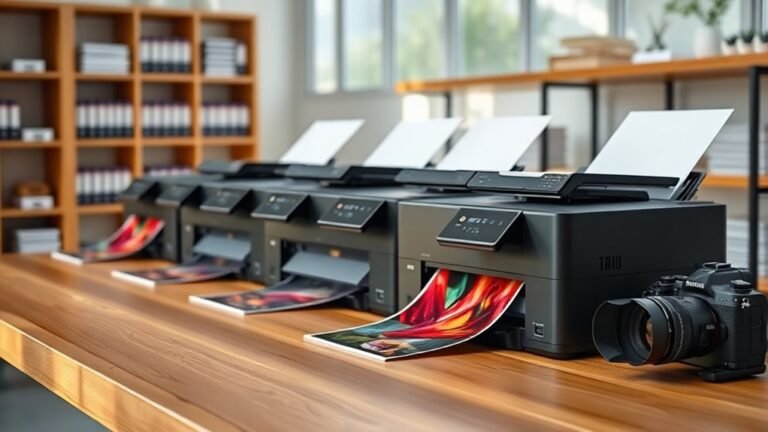
You want an automatic double-sided printer that boosts your efficiency and saves time. These printers are perfect for busy offices or home setups where speed and convenience matter the most.
With features like duplex printing, scanning, and copying, they help you get more done in less time.
Models like the Brother INKvestment 5010 offer fast printing speeds and a 50-sheet duplex ADF for seamless double-sided scanning and copying. The Canon MegaTank series stands out with high page yields thanks to refillable tanks. Meanwhile, HP’s OfficeJet Pro models combine speed with smart app integration and strong security features.
Whether you prioritize speed, capacity, or cost-effectiveness, exploring these options will help you find your ideal time-saving printer. It’s all about matching your needs with the right technology to maximize productivity.
Brother INKvestment 5010 Wireless Color Inkjet Printer
The Brother INKvestment 5010 Wireless Color Inkjet Printer is designed to help small businesses and home offices handle demanding print tasks with ease. It offers fast print speeds of up to 28 ppm in black and 26 ppm in color, helping you complete projects quickly. Automatic double-sided printing up to Legal size streamlines document creation and saves paper.
This all-in-one machine also features a 50-sheet single-pass duplex ADF for efficient scanning and copying of double-sided documents. Its 250-sheet paper tray reduces frequent refills, keeping your workflow uninterrupted. The intuitive 2.7″ touchscreen provides straightforward control over printing, scanning, and faxing functions.
Connectivity options include wireless, Ethernet, and cloud support, allowing you to print seamlessly from multiple devices. Maintenance involves using Brother Genuine LC506 ink cartridges, which ensure quality but may raise consumable costs. Color cartridges yield about 750 pages each, so high-volume color users should plan accordingly.
Best for: Small businesses and home offices needing a fast, reliable all-in-one printer with professional color output and versatile duplex capabilities.
What We Like:
- Fast, professional-quality color and black printing
- Efficient duplex printing and scanning with single-pass ADF
- Multiple connectivity options including dual-band Wi-Fi and Ethernet
- Large 250-sheet paper capacity reduces interruptions
- Easy operation via a responsive 2.7″ touchscreen
Specification:
| Feature | Details |
|---|---|
| Manufacturer | Brother |
| Dimensions (W×D×H) | 16.1 × 15.7 × 7.9 inches |
| Weight | 17.7 lbs (8 kg) |
| Print Speed | Up to 28 ppm (black), 26 ppm (color) |
| Paper Capacity | 250 sheets |
| Duplex Printing | Automatic, up to Legal size |
| ADF Capacity | 50 sheets, single-pass duplex |
| Display | 2.7-inch color touchscreen |
| Connectivity | Wireless (dual-band Wi-Fi), Ethernet, Wi-Fi Direct, Cloud printing |
HP OfficeJet Pro 8125 Wireless All-in-One Printer
The HP OfficeJet Pro 8125 Wireless All-in-One Printer is designed to make professional-quality printing simple and efficient. It handles color and black-and-white documents smoothly, delivering crisp prints that maintain a sharp look. This printer streamlines your workflow with easy duplex printing, reducing paper waste automatically.
Maintenance is straightforward thanks to its wireless connectivity and the HP Smart app, which lets you print, scan, and fax directly from your smartphone. The 2.7-inch color touchscreen offers an intuitive, phone-like interface that simplifies operation, even for busy professionals. AI-driven print optimization helps save paper, making your workspace more efficient and eco-friendly.
This model is built for those who need a reliable, multifunction printer that supports a fast pace without compromising quality. The 225-sheet input tray minimizes interruptions, while the dual-band Wi-Fi ensures stable connections. However, it requires original HP cartridges, as firmware updates block non-HP alternatives, which is important to consider for ongoing maintenance costs.
Best for: professionals and home office users seeking fast, high-quality color printing combined with multifunction features and mobile connectivity.
What We Like:
- Fast black-and-white and color printing with automatic duplex
- Intuitive 2.7-inch color touchscreen and AI print optimization
- Wireless printing via dual-band Wi-Fi and HP Smart app
- Includes Instant Ink trial and features sustainable design elements
Specification:
| Feature | Details |
|---|---|
| Manufacturer | HP |
| Model | OfficeJet Pro 8125 |
| Print Speed | Up to 20 ppm (black), 10 ppm (color) |
| Paper Tray Capacity | 225 sheets |
| Connectivity | Dual-band Wi-Fi, USB |
| Display | 2.7-inch color touchscreen |
| Dimensions (W×D×H) | Approx. 17.3 × 14.5 × 8.5 in (44 × 37 × 21.6 cm) |
| Weight | Approx. 16.4 lbs (7.44 kg) |
HP Envy 6555 Wireless All-in-One Color Printer
Experience hassle-free printing with the HP Envy 6555 Wireless All-in-One Color Printer, designed to meet your everyday home and small office needs. This versatile printer handles color documents and photos smoothly, helping you save time with automatic two-sided printing and a 35-sheet auto document feeder. Its user-friendly design and straightforward controls make managing print tasks simple.
Connectivity is seamless thanks to dual-band Wi-Fi, allowing you to print from multiple devices without interruptions. The 2.4″ color touchscreen and HP’s smartphone app give you full control at your fingertips. This makes it easy to start prints, check ink levels, or scan documents directly from your phone.
Maintenance is straightforward with HP’s AI technology, which optimizes print layouts to reduce wasted paper. While it requires original HP cartridges with chips, this ensures consistent print quality and reliable performance. The 100-sheet input tray suits moderate printing volumes but may require frequent refills for heavier use.
Sustainability is also a focus, as the printer supports recycled materials and offers a trial of Instant Ink for convenient, automated ink delivery. This all-in-one printer balances functionality and eco-conscious features in a compact design.
Best for: Home users and small offices needing an easy-to-use, versatile all-in-one color printer for everyday documents and photos.
What We Like:
- Automatic duplex printing and 35-sheet auto document feeder increase efficiency.
- Dual-band Wi-Fi and intuitive touchscreen for smooth connectivity and operation.
- AI-driven print optimization cuts down on wasted paper.
- Compatible with HP’s Instant Ink for hassle-free ink management.
Specification:
| Feature | Details |
|---|---|
| Manufacturer | HP |
| Dimensions (W×D×H) | Approx. 17.3 × 14.5 × 5.6 in |
| Weight | About 13.5 lb (6.1 kg) |
| Color Options | Black and White |
| Input Tray Capacity | 100 sheets |
| Auto Document Feeder | 35 sheets |
| Print Speed | Up to 10 ppm (black), 7 ppm (color) |
| Display | 2.4″ color touchscreen |
Canon MegaTank MAXIFY GX2020 Wireless All-in-One Printer
The Canon MegaTank MAXIFY GX2020 Wireless All-in-One Printer is designed for users who need consistent, high-volume printing without the hassle of frequent ink changes. Its refillable ink tank system delivers up to 3,000 black-and-white and 3,000 color pages on a single set, significantly reducing interruptions and maintenance.
This printer’s compact footprint fits comfortably on desks, making it ideal for home offices or small businesses. The 35-sheet Auto Document Feeder and automatic duplex printing simplify handling multi-page documents, saving time and effort during busy workdays.
Wireless connectivity paired with a 2.7-inch LCD touchscreen offers intuitive control for printing, scanning, copying, and faxing. This flexibility allows users to manage tasks efficiently from anywhere in the workspace without tangled cables or complex setups.
While the upfront cost may be higher than cartridge-based printers, the long-term savings from ink efficiency and fewer replacements are considerable. However, the 35-sheet feeder may limit large batch scanning, and mobile printing app support is not specified.
Best for: Small businesses or individuals needing a reliable, cost-effective all-in-one wireless printer with high ink capacity and easy maintenance.
What We Like:
- Refillable ink tanks support up to 3,000 pages per color and black set
- Compact design with efficient document handling features
- Wireless printing with an easy-to-use LCD touchscreen
Specification:
| Feature | Details |
|---|---|
| Manufacturer | Canon |
| Dimensions | Compact size (exact size not specified) |
| Weight | Not specified |
| Ink System | Refillable MegaTank |
| Connectivity | Wireless |
| Auto Document Feeder | 35-sheet capacity |
| Duplex Printing | Automatic |
| Display | 2.7-inch LCD touchscreen |
Brother HL-L2460DW Wireless Monochrome Laser Printer
The Brother HL-L2460DW Wireless Monochrome Laser Printer is designed to meet the demands of busy home offices and small teams. It delivers fast, reliable printing with speeds up to 36 pages per minute, helping you breeze through daily tasks without delays. The sharp 1200 x 1200 dpi resolution ensures your black-and-white documents look professional and clear.
This printer offers versatile connectivity options including dual-band Wi-Fi, Ethernet, and USB, so you can print from multiple devices with ease. Managing prints remotely is simple using the Brother Mobile Connect app, which adds convenience to your workflow. The compact design fits neatly into limited spaces without sacrificing functionality.
Maintenance is straightforward with a 250-sheet tray and a manual feed slot that accommodate various paper sizes up to legal. Automatic two-sided printing saves paper and reduces your environmental impact. The ENERGY STAR certification highlights its energy efficiency, keeping operating costs low.
While this model prints in monochrome only and lacks scanning or copying functions, it excels as a dedicated laser printer for high-volume, black-and-white output. Toner replacement is easy, and the Refresh EZ Print Subscription helps you keep supplies stocked without hassle.
Best for: Small office teams and home users needing a fast, compact monochrome laser printer with wireless features and duplex printing.
What We Like:
- Fast print speeds of up to 36 ppm with sharp 1200 x 1200 dpi output
- Multiple connectivity options including dual-band Wi-Fi and Ethernet
- Automatic duplex printing reduces paper usage and saves time
- Compact design fits well in small workspaces
- ENERGY STAR certified for energy-efficient operation
Specification:
| Feature | Details |
|---|---|
| Manufacturer | Brother |
| Dimensions | 14.2 x 14.0 x 7.2 inches |
| Weight | 15.2 lbs (6.9 kg) |
| Print Speed | Up to 36 ppm |
| Print Resolution | 1200 x 1200 dpi |
| Connectivity | Dual-band Wi-Fi, Ethernet, USB |
| Paper Capacity | 250-sheet tray + manual feed |
| Duplex Printing | Automatic two-sided printing |
Brother Work Smart 1410 Wireless Color Inkjet Printer
Experience hassle-free printing with the Brother Work Smart 1410 Wireless Color Inkjet Printer. Designed to streamline your workflow, this all-in-one device handles printing, copying, and scanning effortlessly. Its automatic duplex printing helps reduce paper usage while boosting efficiency.
Navigating tasks is simple thanks to the bright 2.7” color touchscreen. Wireless and USB connectivity options, along with the Brother Mobile Connect app, allow you to print and scan directly from your smartphone. This flexibility makes managing documents easier, especially in a busy home office.
Maintenance is straightforward, but be aware it uses Brother Genuine LC501 ink cartridges, which may affect running costs. The 150-sheet paper tray and 20-sheet automatic document feeder keep daily tasks steady, though larger jobs might require more frequent refills.
Cloud integration with services like Google Drive and Dropbox keeps your files accessible and your workflow smooth. While print speeds of up to 16 ppm black and 9 ppm color suit moderate use, they might be limiting for high-volume needs.
Best for: Small office and home office users seeking a versatile all-in-one printer with wireless features and cloud connectivity.
What We Like:
- Automatic duplex printing saves paper and time
- Easy-to-use 2.7” touchscreen and mobile app support
- Wireless and USB connectivity enhance convenience
- Cloud integration with popular services improves workflow
- Compact design fits well in small workspaces
Specification:
| Feature | Details |
|---|---|
| Manufacturer | Brother |
| Dimensions | Approx. 16.1 x 13.7 x 8.5 in (40.9 x 34.8 x 21.6 cm) |
| Weight | Approx. 12.6 lbs (5.7 kg) |
| Connectivity | Wireless (Wi-Fi), USB |
| Display | 2.7” color touchscreen |
| Paper Capacity | 150-sheet tray, 20-sheet ADF |
| Print Speed | Up to 16 ppm black, 9 ppm color |
| Ink Cartridges | Brother Genuine LC501 |
Brother DCP-L2640DW Wireless Monochrome Printer
Experience efficient, high-speed printing and multifunction convenience with the Brother DCP-L2640DW Wireless Monochrome Printer. This compact device combines printing, copying, and scanning to streamline your daily tasks. Its fast output of up to 36 pages per minute helps reduce waiting times and keeps your workflow smooth.
Designed for easy maintenance, the printer features a 250-sheet input tray and supports high-yield toner cartridges. This reduces interruptions and lowers the frequency of refills, allowing you to focus on your work. The auto duplex printing function saves paper, promoting eco-friendly office practices.
Connectivity options include dual-band Wi-Fi, Ethernet, and USB, enabling seamless printing from various devices like PCs, smartphones, and tablets. The 50-page automatic document feeder simplifies handling multi-page documents, improving your productivity.
While it offers reliable monochrome printing, be aware that it does not support color output. The scanner and copier resolutions are adequate but may not match higher-end models for detailed imaging. Overall, it’s a practical choice for users who prioritize speed and multifunctionality in a compact design.
Best for: Small businesses and home offices needing a fast, reliable monochrome printer with wireless and multifunction capabilities.
What We Like:
- Rapid print and copy speeds up to 36 ppm for enhanced efficiency
- Multiple connectivity options: dual-band Wi-Fi, Ethernet, and USB
- Automatic duplex printing promotes paper savings and eco-friendliness
- 50-page auto document feeder streamlines multi-page tasks
- High-yield toner support reduces maintenance frequency
Specification:
| Feature | Details |
|---|---|
| Manufacturer | Brother |
| Dimensions (W×D×H) | Approx. 16.1 × 15.7 × 11.7 in (41 × 40 × 29.7 cm) |
| Weight | Approx. 16.5 lb (7.5 kg) |
| Color Options | Monochrome (Black & White) |
| Connectivity | Dual-band Wi-Fi, Ethernet, USB |
| Input Tray Capacity | 250 sheets |
| Auto Document Feeder | 50 pages |
| Print Speed | Up to 36 ppm |
Epson Workforce Pro WF-4930 Wireless All-in-One Printer
Handling large printing tasks can slow down any busy office, but the Epson Workforce Pro WF-4930 Wireless All-in-One Printer is designed to keep your workflow smooth and uninterrupted. It offers fast, automatic double-sided printing and scanning, helping you complete jobs quickly while reducing paper use.
This model produces sharp black prints at up to 25 pages per minute and color prints at 12 pages per minute. Thanks to PrecisionCore Heat-Free technology and DURABrite Ultra inks, your documents come out crisp and professional every time. The 500-sheet paper capacity and 50-sheet automatic document feeder allow you to tackle big jobs without constant refilling.
Connectivity options are flexible with Wi-Fi, Ethernet, USB, and even voice-activated printing, so you can print conveniently from multiple devices. The 4.3-inch touchscreen and Epson Smart Panel app make operation and maintenance straightforward, reducing downtime and simplifying routine tasks.
While the printer is reliable and fast, color print speed is slower than black, which might affect color-heavy work. It also uses Epson 842 ink cartridges that need genuine replacements to maintain warranty and performance. The printer’s size and weight mean it requires a dedicated space in your office.
Best for: Busy offices and professionals needing a fast, reliable all-in-one printer with high-volume printing and scanning capabilities.
What We Like:
- Efficient double-sided printing and scanning to save time and paper
- Large paper capacity and automatic document feeder for uninterrupted workflow
- Multiple connectivity options including voice commands and touchscreen control
- Crisp, professional-quality prints using advanced PrecisionCore technology
Specification:
| Feature | Details |
|---|---|
| Manufacturer | Epson |
| Dimensions | Approximately 19.8 x 17.9 x 12.5 inches |
| Weight | 23.6 pounds (10.7 kg) |
| Color Options | Black |
| Connectivity | Wi-Fi, Ethernet, USB, Voice commands |
HP OfficeJet Pro 9125 Wireless All-in-One Printer
For busy professionals, the HP OfficeJet Pro 9125 Wireless All-in-One Printer offers a smart solution to everyday printing challenges. It delivers sharp, colorful documents quickly, helping you meet deadlines without compromise. The fast print speeds and automatic duplexing save both time and paper.
Designed for ease, its 2.7-inch touchscreen works like a smartphone, making navigation intuitive. The 250-sheet input tray and automatic document feeder reduce interruptions during large print jobs. You can print, scan, copy, and fax wirelessly from your phone via the HP app, adding flexibility to your workflow.
Maintenance is straightforward but requires original HP cartridges with chips, as the printer blocks non-HP alternatives. Firmware updates reinforce this to ensure quality and reliability. The included three-month Instant Ink trial helps keep running costs manageable, though a monthly fee applies afterward unless canceled.
With built-in security and AI-enhanced formatting, this printer not only protects your data but also reduces paper waste. Its compact design fits well in small offices, balancing performance and convenience.
Best for: Professionals and small offices needing fast, high-quality wireless printing with efficient handling of large volumes.
What We Like:
- Fast printing up to 22 ppm black and 18 ppm color with duplex capability
- Intuitive 2.7-inch color touchscreen for easy operation
- Wireless functionality through HP app for printing, scanning, copying, and faxing
- AI-powered formatting reduces paper waste
- Secure printing with built-in protections
Specification:
| Feature | Details |
|---|---|
| Manufacturer | HP |
| Model | OfficeJet Pro 9125 |
| Dimensions | Approx. 17.3 x 15.9 x 9.8 in (44 x 40.5 x 25 cm) |
| Weight | Approx. 20.3 lbs (9.2 kg) |
| Input Tray Capacity | 250 sheets |
| Touchscreen | 2.7-inch color touchscreen |
| Connectivity | Wireless, HP app support |
HP OfficeJet Pro 9135 Wireless All-in-One Printer
The HP OfficeJet Pro 9135 Wireless All-in-One Printer is designed to streamline busy office workflows with fast, reliable printing. It handles high-volume tasks efficiently, producing up to 25 pages per minute in black and 20 in color. This printer’s automatic double-sided printing and scanning save time and reduce paper waste, helping your team stay productive and eco-friendly.
Operation is straightforward thanks to a bright 4.3-inch color touchscreen. You can easily manage print jobs and settings without hassle. Wireless and Ethernet connectivity offer flexible placement options in your workspace, supporting both individual and networked use.
Maintenance is simplified with dual 250-sheet trays and a total 500-sheet capacity, minimizing the need for frequent refills. The printer uses original HP cartridges exclusively, ensuring print quality but limiting ink options. HP’s AI technology optimizes each print job, cutting waste while built-in security protects sensitive office documents.
This printer’s solid build and smart features make it a practical choice for small to medium businesses needing dependable, efficient printing with duplex capabilities.
Best for: Small to medium businesses and work teams needing fast, reliable, and secure all-in-one printing with automatic duplex features.
What We Like:
- Fast print speeds up to 25 ppm (black) and 20 ppm (color) with duplex functionality
- Easy-to-use 4.3-inch color touchscreen
- Flexible connectivity: dual-band Wi-Fi, Ethernet, and USB options
- HP AI reduces print waste and enhances efficiency
- Strong security features to protect office data
Specification:
| Feature | Details |
|---|---|
| Manufacturer | HP |
| Dimensions (W×D×H) | Approx. 17.3 × 15.4 × 9.3 in |
| Weight | 26.1 lb (11.8 kg) |
| Connectivity | Dual-band Wi-Fi, Ethernet, USB |
| Paper Capacity | Two 250-sheet trays (500 total) |
| Display | 4.3-inch color touchscreen |
Brother MFC-L2820DW Wireless Monochrome Laser Printer
Experience effortless productivity with the Brother MFC-L2820DW Wireless Monochrome Laser Printer. This compact device is designed to streamline your workflow by combining printing, copying, scanning, and faxing in one space-saving unit. Its fast print speed of up to 36 pages per minute ensures your documents are ready when you need them.
Maintenance is simplified with features like a 50-page auto document feeder and automatic duplex printing, reducing manual handling and paper waste. The 250-sheet paper tray balances capacity with a compact footprint, ideal for small office environments.
Designed for convenience, the printer features a 2.7″ touchscreen and supports voice commands via Alexa. The Brother Mobile Connect app allows wireless printing and scanning from smartphones, making it easy to manage tasks remotely.
This monochrome laser printer delivers sharp 1200 x 1200 dpi quality but does not support color printing. Its ENERGY STAR compliance and optional toner subscription service help small offices save energy and reduce operating costs, although the subscription is limited to contiguous U.S. residents.
Best for: Small offices and home users needing a fast, reliable monochrome laser printer with wireless multifunction capabilities.
What We Like:
- High-speed printing at 36 ppm with crisp resolution
- Multifunction design including copying, scanning, faxing, and duplex printing
- Easy operation via touchscreen, Alexa, and mobile app
- Compact size with efficient document handling
- ENERGY STAR certified for energy savings
Specification:
| Feature | Details |
|---|---|
| Manufacturer | Brother |
| Dimensions (WxDxH) | Approx. 16.1 x 15.7 x 12.7 in (40.9 x 39.9 x 32.3 cm) |
| Weight | Approx. 18.7 lbs (8.5 kg) |
| Printing Technology | Monochrome Laser |
| Connectivity | Wireless, USB |
| Display | 2.7″ Color Touchscreen |
| Paper Capacity | 250-sheet input tray, 50-sheet ADF |
Factors to Consider When Choosing an Automatic Double-Sided Printer
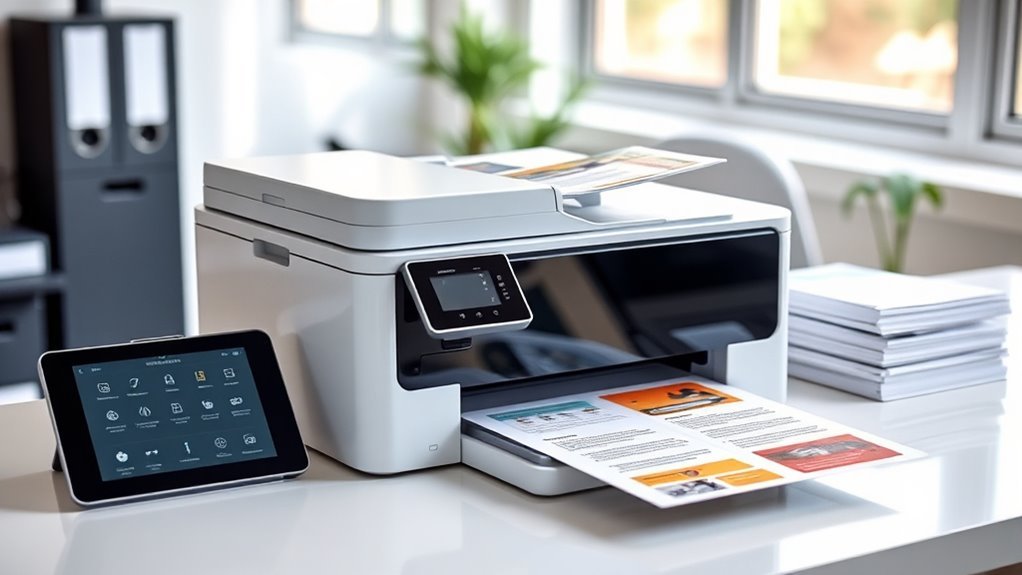
When choosing an automatic double-sided printer, you’ll want to focus on print speed and reliable duplex printing features to keep your workflow smooth.
Also, consider connectivity options to match your devices, along with ink or toner efficiency to save on running costs.
Don’t forget to check the paper capacity to make sure it meets your printing volume needs. It’s all about finding the right balance for your specific tasks.
Print Speed Importance
Although print speed isn’t the only factor to take into account, choosing an automatic double-sided printer with fast duplex speeds can greatly cut down your wait times, especially for high-volume tasks like reports and manuals.
Remember, duplex printing speed often differs from simplex speed because the printer needs extra time to flip and realign pages. So, always check the documented duplex ppm instead of assuming it matches single-sided rates.
If you print many short two-sided jobs, first-page-out time and warm-up speed matter too. Also, if your printer has an automatic document feeder, consider its duplex scanning speed for copying efficiency.
Finally, match the duplex speed to the device’s duty cycle and monthly volume; fast speeds only help if the printer can handle sustained heavy use without issues.
Duplex Printing Features
Automatic duplex printing offers significant advantages by saving paper and reducing document bulk. It prints on both sides without manual page flipping, often cutting your paper use in half for double-sided documents.
When scanning or copying, duplex-capable automatic document feeders speed up two-sided jobs by handling both pages in one pass. This also reduces misfeeds, making the process smoother.
However, it’s important to check the supported paper sizes and weights for duplexing. Many printers handle standard or legal sizes just fine but might struggle with heavy cardstock, glossy photo paper, or envelopes.
Also, keep in mind that duplex printing speeds are usually slower than single-sided output. This happens because of the internal paper flips and extra processing involved.
Look for printers that offer automatic duplex settings in the driver, like long-edge or short-edge binding options. That way, you can easily customize orientation for booklets or stapled reports.
Connectivity Options Variety
Choosing the right connectivity options can make or break your experience with a double-sided printer. You’ll want dual-band Wi-Fi (2.4 GHz and 5 GHz) to pick the less-crowded band for smoother wireless duplex printing and scanning.
If you handle high-volume jobs in an office, a Gigabit Ethernet port guarantees stable wired connections. Don’t forget mobile and cloud printing compatibility—AirPrint, Mopria, and Google Cloud Print alternatives let you print two-sided documents straight from your smartphone or cloud storage.
Wi-Fi Direct and USB host ports allow printing without joining a network or from flash drives. Finally, printers with dedicated app control and remote management APIs let you schedule or monitor double-sided tasks and supply status, keeping your workflow efficient and hassle-free.
Ink and Toner Efficiency
When you print double-sided, you cut paper use by up to half, which directly lowers your consumable costs. However, ink and toner efficiency also plays a vital role.
Inkjet duplex printers often consume more ink per page than monochrome lasers, especially for dense text. So, check the measured color and black yield—how many pages a cartridge can print—when calculating your cost per double-sided page.
Opt for high-yield cartridges or refillable tanks, as they boost pages per supply and reduce replacement frequency. Subscription plans can help maintain supply without over-ordering but factor in fees and allotments to understand long-term costs.
Finally, consider the printer’s duty cycle and rated page yields to guarantee the consumables’ lifespan meets your expected duplex volume without frequent interruptions.
Paper Capacity Needs
Since your printing needs can vary widely, matching paper capacity to your typical job size is essential for seamless double-sided printing. If you often print multi-page duplex reports, choose a printer with at least a 250-sheet input tray to avoid constant refills.
For longer runs, consider total usable capacity—including main and secondary trays—and aim for 500 sheets or more to keep jobs running uninterrupted. Don’t overlook the automatic document feeder (ADF) capacity if duplex scanning or copying is part of your workflow.
A larger ADF (35–50 sheets) saves time by reducing reloads. Also, check output bin size and stacking to prevent jams during high-volume jobs. Remember, heavier media like cardstock lowers effective capacity, so plan accordingly when using specialty paper.
Frequently Asked Questions
How Do Automatic Double-Sided Printers Handle Different Paper Types?
Automatic double-sided printers adjust settings based on the paper type you select, preventing jams and smudges. They use sensors to detect thickness and texture, ensuring smooth feeding and accurate printing on various paper types without manual intervention.
This means you don’t have to worry about changing settings yourself. The printer takes care of it, making the whole process much easier and more reliable.
Can These Printers Be Used With Mobile Devices and Apps?
Like a bridge connecting islands, these printers sync effortlessly with your mobile devices and apps.
You’ll easily print double-sided documents on the go, staying productive without being tethered to a desk or computer.
What Maintenance Is Required for Automatic Duplex Printing?
You’ll need to regularly clean the duplexer and check for paper jams. Also, replacing worn rollers helps keep things running smoothly.
Don’t forget to update the firmware when needed. Keeping the printer’s internals dust-free is key—it guarantees smooth automatic double-sided printing without interruptions or errors.
Are These Printers Compatible With Mac and Windows Operating Systems?
Yes, these printers usually support both Mac and Windows operating systems. You’ll find drivers available for easy setup, ensuring smooth compatibility.
How Energy Efficient Are Automatic Double-Sided Printers?
Like a wizard conserving spell power, you’ll find automatic double-sided printers surprisingly energy efficient. They reduce paper use and often have sleep modes, so you’ll save electricity and cut costs without sacrificing performance.
Pretty neat, right? It’s like getting more done with less—kind of a win-win for your wallet and the planet!
Conclusion
Choosing the right automatic double-sided printer means balancing speed with quality, saving time with convenience, and investing in reliability without overspending. Whether you want vibrant color prints, crisp monochrome pages, or all-in-one functionality, these top picks have you covered.
You’ll boost productivity, reduce paper waste, and simplify your printing tasks. So pick the printer that fits your needs, matches your budget, and makes printing effortless every time.
When looking for the best automatic double-sided printer, think about what matters most to you—fast printing speeds or high-quality output. Also, consider features like wireless connectivity and ease of use. These smart choices help you save time and cut down on paper costs.
In short, choosing an automatic double-sided printer that combines efficiency, quality, and convenience will transform your printing experience. It’s all about finding the perfect balance that suits your workflow and budget, so you can enjoy hassle-free, professional results every time.