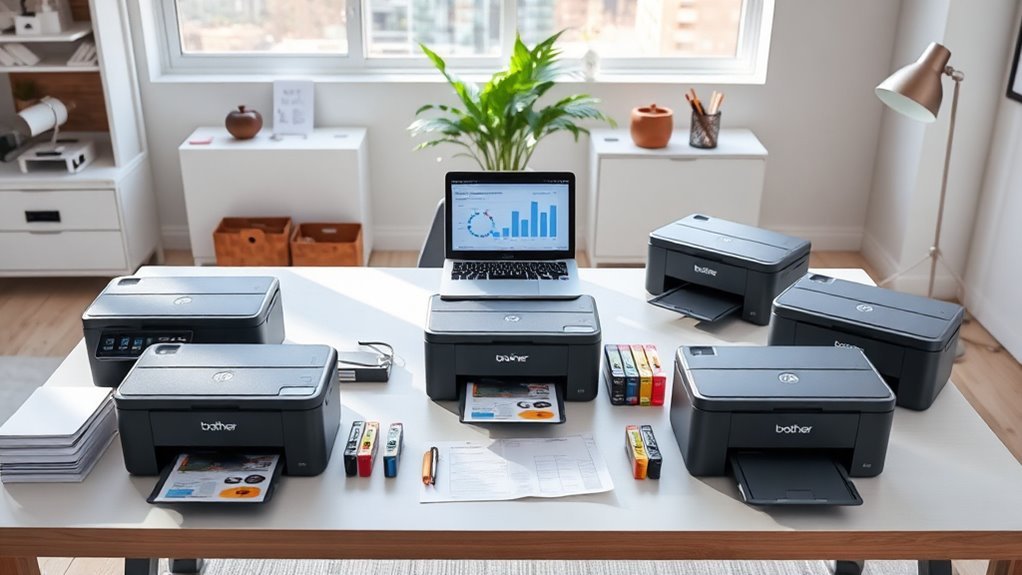
6 Best Brother Printers for Small Business in 2027
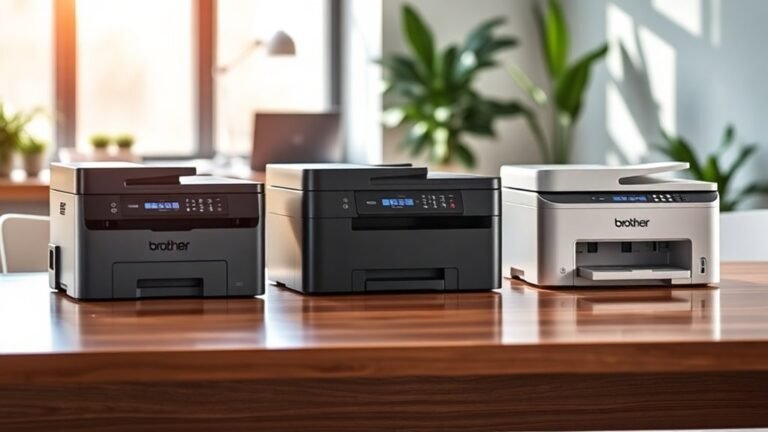
For your small business in 2027, Brother offers six top printers that combine speed, quality, and smart features designed to keep your workflow smooth and efficient.
Whether you need a reliable monochrome printer for high-volume tasks or a vibrant color model for eye-catching documents, Brother has you covered. These printers are built to handle the demands of small businesses with ease.
You’ll find fast monochrome models like the DCP-L2640DW and MFC-L2820DW, which are perfect for busy offices that need quick, crisp prints.
If color printing is a priority, the INKvestment 5010 and MFC-L3780CDW deliver vibrant colors while using ink efficiently to keep costs down.
All six printers support duplex printing, offer multiple connectivity options, and come with energy-saving modes to help boost your productivity without increasing expenses.
Take a closer look, and you’ll discover which one fits your small business workflow perfectly.
Brother DCP-L2640DW Wireless Compact Monochrome Printer
The Brother DCP-L2640DW is designed to streamline your office tasks while saving space. This compact monochrome printer combines printing, copying, and scanning in one device, making it ideal for small workspaces. Its fast laser printing speeds up to 36 pages per minute help you meet tight deadlines without hassle.
Maintenance is simple with a 250-sheet paper tray and a 50-page automatic document feeder for continuous workflow. Scanning black and white documents at nearly 24 images per minute ensures quick digitization of files. You can easily connect via dual-band wireless, Ethernet, or USB, supporting mobile printing through Brother’s app, which adds convenience and flexibility.
Its compact footprint fits well in home offices or small business environments where space is limited. Energy-saving features like automatic duplex printing and toner save mode help reduce operational costs and environmental impact. However, it prints only in black and white and weighs 25 pounds, which may limit portability.
Best for: Small businesses and home offices needing a fast, reliable, and space-saving monochrome printer with versatile connectivity options.
What We Like:
- Fast printing speed of up to 36 ppm
- Efficient scanning at 23.6 images per minute
- Compact design with a 250-sheet tray and 50-page ADF
- Multiple connectivity options including dual-band wireless
- Energy-saving duplex and toner save modes
Specification:
| Feature | Details |
|---|---|
| Manufacturer | Brother |
| Dimensions | Not specified |
| Weight | 25 lb (11.3 kg) |
| Color Options | Monochrome (Black & White) |
| Connectivity | Dual-band Wi-Fi, Ethernet, USB |
Brother INKvestment 5010 Wireless Color Inkjet Printer
The Brother INKvestment 5010 is designed to meet the demands of small businesses that need a reliable all-in-one printer. Its fast print speeds of up to 28 ppm in black and 26 ppm in color help reduce wait times, keeping workflows smooth and efficient. Automatic duplex printing and a 50-page automatic document feeder make handling multi-page tasks easier and faster.
This printer supports versatile connectivity with Wi-Fi Direct, Ethernet, and USB options, allowing seamless integration into busy office environments. The Brother Mobile Connect app lets you manage print, scan, and fax jobs remotely, improving convenience for users on the move.
Maintenance is simplified with high-yield ink cartridges that lower replacement frequency. The built-in Page Gauge feature tracks ink levels, helping avoid unexpected interruptions. While compact, its footprint and weight might require consideration in smaller spaces.
The INKvestment 5010 supports duplex printing on paper up to 8.5” x 14”, which covers most business needs but may limit specialized printing. Its design balances functionality with ease of use, making it a practical choice for everyday office tasks.
Best for: Small businesses seeking a versatile, secure, and efficient all-in-one printer with wireless connectivity and high-yield ink options.
What We Like:
- Fast print speeds with automatic duplex and 50-page ADF for increased productivity
- Multiple connectivity options including Wi-Fi Direct and mobile app management
- High-yield ink cartridges reduce frequency of replacements and track ink usage
- Compact design suits busy offices without sacrificing functionality
Specification:
| Feature | Details |
|---|---|
| Manufacturer | Brother |
| Dimensions | Not specified |
| Weight | 30.9 lb (14.0 kg) |
| Connectivity | Wi-Fi Direct, Ethernet, USB |
| Ink Cartridge Yield | Black: High-yield, Color: 750 pages (color cartridges) |
Brother MFC-L2820DW Wireless Monochrome Laser Printer
The Brother MFC-L2820DW is designed to keep busy small offices running smoothly. Its fast printing and copying speeds reduce wait times, helping you handle large workloads efficiently. You can rely on this all-in-one monochrome laser printer to deliver sharp text and clear documents without delays.
Maintenance is straightforward with a 250-sheet paper tray and a 50-page automatic document feeder, which minimize interruptions. The compact design fits neatly into tight workspaces, while energy-saving features like automatic duplex printing help lower operational costs and reduce waste.
Connectivity options are versatile, including dual-band wireless, Ethernet, and USB. You can easily print and scan from your mobile device using Brother’s app, streamlining your workflow whether you’re at your desk or on the go. This printer is built to support your business needs with reliable performance.
One limitation is that it only prints in monochrome, which may not suit users needing color output. Additionally, scanning color documents is slower compared to its black-and-white functions. Overall, it offers a practical balance of speed, convenience, and efficiency for everyday office tasks.
Best for: Small offices and busy professionals who need a fast, reliable, and compact all-in-one monochrome laser printer with versatile connectivity options.
What We Like:
- Fast print speed of up to 36 ppm and copy speed of 34 ppm
- Multiple connectivity options including dual-band wireless and mobile app support
- Automatic duplex printing and Toner Save Mode reduce waste and costs
- Compact design fits well in limited office spaces
Specification:
| Feature | Details |
|---|---|
| Manufacturer | Brother |
| Dimensions (W x D x H) | 16.1 x 15.7 x 12.7 inches |
| Weight | 16.5 lbs (7.5 kg) |
| Color | Monochrome (Black and White) |
| Paper Capacity | 250-sheet tray, 50-sheet ADF |
Brother HL-L2405W Wireless Compact Monochrome Laser Printer
Experience efficient black-and-white printing designed to keep your small business or home office running smoothly. The Brother HL-L2405W delivers fast output at up to 30 pages per minute, helping you meet tight deadlines without sacrificing clarity. Its sharp 1200 x 1200 dpi resolution ensures professional-quality documents every time.
This compact laser printer offers versatile connectivity options, including dual-band Wi-Fi and USB, allowing easy setup and flexible placement. You can also control printing tasks remotely through the Brother Mobile Connect app, adding convenience to busy workflows.
Maintenance is straightforward with the Brother Refresh EZ Print subscription, which simplifies toner replenishment and reduces downtime. The printer’s 250-sheet tray and manual feed slot accommodate a variety of paper types, including envelopes, supporting diverse printing needs.
While it focuses solely on monochrome output and lacks automatic duplex printing, its lightweight design and compact footprint make it an unobtrusive addition to any workspace. The HL-L2405W balances speed, reliability, and ease of use for monochrome printing tasks.
Best for: Small businesses and home offices needing fast, reliable, and wireless black-and-white printing with efficient toner management.
What We Like:
- Fast print speed of up to 30 ppm with sharp 1200 x 1200 dpi resolution
- Dual-band Wi-Fi, USB, and mobile app support for flexible connectivity
- Large 250-sheet capacity plus manual feed slot for varied paper types
- Simplified toner management through Brother Refresh EZ Print subscription
Specification:
| Feature | Details |
|---|---|
| Manufacturer | Brother |
| Dimensions (W×D×H) | Compact design (exact size not specified) |
| Weight | 15 lb (6.8 kg) |
| Printing Technology | Monochrome Laser |
| Print Speed | Up to 30 pages per minute |
| Print Resolution | 1200 x 1200 dpi |
| Connectivity | Dual-band Wi-Fi, USB |
| Paper Capacity | 250-sheet tray, manual feed slot |
Brother MFC-L3780CDW Wireless Digital Color All-in-One Printer
The Brother MFC-L3780CDW is designed to simplify your workflow with reliable wireless printing and professional-quality color output. Its fast print speed of up to 31 pages per minute ensures your documents are ready quickly, helping you meet tight deadlines with ease. This all-in-one device combines printing, copying, scanning, and faxing in one compact unit, saving space and reducing clutter.
Connecting to the printer is straightforward with dual-band Wi-Fi, Gigabit Ethernet, or USB options, allowing seamless integration into your home or office network. You can manage tasks effortlessly through apps, touchscreen controls, or voice commands, making it adaptable to various work styles. The device includes energy-saving eco modes to minimize power consumption during idle times.
Maintenance is user-friendly, with clear notifications to replace toner or paper, helping to avoid unexpected interruptions. The printer supports secure operations, including NFC badge authentication, which protects sensitive information and restricts unauthorized access. While the copy resolution is limited to 600 x 600 dpi, the overall print quality remains sharp and professional.
Best for: Small businesses and home office users seeking a versatile, fast, and secure wireless all-in-one printer with vibrant color output.
What We Like:
- Fast printing up to 31 ppm with crisp 2400 x 600 dpi resolution
- Multiple connectivity options including dual-band Wi-Fi and Ethernet
- Secure access via NFC badge authentication
- Energy-efficient eco modes reduce power use
Specification:
| Feature | Details |
|---|---|
| Manufacturer | Brother |
| Dimensions (W×D×H) | 16.1 × 18.5 × 15.7 inches |
| Weight | 34.4 lbs |
| Technology | Digital Color Laser |
| Connectivity | Dual-band Wi-Fi, Ethernet, USB |
Brother INKvestment 5110 Wireless All-in-One Printer
The Brother INKvestment 5110 Wireless All-in-One Printer is designed to streamline busy office tasks with speed and precision. It prints sharp documents quickly, producing up to 28 pages per minute in black and 26 in color, making it ideal for businesses that need dependable output without delays.
This printer handles large volumes effortlessly thanks to its 500-sheet capacity and automatic duplex printing. It also supports single-pass duplex scanning, reducing the time spent on copying and digitizing documents. These features help maintain workflow efficiency throughout the day.
Connectivity is flexible with Wi-Fi, Ethernet, and USB options, allowing you to print directly from cloud services like Google Drive, Dropbox, and OneDrive. The intuitive 4.3” touchscreen and Brother Mobile Connect app simplify control and remote management, saving time on setup and operation.
Maintenance is straightforward with high-yield cartridges that lower the frequency of replacements. However, color cartridges yield fewer pages than black, which may affect color printing costs. The printer’s weight means it requires a dedicated workspace but ensures a stable build for heavy use.
Best for: Small businesses needing a versatile, fast, and high-capacity wireless all-in-one printer that supports robust connectivity and energy-efficient operation.
What We Like:
- Fast printing speeds with high-resolution output
- Large paper capacity and duplex printing for efficient handling of big jobs
- Multiple connectivity options including cloud printing and mobile app control
- Easy maintenance with high-yield cartridges and energy-saving design
Specification:
| Feature | Details |
|---|---|
| Manufacturer | Brother |
| Dimensions | Not specified |
| Weight | 37.7 lb (17.1 kg) |
| Connectivity | Wi-Fi, Ethernet, USB, Cloud |
| Touchscreen Size | 4.3 inches |
Factors to Consider When Choosing a Brother Printer for Small Business
When choosing a Brother printer for your small business, you’ll want to evaluate print speed and connectivity options to keep your workflow smooth. Deciding between ink and toner, as well as looking at duplex printing and paper handling capacity, can save you time and money.
These factors will help you find a printer that fits your business needs perfectly. Taking a little time to consider these details can make a big difference in your daily operations.
Print Speed Importance
Since your small business relies on efficient workflows, choosing a Brother printer with a fast print speed can make a big difference. Models offering speeds between 28 and 36 pages per minute (ppm) help reduce waiting times, letting you and your team focus on other important tasks.
Fast printing becomes essential during peak hours when you need multiple documents quickly. If your business regularly prints marketing materials, reports, or customer communications, a high-speed printer will handle large volumes efficiently.
Additionally, pairing fast print speeds with features like automatic duplexing not only speeds up your work but also optimizes paper usage and lowers operational costs. Prioritizing print speed guarantees your small business stays productive and meets deadlines without unnecessary delays.
Connectivity Options Available
Printing speed alone won’t keep your small business running smoothly without reliable connectivity options. Many Brother printers offer dual-band wireless support (2.4GHz and 5GHz), ensuring stable and fast network connections.
You can also choose wired connections like USB or Ethernet for consistent performance, especially in busy office setups. Mobile printing is a breeze through dedicated apps, letting you print directly from your smartphone or tablet.
Brother models often support Wi-Fi Direct, so you can connect devices straight to the printer without needing a network. Plus, cloud integration with services like Google Drive, Dropbox, and OneDrive makes accessing and printing documents from multiple devices effortless.
When picking a Brother printer, prioritize connectivity that fits your workflow and devices to keep your operations efficient. It really makes all the difference in keeping things running without a hitch.
Ink vs Toner
Choosing between ink and toner is essential because it directly impacts your printing costs, quality, and efficiency. If your business relies on vibrant marketing materials or colorful presentations, an inkjet printer suits you best with its high-resolution color output and lower initial cost.
However, ink cartridges have a lower page yield, meaning you’ll replace them more often. On the other hand, toner-based laser printers excel at fast, high-volume printing, often reaching speeds up to 36 pages per minute.
They produce sharp text, ideal for professional documents, and toner cartridges last considerably longer, reducing your cost per page. So, if you print frequently and prioritize speed and text clarity, a toner laser printer is more economical and efficient for your small business needs.
Duplex Printing Benefits
When you use duplex printing, your small business can cut paper use dramatically by printing on both sides automatically. This feature not only lowers your paper costs but also supports your sustainability efforts by reducing waste.
Many Brother printers come with automatic duplexing, which speeds up multi-page jobs by eliminating the need to flip pages manually. This efficiency lets you focus more on your work instead of managing printouts.
Plus, duplex printing enhances the look of your documents, making reports and presentations appear more professional and polished. Choosing a Brother printer with duplex capabilities means you’ll save time, reduce expenses, and promote eco-friendly practices.
All of these are vital benefits for any small business aiming to boost productivity and maintain a responsible environmental footprint.
Paper Handling Capacity
One key factor to evaluate for your small business printer is paper handling capacity, as it directly impacts how often you’ll need to refill trays during busy days. A model with a 250-sheet paper tray typically meets daily printing demands without frequent reloads, keeping your workflow smooth.
Look for printers with additional multipurpose trays, so you can load different media types simultaneously—perfect for varying business needs. An automatic document feeder (ADF) that handles up to 50 pages boosts efficiency when scanning or copying large documents.
This lets you focus on other tasks while the printer works. Together with duplex printing, these features streamline your processes and reduce interruptions, making your printer a reliable asset in a busy small business environment.
Security Features Needed
Since sensitive business information passes through your printer daily, you’ll want a model with strong security features to keep data safe. Look for Brother printers offering data encryption and secure print options to protect documents during transmission and printing.
Also, confirm the model supports secure network protocols like WPA2 for safe wireless connections. If you need controlled access, select printers with NFC card readers for badge authentication, limiting use to authorized personnel.
Regular firmware updates are essential to patch vulnerabilities, so pick a printer that makes updating easy. While browsing, consider models compliant with standards such as ENERGY STAR® and EPEAT®, which often reflect up-to-date security practices.
Prioritizing these features helps safeguard your business data and maintain operational integrity. It’s definitely worth taking the time to choose a printer that keeps your information protected.
Eco-Friendly Printer Features
Choosing a Brother printer with eco-friendly features can greatly reduce your small business’s environmental footprint while saving on operational costs. Many Brother models are ENERGY STAR® compliant, cutting power consumption without sacrificing performance.
Automatic duplex printing helps you halve paper use, reducing waste and expenses. Plus, Toner Save Mode extends cartridge life, lowering replacement frequency and environmental impact.
Some printers even carry an EPEAT® Silver rating, meaning they meet strict standards for using fewer harmful materials and offer better recyclability. These features combine to support sustainability and efficiency in your daily operations.
Warranty And Support
When you invest in a Brother printer for your small business, understanding the warranty and support options can save you time and stress down the line. Most models come with a 1-year limited warranty covering basic repairs, while select printers offer a 2-year warranty for added peace of mind.
Brother provides lifetime customer support through free online resources, phone, and live chat. They’re there to help you troubleshoot and maintain your device effortlessly.
You can also take advantage of their automatic ink delivery subscription to keep supplies stocked without interruptions. Plus, there’s extensive online documentation to help you maximize your printer’s functionality and solve common issues on your own.
Choosing a Brother printer with solid warranty and support guarantees your business stays productive with minimal downtime. It’s a smart choice that keeps things running smoothly.
Frequently Asked Questions
How Do Brother Printers Compare in Energy Efficiency?
Brother printers are generally energy-efficient, using low power in sleep mode and quick wake-up times. You’ll save on electricity costs, especially with models featuring ENERGY STAR certification.
That makes them a smart choice for eco-conscious businesses. Plus, their efficiency helps reduce overall energy consumption without sacrificing performance.
What Warranty Options Are Available for Brother Printers?
You’ll love Brother’s warranty options—because who doesn’t want a safety net for paper jams and ink tantrums?
They offer one-year limited warranties, with extended plans if you want extra peace of mind beyond printer drama.
Are Brother Printers Compatible With Mac and Linux Systems?
Yes, Brother printers are compatible with both Mac and Linux systems. You’ll find drivers and software that support these platforms, ensuring smooth installation and operation.
Can Brother Printers Be Used With Mobile Printing Apps?
You can print from your phone as easily as snapping a photo—Brother printers work seamlessly with mobile apps like Brother iPrint&Scan, Apple AirPrint, and Google Cloud Print.
This lets you print anytime, anywhere without hassle. It’s super convenient and really simple to use.
What Customer Support Services Does Brother Offer?
Brother offers you phone support, live chat, and email assistance. You’ll also find online resources like FAQs, driver downloads, and user manuals to help you troubleshoot and maintain your printer efficiently whenever you need it.
It’s pretty convenient, right? Whether you prefer talking to someone directly or finding answers on your own, Brother has you covered.
Conclusion
Choosing the right Brother printer can boost your small business’s efficiency and save costs. Imagine Sarah, a freelance designer, using the Brother MFC-L3780CDW for vibrant, quick color prints and scans—her productivity soared.
Whether you need speedy monochrome prints or versatile color options, Brother’s lineup fits your unique needs. Pick the model that matches your workflow, and watch your business run smoother and smarter every day.
With Brother printers designed for small business use, you get reliability, quality, and features that keep up with your demands. From high-speed printing to wireless connectivity, these printers help you stay productive without breaking the bank. Investing in the best Brother printer for small business means less downtime, better output, and more time to focus on growing your company. So, choose wisely and let your Brother printer be the backbone of your efficient, cost-effective small business operations.