12 Best All-in-One Business Printers for 2027
If you need a fast, reliable all-in-one business printer, models like the Brother MFC-L8930CDW and HP Color LaserJet Pro 3301sdw offer excellent speed, robust security, and versatile connectivity.
These top all-in-one business printers are designed to handle the demands of busy offices, providing everything from printing and scanning to copying and faxing in one device.
Options range from color laser to efficient monochrome and inkjet printers suited for different office sizes.
You’ll find features like duplex scanning, wireless printing, and high-capacity trays that keep your workflow smooth.
Keep exploring to discover which printer matches your specific business needs perfectly.
Whether you’re after speed, security, or versatility, there’s a model out there that fits just right.
Brother MFC-L8930CDW Color Laser All-in-One Printer
The Brother MFC-L8930CDW is designed to streamline busy office workflows with reliable, high-speed performance. Its compact design saves space while handling heavy printing demands efficiently. You can expect sharp, clear color prints that enhance professional documents without sacrificing speed.
This all-in-one printer simplifies multitasking with fast print and copy speeds of up to 33 pages per minute. It also scans two-sided documents swiftly at 104 images per minute, helping to reduce wait times. The 80-page auto document feeder and intuitive 7-inch touchscreen make managing tasks straightforward and quick.
Maintenance is manageable with this model, although the initial toner yield may require replacement sooner in high-volume settings. Despite weighing 71.2 pounds, it remains 25% smaller than its predecessor, balancing size and capacity for office environments.
Security is a strong focus, with triple-layer protection and an NFC card reader for secure authentication. These features protect sensitive information, making it suitable for professional use where data privacy is critical.
Best for: Businesses and professionals needing a compact, high-speed color laser all-in-one printer capable of handling heavy workloads with advanced scanning and security features.
What We Like:
- Fast print and copy speeds up to 33 ppm with sharp 2400 x 600 dpi output
- Efficient two-sided scanning at 104 ipm with cloud integration
- Strong security features including triple-layer protection and NFC authentication
- Space-saving design that is 25% smaller than previous models
Specification:
| Feature | Details |
|---|---|
| Manufacturer | Brother |
| Dimensions (W x D x H) | Not specified |
| Weight | 71.2 lb (32.3 kg) |
| Type | Color Laser All-in-One Printer |
| Print Speed | Up to 33 ppm |
| Scan Speed | 104 ipm (two-sided) |
| Resolution | 2400 x 600 dpi |
| Auto Document Feeder | 80 pages |
| Touchscreen | 7-inch color touchscreen |
HP Color LaserJet Pro MFP 3301sdw Printer
The HP Color LaserJet Pro MFP 3301sdw is designed to enhance productivity in busy office environments. Its fast print and copy speeds up to 26 pages per minute help reduce wait times and keep work moving smoothly. With sharp 600 x 600 dpi resolution, documents come out clear and professional, meeting everyday business needs.
This printer supports wireless, USB, and Ethernet connections, making it easy to integrate into any workspace. The HP app simplifies job management, allowing users to print and scan remotely. Duplex printing saves time and paper, ideal for offices aiming to increase efficiency and reduce waste.
Maintenance is straightforward with original HP 218A or 218X toner cartridges, ensuring consistent quality and smooth operation. The device blocks non-HP cartridges, which helps avoid potential issues but limits third-party options. Its solid build includes HP Wolf Pro security, protecting sensitive data from threats.
Though relatively heavy and sizable, this printer is built to handle high-volume tasks without frequent interruptions. Its combination of speed, connectivity, and security makes it a practical choice for offices needing reliable color printing with wireless convenience.
Best for: Businesses and office users who require efficient, secure color printing with flexible connectivity options.
What We Like:
- Fast print and copy speeds up to 26 ppm for improved workflow
- Multiple connection options including wireless, USB, and Ethernet
- HP Wolf Pro security for strong data protection
- Easy maintenance with original HP toner cartridges
Specification:
| Feature | Details |
|---|---|
| Manufacturer | HP |
| Dimensions | Not specified |
| Weight | 37.7 lb (17.1 kg) |
| Print Resolution | 600 x 600 dpi |
| Connectivity | USB, Wi-Fi, Ethernet |
| Toner Cartridge | HP 218A / 218X |
Brother Professional All-in-One Laser Printer (MFC-L5915DW)
Experience efficient office productivity with the Brother Professional All-in-One Laser Printer (MFC-L5915DW). Designed to handle demanding workflows, this printer delivers fast printing speeds up to 50 pages per minute, ensuring your documents are ready without delay. Its reliable duplex scanning at 56 images per minute helps streamline multitasking and reduces manual effort.
The 5-inch color touchscreen simplifies navigation and task management, letting you create shortcuts for frequent jobs. Connectivity is seamless through dual-band WiFi and Gigabit Ethernet, enabling easy mobile and network printing. This flexibility supports a modern workspace where multiple users can print effortlessly from various devices.
Maintenance is straightforward, thanks to an ultra high-yield toner cartridge that prints up to 18,000 pages. This reduces the frequency of replacements and lowers your overall operating costs. While the printer handles monochrome printing only, its Triple Layer Security safeguards sensitive information, making it suitable for busy offices with data protection needs.
The standard 250-sheet paper capacity may require refills during heavy use, but the printer’s design balances speed, security, and cost efficiency well. Its focus on monochrome output fits professional environments where color printing is not essential.
Best for: Busy offices and professionals needing a high-speed, secure, and cost-effective monochrome laser printer and scanner.
What We Like:
- Fast 50 ppm printing and 56 ipm duplex scanning with a 70-page ADF
- High-capacity 18,000-page toner reduces maintenance frequency
- Intuitive 5-inch color touchscreen with easy task management
- Versatile connectivity including dual-band WiFi and Gigabit Ethernet
- Robust Triple Layer Security protects sensitive data
Specification:
| Feature | Details |
|---|---|
| Manufacturer | Brother |
| Model | MFC-L5915DW |
| Printing Speed | Up to 50 ppm |
| Scanning Speed | Duplex 56 ipm |
| Auto Document Feeder | 70 pages |
| Paper Capacity | 250 sheets |
| Touchscreen | 5-inch color touchscreen |
| Connectivity | Dual-band WiFi, Gigabit Ethernet |
| Toner Cartridge Yield | Up to 18,000 pages |
Brother INKvestment 5010 Wireless Color Inkjet Printer
Experience efficient and versatile printing with the Brother INKvestment 5010 Wireless Color Inkjet Printer. This all-in-one device simplifies office tasks by handling printing, copying, scanning, and faxing with ease. Its fast print speeds and sharp 4800 x 1200 dpi resolution ensure professional-quality documents every time.
The printer’s automatic duplex feature and 50-page duplex automatic document feeder save time and reduce paper waste. Designed for busy environments, it supports up to 8.5” x 14” paper and offers multiple connectivity options including Wi-Fi Direct, Ethernet, and USB. Managing print jobs remotely is straightforward using the Brother Mobile Connect app.
Maintenance is hassle-free thanks to the reliable LC506 ink cartridges, which deliver consistent, cost-effective performance. While the color cartridges have a lower page yield compared to black ink, the printer’s high capacity paper trays help maintain productivity. Its size requires adequate desk space, so plan accordingly.
Best for: Small businesses needing a secure, versatile all-in-one printer with fast color and black printing capabilities.
What We Like:
- High-quality prints with fast speeds and sharp resolution
- Efficient double-sided printing with automatic duplex and 50-page ADF
- Flexible connectivity options including mobile app control
- Cost-effective ink system with genuine LC506 cartridges
Specification:
| Feature | Details |
|---|---|
| Manufacturer | Brother |
| Dimensions | Approx. 16.1 x 15.7 x 11.7 in |
| Weight | Approx. 18.3 lb |
| Print Technology | Wireless Color Inkjet |
| Max Print Speed | 28 ppm (black), 26 ppm (color) |
| Max Resolution | 4800 x 1200 dpi |
| Paper Size | Up to 8.5” x 14” (legal) |
| Connectivity | Wi-Fi Direct, Ethernet, USB |
| Ink Cartridges | LC506 (Black and Color) |
| Features | Duplex printing, Duplex ADF, Mobile app control |
Canon Color imageCLASS MF753Cdw II – All-in-One Color Duplex Laser Printer
Experience fast and reliable color printing designed to keep your workflow smooth and efficient. The Canon Color imageCLASS MF753Cdw II delivers sharp, professional-quality prints at speeds up to 35 pages per minute. Its high resolution of 1200 x 1200 dpi ensures crisp details in both color and black-and-white documents.
This all-in-one printer goes beyond printing by offering scanning, copying, and faxing capabilities. The 50-sheet duplex automatic document feeder and 250-sheet paper tray help manage multi-page tasks easily, with the option to expand paper capacity to 850 sheets. These features reduce interruptions and keep your projects moving.
Designed for ease of use, the printer supports wireless connectivity and mobile printing through the Canon PRINT app. This allows you to print directly from your smartphone or tablet without hassle. Maintenance is straightforward, helping to minimize downtime and keep the device running smoothly.
While the standard paper capacity may require expansion for heavy use, and its larger size demands some desk space, this model balances functionality and convenience for busy small offices or hybrid work setups.
Best for: Small and home offices or hybrid work environments needing fast, versatile, and reliable color printing with multifunction capabilities.
What We Like:
- Fast print speed of up to 35 ppm with clear 1200 x 1200 dpi resolution
- Multifunction device with print, scan, copy, and fax features
- Convenient 50-sheet duplex automatic document feeder
- Wireless connectivity and mobile printing via Canon PRINT app
Specification:
| Feature | Details |
|---|---|
| Manufacturer | Canon |
| Dimensions (W x D x H) | 16.1 x 18.5 x 15.9 inches |
| Weight | Approx. 48.5 lbs (22 kg) |
| Print Technology | Color Duplex Laser |
| Print Resolution | 1200 x 1200 dpi |
| Paper Capacity | 250 sheets (expandable to 850) |
| Connectivity | Wireless, USB |
HP OfficeJet Pro 9135 Wireless All-in-One Printer
The HP OfficeJet Pro 9135 Wireless All-in-One Printer is designed to streamline busy offices with fast, reliable color printing. It delivers sharp, professional-quality prints at speeds up to 25 ppm in black and 20 ppm in color, helping you meet tight deadlines without compromise. Wireless connectivity options keep your workspace clutter-free and flexible.
Its 4.3-inch touchscreen makes navigation intuitive, reducing setup time and simplifying everyday tasks. The printer supports automatic duplex printing and scanning, saving paper and boosting productivity. Dual-band Wi-Fi, AirPrint, and Ethernet ensure stable connections across multiple devices.
Maintenance is straightforward with HP AI Optimization that improves print quality by cleaning up documents automatically. The printer is eco-conscious, built with over 40% recycled plastic, reflecting a commitment to sustainability. However, it requires original HP cartridges, which may increase running costs.
Best for: Professionals and small businesses needing efficient, high-quality color printing with wireless convenience and advanced document handling.
What We Like:
- Fast print speeds with high-resolution output
- Easy-to-use color touchscreen and versatile connectivity
- Automatic duplex printing and scanning for efficiency
- Eco-friendly design using recycled materials
Specification:
| Feature | Details |
|---|---|
| Manufacturer | HP |
| Dimensions | Approx. 17.2 x 21.6 x 13.3 in (43.7 x 54.9 x 33.8 cm) |
| Weight | Approx. 21.1 lbs (9.6 kg) |
| Material | Over 40% recycled plastic |
| Connectivity | Dual-band Wi-Fi, AirPrint, Ethernet |
Brother MFC-L3720CDW Wireless Color Laser Printer
Experience efficient color printing with the Brother MFC-L3720CDW, designed to keep your workflow smooth and productive. Its fast output of up to 19 pages per minute reduces wait times, helping you complete tasks quickly. The 50-sheet auto document feeder streamlines scanning and copying, making multi-page jobs hassle-free.
This wireless color laser printer connects easily via dual-band Wi-Fi or USB, and supports printing directly from cloud services like Google Drive. Its 3.5-inch touchscreen offers intuitive control, allowing you to customize shortcuts and speed up routine tasks. Automatic duplex printing cuts paper use, supporting eco-friendly office practices.
Maintenance is simple with a 250-sheet paper tray that fits most daily printing needs, though it may require refilling in busier settings. The device balances performance with energy efficiency and advanced security features to protect your data. Its compact design fits comfortably in small to medium office spaces or home workstations.
Best for: Small to medium-sized offices and home users who need reliable, versatile color printing with convenient multi-function capabilities.
What We Like:
- Fast printing and scanning with a 50-sheet auto document feeder
- Multiple connectivity options including dual-band Wi-Fi and cloud printing
- User-friendly 3.5-inch touchscreen with customizable shortcuts
- Automatic duplex printing for paper savings
- Energy-efficient operation with security features
Specification:
| Feature | Details |
|---|---|
| Manufacturer | Brother |
| Dimensions (W×D×H) | 16.1 × 18.7 × 15.7 inches |
| Weight | 25.8 lb (11.7 kg) |
| Connectivity | Dual-band Wi-Fi, USB, Cloud |
| Paper Capacity | 250-sheet tray |
| Display | 3.5-inch touchscreen |
| Printing Speed | Up to 19 ppm (color and mono) |
HP OfficeJet Pro 8139 Wireless All-in-One Printer
The HP OfficeJet Pro 8139 Wireless All-in-One Printer is built to streamline busy office workflows. It handles printing, scanning, copying, and faxing in one compact device, saving space and simplifying tasks. Its duplex printing and automatic document feeder reduce manual work, letting you focus on more important duties.
Maintaining this printer is straightforward, with wireless connectivity and a touchscreen that make setup and operation easy. The dual-band Wi-Fi supports seamless mobile printing through the HP app, so you can print from your phone or tablet without hassle. This flexibility helps keep your office running smoothly.
Designed with sustainability in mind, the printer uses over 45% recycled plastic. It also features HP Wolf Essential Security to protect sensitive documents and data. While its paper tray holds a moderate 225 sheets, it fits standard letter-sized media, suitable for most office needs.
The printer’s dependence on original HP cartridges ensures consistent quality but may increase supply costs. Its size limit of 8.5 x 11.7 inches means it’s not ideal for larger print jobs. Still, it balances performance and eco-conscious design for everyday office use.
Best for: busy offices and professionals needing a versatile, reliable all-in-one printer with wireless and mobile printing capabilities.
What We Like:
- Fast duplex printing and automatic document feeder boost productivity
- Easy wireless setup with dual-band Wi-Fi and HP app support
- Eco-friendly design with over 45% recycled plastic
- Enhanced security through HP Wolf Essential Security
Specification:
| Feature | Details |
|---|---|
| Manufacturer | HP |
| Dimensions (W×D×H) | Not specified |
| Weight | Not specified |
| Material | Over 45% recycled plastic |
| Color Options | Not specified |
| Maximum Paper Size | 8.5 x 11.7 inches |
| Paper Tray Capacity | 225 sheets |
| Print Speeds | Up to 20 ppm (black), 10 ppm (color) |
| Connectivity | Dual-band Wi-Fi, mobile printing via HP app |
| Security Features | HP Wolf Essential Security |
Brother INKvestment 6960 Wireless Color Inkjet Printer
The Brother INKvestment 6960 Wireless Color Inkjet Printer is designed to meet the demands of busy offices needing fast, reliable printing on larger paper sizes. It handles up to 11”x17” sheets, making it ideal for detailed documents and vibrant color presentations. This printer streamlines your workflow by combining printing, copying, scanning, and faxing in one device.
Its user-friendly 3.5” color touchscreen makes navigation straightforward, reducing setup time and errors. With two trays holding a combined 500 sheets plus a 100-sheet multipurpose tray, it minimizes interruptions caused by frequent paper refills. The single-pass duplex feature efficiently scans or copies both sides of up to 50 pages, saving time on multi-page tasks.
Maintenance is simplified by the INKvestment tank system, which tracks ink usage to alert you when replacements are needed, helping avoid unexpected downtime. Connectivity options include wireless and Ethernet, while the Brother Mobile Connect app provides easy remote management, enhancing convenience for small to medium-sized business environments.
While the printer is relatively heavy and requires ample space, its robust performance supports diverse office needs. Ink cartridges have moderate yields, so high-volume users may need to replace them more often.
Best for: Small to medium-sized businesses needing fast, versatile, and high-quality color printing on large paper sizes with wireless and mobile connectivity options.
What We Like:
- Fast printing speeds up to 31 ppm black and 30 ppm color with support for large 11”x17” paper
- Large paper capacity reduces the need for frequent refills
- Single-pass duplex scanning and copying save time on double-sided documents
- Wireless and Ethernet connectivity plus mobile app support for flexible printing
- Ink usage tracking ensures timely cartridge replacement and workflow continuity
Specification:
| Feature | Details |
|---|---|
| Manufacturer | Brother |
| Dimensions | Not specified |
| Weight | 51.4 lb (23.3 kg) |
| Paper Size | Up to 11” x 17” |
| Paper Capacity | 500 sheets (2 trays) + 100-sheet multipurpose tray |
| Display | 3.5” color touchscreen |
| Connectivity | Wireless, Ethernet |
Brother DCP-L2640DW Wireless Compact Monochrome Printer
The Brother DCP-L2640DW offers a smart solution for small offices and home users who need quick, reliable black-and-white printing. Its fast laser printing, reaching up to 36 pages per minute, handles high-volume tasks with ease. This speeds up workflows and minimizes wait times, helping users stay productive throughout the day.
Designed to simplify multitasking, the printer includes a 50-page automatic document feeder. This feature streamlines copying and scanning, reducing manual effort and improving efficiency. Wireless dual-band connectivity and mobile printing through the Brother Mobile Connect app make remote printing straightforward and flexible.
Maintenance is user-friendly with features like Toner Save Mode, which extends cartridge life and cuts down on waste. Automatic duplex printing further reduces paper consumption, supporting eco-conscious users while keeping operating costs lower. Its compact design fits well in constrained spaces without sacrificing performance.
Though it prints only in monochrome, the DCP-L2640DW excels in delivering crisp text and sharp documents. It balances speed, convenience, and sustainability, making it a dependable choice for monochrome multi-function printing needs.
Best for: small offices and home users needing a fast, efficient, and eco-friendly monochrome multi-function printer with wireless and mobile capabilities.
What We Like:
- Fast laser print speed up to 36 ppm for quick output
- 50-page auto document feeder for smooth multitasking
- Wireless dual-band connectivity and mobile app printing
- Automatic duplex printing reduces paper waste
- Toner Save Mode extends cartridge life
Specification:
| Specification | Details |
|---|---|
| Manufacturer | Brother |
| Dimensions (W x D x H) | 16.1 x 15.7 x 12.7 inches |
| Weight | 15.4 lbs (7 kg) |
| Color Options | White |
| Connectivity | Wireless dual-band, USB |
HP OfficeJet Pro 8125 Wireless All-in-One Printer
Experience efficient and flexible printing with the HP OfficeJet Pro 8125 Wireless All-in-One Printer. Designed to meet the demands of home offices, it handles busy workflows with ease. Fast print speeds help you complete tasks quickly without sacrificing quality.
Wireless connectivity options like dual-band Wi-Fi, USB, Ethernet, and Apple AirPrint let you print directly from your smartphone or computer. The intuitive 2.7-inch color touchscreen makes navigation simple, reducing setup and maintenance time.
This printer supports large print jobs with a 225-sheet input tray, minimizing interruptions. It produces sharp color prints at 4800 x 1200 dpi, enhanced by AI technology for precise formatting. Security features like HP Wolf Essential Security keep your data protected.
Routine maintenance is straightforward, allowing you to focus on your work instead of printer issues. While color printing is slower than black, the overall speed and quality fit well with small office needs. Its size is suitable for most home workspaces but may be bulky in very tight areas.
Best for: small home offices and individuals seeking fast, versatile wireless printing with high-quality color output and strong security.
What We Like:
- Fast black and color print speeds support busy office workflows
- Multiple wireless and wired connectivity options for flexible use
- AI-enhanced print quality for sharp, accurate documents
- Easy-to-use touchscreen interface streamlines operation
- Built-in security features protect sensitive data
Specification:
| Feature | Details |
|---|---|
| Manufacturer | HP |
| Dimensions | Not specified |
| Weight | Not specified |
| Connectivity | Dual-band Wi-Fi, USB, Ethernet, Apple AirPrint |
| Display | 2.7-inch color touchscreen |
| Paper Capacity | 225 sheets |
| Print Speed | Up to 20 ppm (black), 10 ppm (color) |
| Print Resolution | 4800 x 1200 dpi |
Brother MFC-L2820DW Wireless All-in-One Laser Printer
The Brother MFC-L2820DW is designed to streamline everyday office tasks with its fast printing and multifunction capabilities. Its compact design fits comfortably in small workspaces, helping you maintain an organized environment without sacrificing performance. This monochrome laser printer delivers up to 36 pages per minute, reducing wait times for important documents.
This all-in-one device combines printing, copying, scanning, and faxing, making it a versatile solution for managing paperwork efficiently. The 250-sheet paper tray and 50-page auto document feeder minimize interruptions, supporting smooth, continuous workflows. You can connect effortlessly via dual-band Wi-Fi, Ethernet, or USB, and print directly from mobile apps or cloud platforms like Google Drive and Dropbox.
Maintenance is straightforward with energy-saving features such as toner save mode and automatic duplex printing, which help reduce waste and operating costs. While it only supports black-and-white printing and has a modest auto document feeder capacity, it balances functionality and efficiency well for small office needs.
Best for: Small office professionals and businesses seeking a reliable, compact all-in-one monochrome laser printer with wireless connectivity and eco-conscious features.
What We Like:
- Fast printing speed up to 36 ppm with multifunction capabilities
- Multiple connectivity options including dual-band Wi-Fi and mobile printing
- Energy-efficient with toner save mode and duplex printing
- Compact design ideal for limited office space
Specification:
| Feature | Details |
|---|---|
| Manufacturer | Brother |
| Dimensions | Approx. 16.7 x 14.0 x 7.2 in (42.4 x 35.6 x 18.3 cm) |
| Weight | Approx. 15.7 lb (7.1 kg) |
| Printing Technology | Monochrome Laser |
| Connectivity | Dual-band Wi-Fi, Ethernet, USB |
| Paper Tray Capacity | 250 sheets |
| Auto Document Feeder | 50 pages |
Factors to Consider When Choosing Business Printers All in One
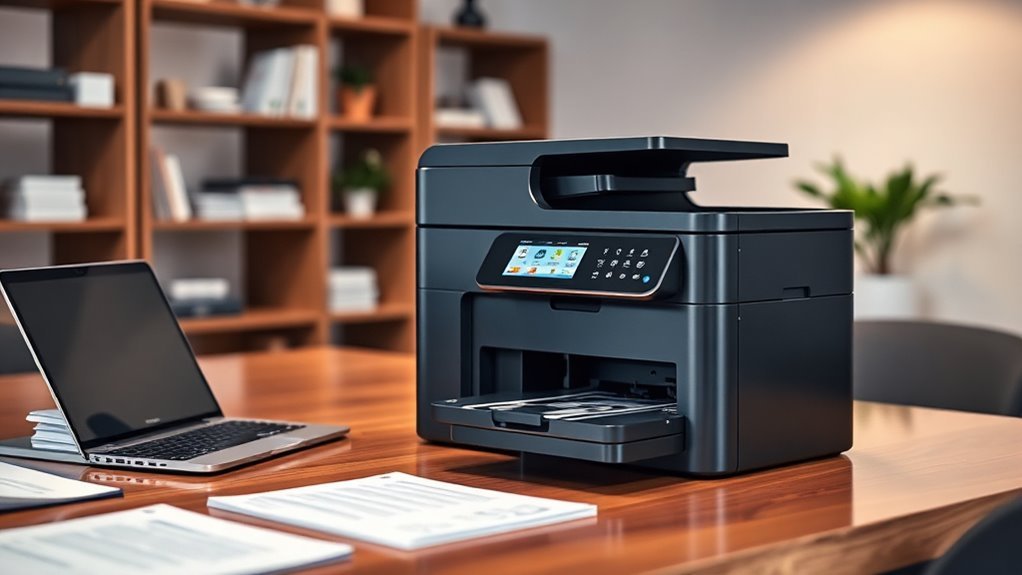
When choosing an all-in-one business printer, you’ll want to focus on print speed and the variety of connectivity options available. These are key to keeping things moving quickly and easily.
Don’t overlook security features and cost efficiency, as they can save you time and money in the long run. Plus, it’s always good to know your printer won’t be a weak link in your business.
Also, consider the paper handling capacity to keep your workflow smooth and uninterrupted. Having a printer that manages your workload without constant refills makes a big difference.
Print Speed Importance
Print speed plays an essential role in maintaining productivity in any busy office. When choosing an all-in-one printer, you’ll want to take into account the pages per minute (ppm) it offers.
Speeds can range from 19 ppm to over 50 ppm, so pick one that matches your workload. Faster print speeds reduce wait times and keep your workflow moving smoothly, especially during peak periods.
Since copy and scan speeds often align with print speed, looking at these together helps guarantee overall efficiency. Opting for a high-speed printer not only boosts productivity but also improves employee satisfaction by minimizing delays.
In short, print speed is a key factor that directly impacts your day-to-day business operations.
Connectivity Options Variety
Choosing the right connectivity options can make a big difference in how smoothly your all-in-one printer integrates into your business environment. Look for models with dual-band wireless connectivity (2.4GHz and 5GHz) to boost speed and reliability across your network.
You’ll also want flexibility—ensure the printer supports USB, Ethernet, and Wi-Fi Direct connections to fit various setups. Mobile printing compatibility is essential, so pick a printer that works seamlessly with smartphone and tablet apps, letting your team print on the go.
Cloud printing capabilities further enhance convenience by allowing direct access to popular cloud services. While selecting these features, prioritize devices with built-in security protocols to protect your data during wireless communication without diving into specific security features just yet.
Security Features Needed
Since business printers handle sensitive data daily, you’ll want to prioritize devices with robust security features that shield your information from cyber threats and unauthorized access. Look for triple-layer security that protects the device, documents in transit, and your network.
Built-in protections like HP Wolf Pro Security help guard against hacking attempts and unauthorized use. Choose printers with NFC card readers for badge authentication, so only authorized personnel can access the device.
Advanced protocols such as document encryption and secure print safeguard confidential files during printing and transmission. Don’t forget to pick a model that offers regular firmware updates to fix vulnerabilities and keep your security current.
These features guarantee your business printer stays a trusted part of your data protection strategy. It’s all about keeping your info safe and sound!
Cost Efficiency Measures
Although upfront costs matter, focusing on long-term savings will help you find a truly cost-efficient all-in-one business printer. Look for models with high-yield toner cartridges that can produce up to 18,000 pages, reducing replacement frequency and lowering overall expenses.
Automatic duplex printing is another smart feature, cutting your paper use and trimming costs further. Check if the printer includes starter cartridges with a high page yield to offset initial investments.
Energy efficiency also plays a big role — ENERGY STAR certified printers help keep power bills down. Finally, pay close attention to the operational cost per page; aim for devices with costs below 2 cents for monochrome and 10 cents for color prints to maximize savings in busy office environments.
Paper Handling Capacity
One key factor to take into account when selecting an all-in-one business printer is its paper handling capacity, which determines how often you’ll need to refill paper during busy print jobs.
Look for printers with multiple trays if you handle large volumes, as capacities can range from 250 to over 850 sheets. An automatic document feeder (ADF) with a 50 to 80-sheet capacity boosts efficiency when scanning or copying multiple pages.
Also, consider duplex printing to save paper by printing on both sides automatically—this feature cuts costs and waste.
Finally, check the media sizes the printer supports, from standard letter to legal or tabloid, ensuring it fits your business’s diverse document needs. These factors keep your workflow smooth and uninterrupted.
User Interface Design
When choosing an all-in-one business printer, you’ll want to prioritize a user interface that’s intuitive and easy to navigate. A user-friendly design reduces the time spent on setting adjustments, boosting productivity.
Look for printers with a clear, sizable display—like a 7-inch color touchscreen—that makes navigation and status monitoring straightforward. Customizable shortcuts let you speed up frequent tasks, perfect for busy office settings.
Also, check if the printer supports mobile app integration, so you can print, scan, or manage settings directly from your smartphone or tablet. Finally, an accessible layout with clear labels helps minimize errors and frustration.
This way, it’s easier for your team to operate the device without needing extensive training. Makes everything run smoother, right?
Frequently Asked Questions
How Do All-In-One Printers Impact Office Network Security?
All-in-one printers impact office network security by creating potential entry points for cyberattacks. You should secure them with strong passwords, firmware updates, and network segmentation.
This helps prevent unauthorized access and protects sensitive business data effectively. It’s important to stay on top of these security measures to keep your office network safe.
What Are the Environmental Benefits of Using All-In-One Printers?
Killing two birds with one stone, you reduce waste by combining functions in an all-in-one printer. You cut energy use, save paper with efficient features, and lower your carbon footprint.
It’s a win-win for the planet and your office budget. Plus, using one device instead of several means less clutter and easier maintenance.
Can These Printers Integrate With Cloud-Based Business Software?
Yes, you can easily integrate these printers with cloud-based business software. They support wireless connectivity and apps, letting you scan, print, and manage documents directly from platforms like Google Drive, Dropbox, or Microsoft OneDrive.
It’s pretty convenient and helps keep your workflow smooth. So, whether you’re in the office or on the go, managing your documents is a breeze.
What Maintenance Routines Extend the Lifespan of Business Printers?
You should clean printer heads regularly, replace ink or toner on time, update firmware, and keep the device dust-free.
Running diagnostic tests and using quality paper also help prevent jams and extend your printer’s lifespan.
Taking these small steps can really make a difference in how long your printer lasts. It’s all about keeping things in good shape and catching issues early.
Are There Financing Options Available for Purchasing These Printers?
Think of financing like planting seeds for future growth—yes, many vendors offer leasing or payment plans. Just as a garden thrives with care, your business can flourish without upfront printer costs, easing your cash flow worries.
It’s a smart way to manage expenses while still getting the equipment you need. Plus, spreading out payments can make budgeting a whole lot easier.
Conclusion
When choosing an all-in-one business printer, remember that 85% of small businesses prioritize speed and reliability. You want a device that keeps up with your busy workflow without constant jams or delays.
Whether you lean toward laser or inkjet, wireless or wired, the right printer will save you time and hassle. So, pick one that fits your needs and watch your productivity soar.
Because a great all-in-one business printer isn’t just a tool, it’s your business partner. It helps streamline tasks, reduce downtime, and keep your office running smoothly. Choosing the best all-in-one printer for your business means investing in efficiency, reliability, and convenience—all essential for success in 2027 and beyond.