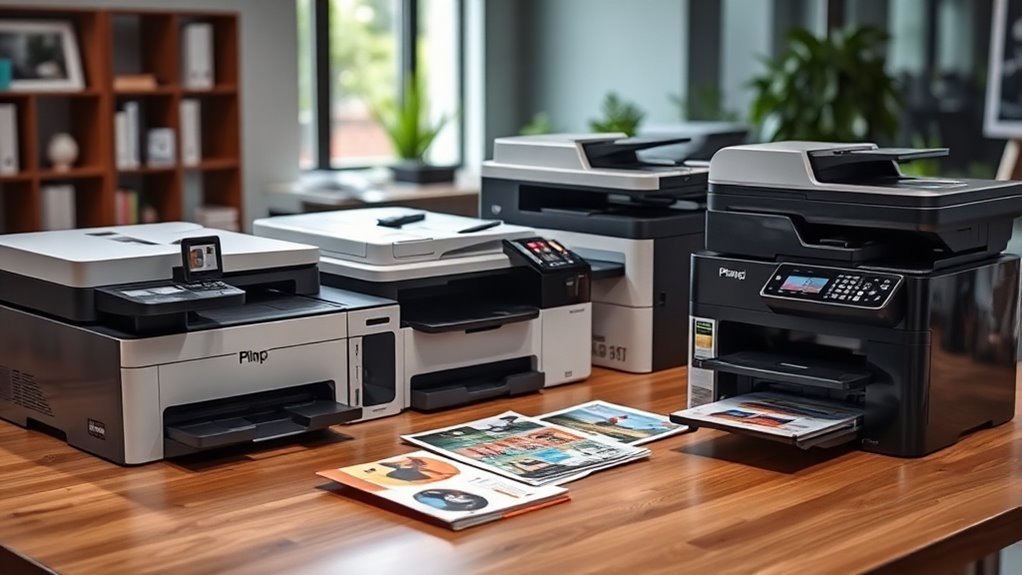
13 Best Digital Printers for 2027
You’ll want a digital printer in 2027 that’s portable, easy to use, and delivers sharp, vibrant prints. Having a reliable digital printer means you can create stunning photos and documents right from your home or on the go.
Whether you’re printing family photos or important work files, choosing the right model is key. Models like the Canon PIXMA TR160 offer high-resolution output with wireless convenience, while the KODAK Step excels in durable, smudge-resistant photos.
For heavy printing, the Canon MegaTank G3270 is cost-effective and reliable. Many printers support Bluetooth, USB, or Wi-Fi for seamless connectivity.
If you need fast, versatile printing on the go, exploring these options will help you find the perfect fit. With so many choices, you’re sure to discover a digital printer that matches your needs perfectly.
Liene M100 Portable 4×6″ Photo Printer Kit
The Liene M100 Portable 4×6″ Photo Printer Kit brings convenience and quality to your fingertips. It solves the problem of carrying bulky printers by offering a compact, lightweight design that fits easily into any bag. This printer delivers vibrant, water-resistant 4×6 photos, perfect for preserving memories on the go.
Connectivity is simple and flexible. You can link devices via USB or Wi-Fi, and the built-in hotspot lets up to five users print without needing an external network. This makes sharing and printing quick and hassle-free in any setting.
Using thermal dye sublimation, the printer produces sharp, colorful images in just under a minute. Its easy-to-use app allows customization, including borderless printing and ID photo options. Maintenance is straightforward, with no messy ink refills to worry about.
While the print speed may be slower for large batches and the resolution is moderate, this printer excels in portability and ease of use. It is a practical choice for anyone wanting reliable, high-quality 4×6 prints away from home.
Best for: Travelers, event-goers, and families needing a portable, user-friendly photo printer for quick, vibrant prints from multiple devices.
What We Like:
- Produces sharp, water-resistant photos using thermal dye sublimation
- Multiple connectivity options including USB, Wi-Fi, and built-in hotspot
- Customizable app with borderless and ID photo printing features
- Compact and lightweight for easy portability
Specification:
| Feature | Details |
|---|---|
| Manufacturer | Liene |
| Dimensions | Not specified |
| Weight | Lightweight (exact weight not provided) |
| Print Size | 4 x 6 inches |
| Resolution | 300 x 300 dpi |
| Connectivity | USB, Wi-Fi, Built-in hotspot (up to 5 devices) |
| Printing Technology | Thermal dye sublimation |
Portable Printers Wireless for Travel, N80 Bluetooth Thermal Printer
The N80 Bluetooth Thermal Printer offers a seamless printing solution for travelers who need to print documents without the bulk and hassle of traditional printers. Its lightweight and compact design fits easily into a travel bag, making it ideal for printing on the go. With wireless Bluetooth connectivity, it pairs effortlessly with smartphones, tablets, and laptops, eliminating tangled cables.
This portable printer uses direct thermal technology, so there’s no need for ink, toner, or ribbons. Maintenance is simple, but keep in mind it requires specific NDYIN thermal paper to operate. The 1500mAh rechargeable battery supports up to 160 prints per charge, ensuring you stay productive during your trips.
Print clear, 203 DPI documents on US Letter or A4 thermal paper, perfect for contracts, invoices, boarding passes, or tattoo templates. The USB-C option allows wired connection to laptops, though it requires driver installation. Note that the charging adapter is sold separately, so plan accordingly.
Best for: travelers and professionals needing a lightweight, wireless printer for efficient document printing on the move.
What We Like:
- Compact and lightweight for easy portability
- Wireless Bluetooth connection compatible with multiple devices
- Direct thermal printing requires no ink or ribbons
- Rechargeable battery supports extended use
Specification:
| Feature | Details |
|---|---|
| Manufacturer | NDYIN |
| Dimensions | 3.3D x 11W x 2H inches |
| Weight | 1.5 pounds |
| Connectivity | Bluetooth, USB-C |
| Battery Capacity | 1500mAh rechargeable |
| Print Resolution | 203 DPI |
| Paper Type | NDYIN Thermal Paper (US Letter, A4) |
KODAK Step Portable Wireless Smartphone Photo Printer
Experience the freedom of instant photo printing wherever you go with the KODAK Step Portable Wireless Smartphone Photo Printer. This compact device lets you easily print vibrant 2×3” sticky-back photos in under a minute, using ink-free ZINK technology. Say goodbye to messy ink cartridges and hello to hassle-free photo printing.
Designed for on-the-go use, the KODAK Step connects seamlessly via Bluetooth or NFC to your iOS or Android device. Customize your prints with the KODAK app’s filters, stickers, and text to make every photo uniquely yours. Its lightweight design, weighing less than a pound, fits comfortably in any bag.
Maintenance is simple, with a rechargeable battery that supports up to 25 prints per charge. While the printer holds up to 10 sheets at a time, its durable prints resist moisture, rips, and smudges, ensuring your memories stay protected. The 313 x 400 DPI resolution offers good quality, though it may not meet needs for larger, highly detailed images.
Best for: Travelers, social influencers, scrapbookers, and photographers seeking a portable, wireless solution for quick, durable photo printing.
What We Like:
- Ink-free ZINK printing delivers quick, high-quality sticky-back photos
- Wireless connection via Bluetooth and NFC for easy smartphone pairing
- Compact, lightweight design with up to 25 prints per battery charge
- Durable prints resistant to moisture, rips, and smudges
Specification:
| Feature | Details |
|---|---|
| Manufacturer | KODAK |
| Dimensions | Approx. 3.8 x 4.7 x 1.3 in |
| Weight | Less than 1 lb (approx. 0.9 lb) |
| Printing Size | 2 x 3 inches |
| Print Resolution | 313 x 400 DPI |
| Connectivity | Bluetooth, NFC |
| Battery | Rechargeable, up to 25 prints per charge |
HP DeskJet 2923 Color Inkjet Printer | Wireless | All-in-One
The HP DeskJet 2923 is designed to simplify your daily printing tasks with its all-in-one functionality. It prints, copies, and scans in color, making it a versatile solution for home or small office use. With a compact design, it fits neatly into limited spaces while handling everyday documents efficiently.
This printer improves your workflow by connecting seamlessly through dual-band Wi-Fi. It automatically resolves connection issues, so you spend less time troubleshooting. The HP app allows easy printing and scanning directly from your phone, adding convenience to your routine.
Maintenance is straightforward with a 60-sheet input tray, ideal for moderate use. HP’s AI technology enhances print quality by removing unwanted content for clear, professional-looking documents. The eco-conscious design uses 70% recycled plastics and meets ENERGY STAR standards to reduce environmental impact.
Enjoy cost-effective printing with a 6-month Instant Ink trial, helping you manage ink expenses without interruption. While speeds are moderate, this printer meets the needs of everyday tasks without overwhelming complexity.
Best for: individuals or small office users seeking an affordable, compact all-in-one printer with wireless ease and eco-friendly features.
What We Like:
- All-in-one print, copy, and scan functionality with color output
- Reliable dual-band Wi-Fi with automatic connection fixes
- Eco-friendly construction using recycled materials and ENERGY STAR certification
- User-friendly HP app for mobile printing and scanning
- AI-powered print optimization for clearer documents
Specification:
| Feature | Details |
|---|---|
| Manufacturer | HP |
| Dimensions | Compact (exact size not provided) |
| Weight | Not specified |
| Material | 70% recycled plastics |
| Color Options | Not specified |
Inkless Portable Thermal Printer, Small Wireless & 21 Pcs Paper (1 Roll)
Experience hassle-free printing wherever you go with the Inkless Portable Thermal Printer Model A285M. This sleek device lets you print wirelessly without the mess of ink or toner. Its compact size and lightweight design make it easy to carry, fitting comfortably in your bag or backpack.
The printer connects via Bluetooth or USB-C, offering simple setup for printing monochrome documents at 203 dpi. It handles various paper sizes and holds up to 160 sheets in its built-in bin, reducing frequent paper refills. This makes it ideal for quick, on-the-spot printing needs.
Maintenance is minimal since there’s no ink or toner to replace. The rechargeable battery enhances portability, perfect for students, travelers, and professionals working remotely. The printer’s speed of up to 7 pages per minute supports moderate printing demands with ease.
While it only prints in black and white and requires driver installation, its convenience and inkless technology save time and reduce ongoing costs. Overall, this printer offers a practical solution for mobile printing without bulky equipment.
Best for: Mobile professionals, students, and travelers who need quick, inkless, wireless printing on the go without carrying bulky equipment.
What We Like:
- Compact and lightweight for easy portability
- Inkless thermal printing eliminates ink and toner hassles
- Supports multiple paper sizes with a large built-in paper bin
- Rechargeable battery for true wireless convenience
Specification:
| Feature | Details |
|---|---|
| Manufacturer | Model A285M |
| Dimensions | 10.39 × 3.07 × 1.77 inches |
| Weight | 1.5 pounds |
| Printing | Monochrome, 203 dpi |
| Connectivity | Bluetooth, USB-C |
| Paper Capacity | Up to 160 sheets |
Nelko PP01 Photo Printer, 2×3 Portable Photo Printer, Mini Printer, White
Bring your memories to life anytime, anywhere with the Nelko PP01 Portable Photo Printer. This sleek, white mini printer is designed to deliver clear, vibrant 2×3 photos quickly, solving the hassle of bulky equipment and slow printing. Its compact size fits easily in bags, making it perfect for capturing moments on the move.
The Nelko PP01 uses advanced inkjet technology to produce smudge-proof, water-resistant, and tear-resistant prints at 600 DPI. This ensures your photos stay sharp and durable, ideal for travel journals, scrapbooking, or personalized gifts. Printing takes less than 90 seconds, so you get instant keepsakes without waiting.
Connecting is simple with Bluetooth compatibility for both iOS and Android devices. The dedicated Nelko app offers easy photo editing, filters, and collage creation, giving you creative control right from your phone. Maintenance is straightforward, but keep in mind it requires proprietary sticky-backed photo paper and ink cartridges.
While the printer focuses exclusively on 2×3 photos and prints at a moderate speed, its portability and durable output make it a versatile tool for anyone wanting high-quality prints on the go.
Best for: travelers, crafters, and memory keepers seeking a lightweight, user-friendly portable photo printer with durable, customizable prints.
What We Like:
- Produces durable, high-resolution 2×3 color photos
- Lightweight and compact design for easy portability
- Bluetooth connectivity with user-friendly editing app
- Prints on sticky-backed photo paper for versatile use
Specification:
| Feature | Details |
|---|---|
| Manufacturer | Nelko |
| Dimensions | Compact (exact size not provided) |
| Weight | 308 g (0.68 lb) |
| Color Options | White |
| Print Size | 2 x 3 inches |
Canon MegaTank G3270 All-in-One Wireless Color Printer
The Canon MegaTank G3270 is designed for users needing reliable, high-volume printing without frequent ink refills. Its all-in-one capabilities let you print, copy, and scan with sharp detail at 4800 x 1200 dpi resolution. This helps you handle daily tasks efficiently, whether at home or in a small office.
Maintenance is simple with the refillable MegaTank ink system. It can deliver up to 7,700 color pages, significantly reducing your ink expenses. This system keeps the printer running longer between refills, saving time and effort.
Connectivity options include USB and Wi-Fi, allowing seamless printing from computers and mobile devices. Its compact design fits easily into limited spaces, and the energy-efficient operation helps reduce power consumption.
While the print speed is moderate, it suits typical home and small office workloads. The small 1.35” LCD offers basic navigation, and the maximum media size of 8.5 x 14 inches covers most everyday printing needs.
Best for: Users seeking an affordable, high-capacity all-in-one wireless printer for home or small office use.
What We Like:
- High page yield with cost-saving refillable MegaTank ink system
- Sharp print, copy, and scan functions with 4800 x 1200 dpi resolution
- Easy wireless and USB connectivity supporting mobile devices
- Compact and energy-efficient design
Specification:
| Feature | Details |
|---|---|
| Manufacturer | Canon |
| Dimensions | Not specified |
| Weight | Not specified |
| Color Options | Not specified |
| Maximum Print Resolution | 4800 x 1200 dpi |
| Max Media Size | 8.5 x 14 inches |
| Printing Speed | Up to 11 B&W, 6 color ppm |
| Ink System | Refillable MegaTank |
| Display | 1.35” LCD |
| Connectivity | USB, Wi-Fi |
Gloryang Inkless Portable Wireless Thermal Printer Kit
Experience hassle-free printing with the Gloryang Inkless Portable Wireless Thermal Printer Kit. This device eliminates the mess of ink and toner, making printing simple and clean wherever you go. Its compact design and lightweight build make it easy to carry, perfect for on-the-go use.
Connecting via Bluetooth to both iOS and Android devices, the printer works seamlessly with the Jadens Printer app. It prints quickly at up to 35 pages per minute, delivering clear text and images at 203 x 203 dpi resolution. The inkless thermal technology means no cartridges or ribbons to replace, reducing maintenance time and costs.
The built-in paper bin keeps your thermal paper neat and ready, with two loading options for added convenience. While it only works with thermal paper sized 8.5 x 11 inches, this focused functionality supports efficient, everyday printing needs. Setup with laptops or PCs requires driver installation, which is important to consider.
Ideal for professionals, students, and travelers, this printer suits anyone needing fast, wireless printing without the usual ink-related hassles.
Best for: Professionals and students seeking a compact, wireless printer that simplifies printing on the move.
What We Like:
- Inkless thermal printing eliminates ink and toner mess.
- Lightweight, portable design with a built-in paper bin.
- Easy Bluetooth connectivity to iOS and Android devices.
- Fast printing speed up to 35 pages per minute.
- Dual paper loading methods for user convenience.
Specification:
| Feature | Details |
|---|---|
| Manufacturer | Gloryang |
| Dimensions | Not specified |
| Weight | 1.75 lb (0.79 kg) |
| Printing Technology | Inkless thermal printing |
| Print Resolution | 203 x 203 dpi |
| Connectivity | Bluetooth |
| Compatible Devices | iOS, Android (via app), PC (driver needed) |
| Paper Size | 8.5 x 11 inches thermal paper |
Canon PIXMA TR160 Color Wireless Portable Printer
Experience true portability with the Canon PIXMA TR160, a compact color printer designed to keep up with your busy lifestyle. This lightweight device lets you print sharp, vibrant documents wherever you need, solving the hassle of finding a stationary printer on the go.
Weighing just 4.5 pounds and sized to fit comfortably in your bag, it offers impressive print quality at 4800 x 1200 dpi. Whether you’re printing color presentations or black-and-white documents, you’ll enjoy clear, professional results every time. The moderate print speed of up to 5.5 pages per minute balances quality and convenience for everyday tasks.
Wireless connectivity through the Canon PRINT app, AirPrint, or USB-C simplifies setup and use. The 1.44” OLED display provides easy access to settings and allows saving up to five custom templates, streamlining your workflow and reducing repetitive steps.
Maintenance is straightforward, though the 50-sheet paper capacity means you may need to refill frequently for larger jobs. Adding the optional battery enhances true portability by removing the need for a power source, making this printer ideal for remote or mobile use.
Best for: Professionals and students needing a reliable, portable printer for high-quality color and monochrome printing while traveling or working remotely.
What We Like:
- Lightweight and compact for easy transport
- High-resolution output for crisp images and text
- Multiple wireless connection options for flexible printing
- Simple interface with customizable templates
- Optional battery adds true cordless functionality
Specification:
| Feature | Details |
|---|---|
| Manufacturer | Canon |
| Dimensions (inches) | 12.7 x 7.3 x 2.6 |
| Weight | 4.5 lb (2.04 kg) |
| Connectivity | Canon PRINT app, AirPrint, USB-C |
| Display | 1.44” OLED |
| Paper Capacity | 50 sheets |
| Print Resolution | Up to 4800 x 1200 dpi |
KODAK Dock Plus 4×6 Photo Printer, Smartphone Docking, 4PASS, 50 Sheets
Experience quick and vibrant photo printing right from your smartphone with the KODAK Dock Plus 4×6 Photo Printer. Designed for easy use, it solves the hassle of transferring images to a computer by enabling direct printing from iOS and Android devices. This compact printer is perfect for creating lasting memories with minimal effort.
The printer uses advanced 4PASS dye sublimation technology, producing rich, detailed 4×6-inch photos in about 55 seconds. Its three color layers and protective lamination guard prints against fingerprints, water, and fading, ensuring your photos stay vivid over time. This durability means less worry about damage or discoloration.
Connectivity is simple and versatile through Bluetooth, USB-C, or docking, allowing seamless syncing with your smartphone or tablet. The included KODAK app offers basic photo editing tools, so you can enhance images before printing. Maintenance is straightforward, with a 50-sheet capacity that balances frequent use and space efficiency.
The KODAK Dock Plus is ideal for users seeking a stable, compact home photo printer that delivers consistent quality. Its size and ease of setup mean it fits well in small spaces, making it a reliable tool for quick photo printing tasks.
Best for: Casual photographers and smartphone users who want fast, high-quality 4×6 prints without complex setup or bulky equipment.
What We Like:
- Produces vibrant, long-lasting photos using 4PASS dye sublimation and lamination
- Multiple connection options including Bluetooth, USB-C, and docking
- User-friendly app for editing photos before printing
- Compact design suitable for limited spaces
Specification:
| Feature | Details |
|---|---|
| Manufacturer | KODAK |
| Print Size | 4 x 6 inches (10.16 x 15.24 cm) |
| Technology | 4PASS Dye Sublimation |
| Connectivity | Bluetooth, USB-C, Docking |
| Paper Capacity | 50 sheets |
| Compatible Devices | iOS and Android smartphones |
Canon PIXMA TS4320 – Wireless Color Inkjet Printer with Print, Copy, Scan
The Canon PIXMA TS4320 is designed to deliver sharp, vibrant prints while fitting seamlessly into small workspaces. Its compact, wireless design removes clutter and helps you stay organized. With a 2-cartridge hybrid ink system, it produces crisp text and vivid colors that bring documents and photos to life.
This printer works efficiently with fast print speeds—9 pages per minute in color and 14 in black and white. Automatic duplex printing reduces paper use and saves time. Setup is straightforward thanks to dual-band Wi-Fi and mobile app compatibility, making it easy to print from smartphones or tablets.
Maintenance is simple with two easy-to-replace cartridges, though the limited cartridge count may affect color accuracy compared to multi-cartridge models. The PIXMA TS4320 supports a variety of media types but is restricted to printing on standard letter-sized paper (up to 8.5” x 11”).
Ideal for home or small office environments, this lightweight printer balances functionality and convenience. It handles everyday printing, scanning, and copying needs without occupying much space.
Best for: users needing a compact, wireless printer that delivers sharp, vibrant prints with easy setup and versatile media handling for home or small office use.
What We Like:
- High-quality prints with a 2-cartridge hybrid ink system
- Fast printing speeds and automatic duplex for efficiency
- Dual-band Wi-Fi and mobile app support for flexible connectivity
- Compact design saves workspace without sacrificing functionality
Specification:
| Feature | Details |
|---|---|
| Manufacturer | Canon |
| Dimensions (W×D×H) | 14.7 × 12.1 × 5.0 inches |
| Weight | 11.7 lb (5.3 kg) |
| Ink System | 2-cartridge hybrid ink |
| Max Print Resolution | 1200 x 1200 dpi |
| Max Media Size | 8.5 × 11 inches |
| Connectivity | Dual-band Wi-Fi, Mobile App |
HP Envy Photo 7975 Wireless Inkjet Printer (B63K3A)
The HP Envy Photo 7975 is designed to bring vibrant, high-quality photo printing right to your home or small office. It solves the common problem of dull prints by delivering sharp images with resolutions up to 4800 x 1200 dpi. This printer simplifies everyday tasks with its ability to print, scan, and copy, making it a versatile addition to your workspace.
Its compact design includes a 2.7-inch touchscreen for easy navigation, and automatic double-sided printing helps save paper. Wireless and USB connectivity options make it straightforward to print from laptops, PCs, or smartphones, allowing for flexible use without tangled cables.
Managing different media types is hassle-free thanks to the separate photo tray and a 35-sheet feeder, which accommodate various paper sizes and types. While the print speed is moderate, it suits users who prioritize quality over volume. Maintenance is straightforward, but the paper capacity is limited to a maximum of 125 sheets.
Best for: users who want a reliable, easy-to-use wireless photo printer for high-quality color prints in a home or small office setting.
What We Like:
- High-resolution printing for vibrant, detailed photos
- User-friendly 2.7-inch touchscreen interface
- Automatic double-sided printing to save resources
- Supports wireless and USB connectivity across devices
- Dedicated photo tray for versatile media handling
Specification:
| Feature | Details |
|---|---|
| Manufacturer | HP |
| Model | Envy Photo 7975 |
| Print Technology | Wireless Color Inkjet |
| Max Print Resolution | 4800 x 1200 dpi |
| Print Speed | 10 color pages per minute |
| Touchscreen Size | 2.7 inches |
| Paper Capacity | Up to 125 sheets |
| Media Handling | Separate photo tray, 35-sheet feeder |
| Connectivity | Wi-Fi, USB |
Canon PIXMA TR4720 Wireless All-in-One Printer
Experience seamless wireless printing with the Canon PIXMA TR4720, designed to simplify your everyday tasks. This versatile all-in-one printer handles printing, copying, scanning, and faxing with ease, making it an ideal solution for busy homes and small offices. Its auto two-sided printing and auto document feeder help you save time and reduce paper waste effortlessly.
The compact design fits neatly in any workspace and includes a 100-sheet paper capacity, minimizing frequent refills. Ink replacement is straightforward, allowing you to maintain productivity without hassle. ENERGY STAR certification ensures the printer operates efficiently, helping you reduce energy consumption.
Print sharp black text at 8.8 ipm and vibrant color documents at 4.4 ipm, with the option for borderless photos ready in about 65 seconds. Although the print speed for color may be slower for heavy users, it suits moderate printing needs well. The maximum print size is limited to standard 8.5 x 11 inches, which is perfect for everyday documents but not for larger formats.
Stay connected with easy mobile printing options and Alexa integration, enabling convenient ink monitoring and reordering. This smart connectivity helps you keep your printer running smoothly without interruptions.
Best for: individuals or small offices needing an affordable, versatile wireless all-in-one printer with smart features and efficient ink management.
What We Like:
- Reliable 4-in-1 functionality with auto two-sided printing and document feeder
- Compact design with 100-sheet capacity and easy ink replacement
- ENERGY STAR certified for energy-efficient operation
- Mobile printing and Alexa integration for smart connectivity
Specification:
| Feature | Details |
|---|---|
| Manufacturer | Canon |
| Dimensions | Compact (exact size not provided) |
| Weight | Not specified |
| Functions | Print, Copy, Scan, Fax |
| Paper Capacity | 100 sheets |
| Print Speed (Black) | 8.8 ipm |
| Print Speed (Color) | 4.4 ipm |
| Max Print Size | 8.5 x 11 inches |
| Connectivity | Wireless, Mobile, Alexa |
Factors to Consider When Choosing Digital Printers
When choosing a digital printer, you’ll want to focus on print quality standards and the connectivity options it offers.
Also, consider how portable it needs to be and whether its size fits your space.
And don’t forget to think about your speed needs and the types of ink and media it supports.
Print Quality Standards
Choosing a digital printer means paying close attention to print quality standards that directly impact your final output. You’ll want to take into account dots per inch (DPI); a resolution of 300 DPI usually delivers sharp, detailed photos.
The printing technology matters too—thermal dye sublimation offers vibrant colors and smooth gradients, while inkjet quality varies depending on ink and paper choice. Don’t overlook durability features like water resistance and smudge-proofing, which keep your prints looking fresh longer.
Color accuracy is essential if you need professional results, so look for printers with reliable color profiles and calibration tools. Keep in mind that faster print speeds might reduce quality, so balancing speed with precision is key, especially for detailed graphics or photo prints.
Connectivity Options Available
Many digital printers now come with multiple connectivity options, giving you the flexibility to print from smartphones, tablets, or computers with ease. USB, Wi-Fi, and Bluetooth are common, letting you connect to a variety of devices.
Wireless printing means you can send documents from anywhere within range, often through dedicated iOS and Android apps. Some models even include built-in hotspots, so you don’t need an external network to print.
Look for compatibility with Apple AirPrint and Google Cloud Print for smooth integration with your devices. NFC support is another plus, as it simplifies pairing for quick, hassle-free printing.
Choosing a printer with these options guarantees you stay connected and productive, no matter what device you’re using. It’s all about making your printing experience as easy and flexible as possible.
Portability And Size
Portability plays a key role if you plan to carry your digital printer on the go. You’ll want a lightweight model, often under 5 pounds and about 12 inches long, making it easy to transport.
Keep in mind that smaller printers might restrict your print sizes to 2×3 or 4×6 inches. But slightly larger portable options can handle up to 8.5×11 inches or more.
Battery life is another important factor—some printers can print up to 25 photos or 160 sheets on one charge. That’s perfect for travel.
Wireless connectivity lets you pair your devices without bulky cables, which makes things a lot more convenient. Also, look for designs with built-in paper bins and lightweight materials for hassle-free storage and transport.
Printing Speed Requirements
Once you’ve settled on the size and portability that fits your needs, it’s time to contemplate how fast your printer should work. Printing speed, measured in pages per minute (ppm), varies widely. Standard inkjets often print 9-11 ppm, while portable photo printers may take about 59 seconds for a single print.
If you print photos frequently, consider that a 4×6 photo can take up to a minute, impacting efficiency. For documents, black-and-white prints usually run faster—anywhere from 4.4 to 15 ppm depending on the model.
Also, factor in duplex printing; double-sided jobs typically slow output by nearly half. Think about your primary use: casual users might accept slower speeds for quality, but businesses usually need faster printers to keep productivity high.
Ink And Media Types
Understanding the types of ink and media your digital printer uses plays an essential role in achieving the desired print quality and durability. Inkjet printers use a hybrid system combining dye and pigment inks, perfect for vibrant colors and sharp text.
Dye sublimation printers transfer dye with heat, producing water-resistant prints that last. Thermal printers work differently: direct thermal models print on heat-sensitive paper without ink, ideal for simple labels and receipts.
Specialty media like ZINK paper eliminates the need for ink altogether by activating embedded dye crystals during printing, great for instant stickers. Choosing the right media—glossy photo paper for images or thermal paper for receipts—directly affects your print’s appearance and longevity.
Knowing these options helps you select a printer that matches your specific needs. It’s all about finding what works best for what you want to create!
Device Compatibility Range
Choosing the right ink and media sets the foundation for great prints, but your printer also needs to work smoothly with your devices. Make certain your printer supports your smartphone, tablet, or computer, whether they run on iOS, Android, or other operating systems.
Look for connectivity options like USB, Wi-Fi, Bluetooth, or NFC to print effortlessly from any device. If multiple users will share the printer, find one that allows simultaneous connections to keep things efficient.
Check if the printer needs specific apps for mobile printing, and whether it’s compatible with third-party apps to give you more flexibility. Finally, confirm it handles the paper sizes and types you use most—whether standard sheets like US Letter and A4 or specialty photo papers—to meet all your printing needs.
Cost And Warranty Coverage
Several key factors influence the true cost of owning a digital printer, so you’ll want to look beyond the initial price tag. Consider the total cost of ownership, including ink or toner expenses and paper costs.
Replacement cartridges vary widely in price, so check if high-yield options are available to lower your cost per page. Many printers offer limited warranties, usually between 30 days and one year; be sure to review their terms carefully.
Some manufacturers provide extended warranties or service plans, which can save you money on repairs and give peace of mind. Also, evaluate any ink subscription services for discounts and convenience—but watch for cancellation policies.
Keeping these cost and warranty factors in mind guarantees you choose a printer that fits your budget long term. It’s all about finding the right balance between upfront costs and ongoing expenses.
Frequently Asked Questions
How Do Digital Printers Compare in Environmental Impact?
You’ll find digital printers generally have a lower environmental impact than traditional ones because they use less ink and paper.
Plus, many models now offer energy-efficient features and use eco-friendly inks to reduce waste and emissions. It’s pretty cool how technology is making printing greener these days!
Can Digital Printers Handle Fabric Printing?
You’d think digital printers can’t handle fabric, but they absolutely can! They’re designed to print vibrant, durable designs on various textiles.
This lets you customize clothes, bags, and more with incredible precision and color brilliance. Pretty cool, right?
What Are Common Maintenance Issues for Digital Printers?
You’ll often face clogged printheads, ink smudges, and paper jams. Regular cleaning, proper ink use, and aligning cartridges can prevent issues.
Don’t forget updating firmware and checking for worn parts to keep your printer running smoothly. It’s all about staying on top of things so your printer doesn’t slow you down.
Are There Subscription Services for Printer Ink or Supplies?
Yes, you can subscribe to ink or supply services that deliver automatically before you run out. These subscriptions save you time, often include discounts, and guarantee your printer stays ready without constant reordering hassles.
It’s pretty convenient, honestly. You don’t have to worry about remembering to place orders, and it usually ends up being cheaper too.
How Secure Are Wireless Digital Printers From Hacking?
Wireless digital printers can be vulnerable to hacking if you don’t secure them properly. You should use strong passwords, update firmware regularly, and enable encryption to protect your printer and network from unauthorized access and data breaches.
It might sound a bit technical, but these steps are really important. Keeping your printer safe helps keep your personal and work information secure too. So, don’t skip on these simple precautions!
Conclusion
Choosing the right digital printer means balancing portability with power, simplicity with features, and budget with quality. You want something compact for travel but capable enough for sharp, vibrant prints at home. Wireless convenience meets reliable ink performance, while sleek designs contrast with rugged durability.
Whether you prioritize speed or versatility, you’ll find a perfect match among these top picks. Trust your needs, weigh the options, and print confidently into 2027 and beyond.
Finding the best digital printer for 2027 is all about matching your lifestyle with the right features. From wireless connectivity to high-quality ink performance, the ideal printer should offer convenience without compromising on print quality. So whether you’re after portability, speed, or versatility, these top digital printers have got you covered. Explore your options, consider your budget, and get ready to enjoy sharp, vibrant prints wherever you go!