
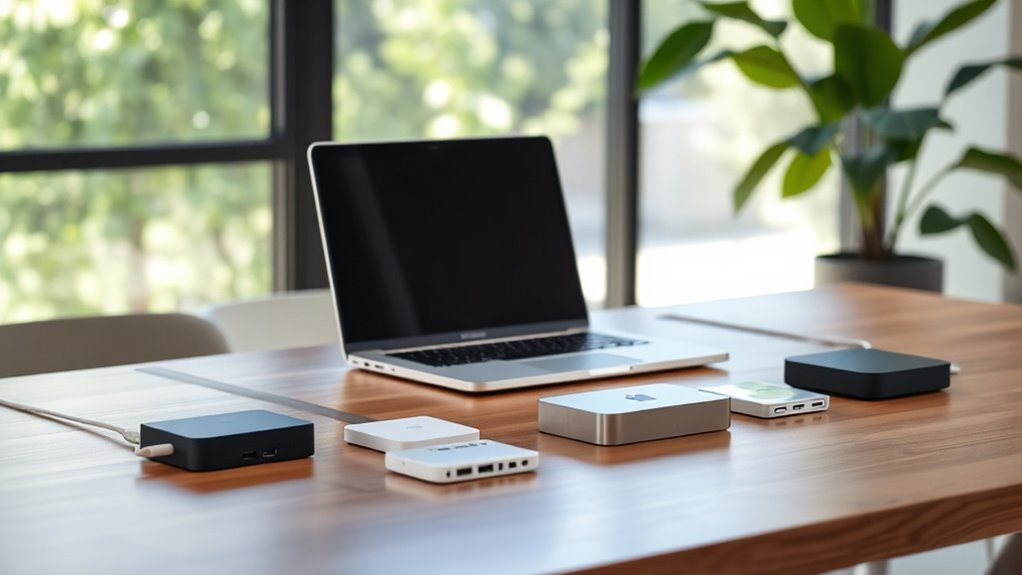
15 Best Docks for MacBook Air M1 in 2027
You need a powerful dock that maximizes your MacBook Air M1’s capabilities, especially with the best docks for MacBook Air M1 in 2027. These docks support dual 4K displays using DisplayLink technology and offer up to 100W charging for efficient power delivery.
Having the right dock can seriously upgrade your workspace.
Look for versatile ports like USB-C, USB 3.1, SD card readers, and Ethernet to keep all your devices connected without a hitch. Durable, space-saving designs are a bonus, helping you keep your desk neat and tidy.
Plus, fast data transfer speeds make your workflow smoother.
If you want to discover the top dock options and features tailored specifically for 2027, there’s plenty more to explore here.
Ready to upgrade? Let’s dive in!
USB C Hub Adapter for MacBook Pro/Air
Experience seamless connectivity with the USB C Hub Adapter for MacBook Pro/Air, designed to streamline your workspace. This multiport adapter solves the common problem of limited ports on MacBooks by providing versatile connections without compromising speed or performance.
Its compact aluminum design complements your MacBook while offering reliable support for dual monitors, though M1 models may only support one display. The adapter maintains fast data transfers and efficient charging, allowing you to power your device with up to 100W while using multiple peripherals simultaneously.
Maintenance is straightforward thanks to its durable build and plug-and-play functionality, requiring no additional software. Compatibility with macOS Sonoma ensures smooth operation, although older macOS versions may not be supported.
Ideal for professionals and creatives, this hub enhances productivity by connecting HDMI, Thunderbolt 3, USB, and SD card devices in one elegant solution. It balances convenience and performance, though users should note the USB 2.0 port’s slower speed and macOS version requirements.
Best for: MacBook Pro and Air users (2016-2026) who need a versatile, high-speed multiport adapter for efficient connectivity and charging.
What We Like:
- Supports high-resolution video with HDMI 4K@60Hz and Thunderbolt 3 5K@60Hz ports
- Fast data transfers up to 40Gbps via Thunderbolt 3 and 5Gbps on USB 3.0/USB-C
- Enables simultaneous charging with 100W power delivery
- Durable aluminum design complements MacBook aesthetics
- Plug-and-play setup with macOS Sonoma compatibility
Specification:
| Feature | Details |
|---|---|
| Manufacturer | [Not Provided] |
| Dimensions | [Not Provided] |
| Weight | [Not Provided] |
| Material | Aluminum |
| Color Options | [Not Provided] |
| Compatible Models | MacBook Pro/Air (2016-2026) |
| Video Output | HDMI 4K@60Hz, Thunderbolt 3 5K@60Hz |
| Data Transfer | Up to 40Gbps (Thunderbolt 3), 5Gbps (USB 3.0/USB-C) |
| Power Delivery | 100W |
| OS Compatibility | macOS 14 Sonoma or later |
MacBook Pro Docking Station Dual Monitor 4K@60Hz for M6/M5/M4/M3 Pro & Max
Experience seamless multitasking with the MacBook Pro Docking Station, crafted to elevate your dual-monitor setup. This docking station supports dual 4K@60Hz HDMI outputs, allowing you to expand your workspace effortlessly. It’s an ideal solution for professionals who demand clarity and precision in their displays.
Designed by PULWTOP, this 10-in-2 dock is compatible with MacBook Pro models featuring M3 through M6 Pro and Max chips, as well as the upcoming MacBook Air M4. It doesn’t support base M1/M2/M3 chips or non-Mac devices, ensuring focused compatibility. The dock’s compact design helps maintain a clutter-free workspace.
Connectivity is streamlined with multiple USB-C and USB-A ports offering fast 10Gbps data transfer. Additional SD/TF card slots and RJ45 Gigabit Ethernet cover essential needs, while up to 95W power delivery keeps your MacBook charged throughout the day. Maintenance is simple, with a durable build made for everyday professional use.
While USB-C ports provide data-only connections (no video or charging except the dedicated PD port), this dock excels in stability and performance for supported devices. Its targeted compatibility ensures users get optimized functionality without unnecessary bulk.
Best for: Professionals and creatives needing reliable dual 4K@60Hz monitor support and high-speed data transfer with MacBook Pro models M3 to M6 and the upcoming MacBook Air M4.
What We Like:
- Dual 4K@60Hz HDMI outputs for expanded workspace
- Fast 10Gbps data transfer via USB-C and USB-A ports
- Compact, clutter-reducing design ideal for professional environments
- Includes SD/TF card slots and Gigabit Ethernet for versatile connectivity
- Up to 95W power delivery to keep your MacBook charged
Specification:
| Feature | Details |
|---|---|
| Manufacturer | PULWTOP |
| Compatibility | MacBook Pro M3 to M6 Pro/Max, MacBook Air M4 (2025) |
| Video Output | Dual HDMI 4K@60Hz |
| Data Transfer Speed | USB-C/USB-A 10Gbps |
| Additional Ports | SD/TF Card slots, RJ45 Gigabit Ethernet |
| Power Delivery | Up to 95W |
| Design Dimensions | Compact (exact size not specified) |
| Supported Devices | Excludes base M1/M2/M3 chips, Intel Macs, Windows, Chrome OS |
Anker USB C Hub, 5-in-1 USBC to HDMI Splitter with 4K Display
The Anker USB C Hub offers a streamlined solution for expanding your MacBook Air M1’s connectivity without adding bulk. Its compact design combines essential ports into one device, making it easy to connect multiple peripherals and an external monitor simultaneously.
With a 4K HDMI port supporting sharp external displays at 30Hz, you can enjoy clear visuals for work or entertainment. The hub also includes two USB-A ports and a USB-C data port, all capable of fast data transfer up to 5 Gbps. This setup reduces cable clutter and enhances productivity.
Designed with durable ABS material and weighing just 1.44 ounces, the hub is easy to carry and maintain. It requires a separate charger for pass-through power since the USB-C data port does not support video output. This helps you manage charging separately while using multiple devices.
Compatibility with macOS 14 Sonoma ensures seamless integration with the latest Apple systems. The hub’s design targets users who need reliable, versatile connectivity in a compact form.
Best for: MacBook Air M1 users and USB-C device owners seeking a versatile, space-saving hub for 4K HDMI display and multiple USB connections.
What We Like:
- 4K HDMI output at 30Hz for crisp external display
- Multiple USB ports with up to 5 Gbps data transfer speed
- Lightweight and durable ABS construction
- Compatible with macOS 14 Sonoma for smooth operation
Specification:
| Feature | Details |
|---|---|
| Manufacturer | Anker |
| Dimensions | Compact, pocket-sized |
| Weight | 1.44 oz (41 g) |
| Material | ABS Plastic |
| Color Options | Black |
TobenONE MacBook Pro/Air Docking Station Stand, Dual 4K HDMI, 100W Charger
The TobenONE MacBook Pro/Air Docking Station Stand transforms your workspace into a streamlined hub. It tackles common desk clutter by integrating multiple ports into a vertical stand, keeping cables tidy and your desk spacious. This dock is designed to enhance productivity, especially for users who rely on dual 4K displays for multitasking or presentations.
With support for dual 4K@60Hz monitors via HDMI and VGA, the dock enables crisp visuals across two screens. It charges your MacBook efficiently with up to 87W power delivery from the included 100W PD3.0 charger, ensuring your device stays powered during intensive tasks. The dock’s port variety includes USB-C, USB 3.0, SD card slots, and Gigabit Ethernet, allowing seamless connection to multiple peripherals.
Maintenance is straightforward thanks to its compact vertical design, which reduces cable tangles and keeps your setup organized. However, users with M1, M2, or M3 MacBooks should note that these models natively support only a single external display. Additionally, the VGA port duplicates the HDMI2 output, limiting fully independent dual display use through VGA.
Exclusively compatible with MacBook models from 2016 to 2026, the TobenONE dock is a practical choice for Mac users aiming to boost workspace efficiency with a versatile, space-saving solution.
Best for: MacBook Pro and Air users from 2016-2026 who need an efficient docking station for dual 4K displays, fast charging, and multiple peripheral connections.
What We Like:
- Supports dual 4K@60Hz displays via HDMI and VGA for enhanced multitasking
- Provides up to 87W charging with included 100W PD3.0 charger
- Rich port selection including USB-C, USB 3.0, SD card slots, and Gigabit Ethernet
- Vertical stand design saves desk space and keeps cables organized
Specification:
| Feature | Details |
|---|---|
| Manufacturer | TobenONE |
| Compatible Models | MacBook Pro/Air (2016–2026) |
| Display Support | Dual 4K@60Hz via HDMI & VGA |
| Charging Power | Up to 87W (100W PD3.0 charger) |
| Ports | USB-C, USB 3.0, SD card, Gigabit Ethernet |
| Design | Vertical docking station stand |
Plugable USB C Docking Station, Dual Monitor 4K 60Hz 2x HDMI or DisplayPort
Plugable’s USB C Docking Station transforms your workspace by enabling dual 4K 60Hz monitor support for devices like the MacBook Air M1. It overcomes the Mac’s usual limitation of a single external display by using DisplayLink technology, so you can expand your screen real estate without hassle. This means smoother multitasking and a more productive setup.
The dock features two HDMI ports and a DisplayPort, allowing flexible connection options for your monitors. Its 14-in-1 design includes 15 ports such as USB 3.0, USB-C charging delivering up to 100W, Ethernet, SD card readers, and a headset jack. This versatility reduces clutter and keeps all essential connections within easy reach.
Crafted with a sleek aluminum housing, the dock complements your MacBook’s aesthetic while offering durable build quality. Maintenance is simple—just install the DisplayLink driver once to unlock full functionality. Some Mac users might need extra configuration, but the process is straightforward with clear instructions.
This dock is ideal for professionals and creatives who want reliable high-resolution dual displays and comprehensive connectivity in a compact device that keeps their laptop powered and connected efficiently.
Best for: Users needing seamless dual 4K 60Hz monitor support and versatile ports for MacBook Air M1 or other USB-C/Thunderbolt laptops.
What We Like:
- Enables dual 4K 60Hz displays using DisplayLink technology
- Comprehensive 14-in-1 dock with 15 ports including 100W USB-C charging
- Durable and stylish aluminum design that matches Apple devices
- Simplifies connectivity by consolidating multiple accessories in one hub
Specification:
| Feature | Details |
|---|---|
| Manufacturer | Plugable |
| Dimensions | Approx. 7.5 x 2.8 x 1.2 inches |
| Weight | About 0.6 lbs (0.27 kg) |
| Material | Aluminum |
| Color Options | Silver |
Anker USB C Hub, 7in1 Multi-Port USB Adapter, 4K@60Hz USBC to HDMI Splitter
Experience seamless connectivity with the Anker USB C Hub, designed to enhance your workspace without clutter. This 7-in-1 multi-port adapter solves the common issue of limited ports on modern laptops by offering diverse connections in a compact form.
The hub supports stunning 4K@60Hz HDMI output, delivering sharp, high-resolution visuals for presentations or creative projects. It also features fast charging capabilities with up to 85W via USB-C PD input, keeping your devices powered during busy workdays.
With dual SD and TF card slots, transferring photos and files is effortless, making it ideal for photographers and content creators. The hub’s lightweight, sleek metal design ensures durability and easy maintenance, fitting neatly into any setup.
While it offers two USB-A 3.0 ports and a USB-C data port at 5Gbps speeds, users with multiple legacy devices or requiring wired internet might find its port selection limited. However, it balances functionality and portability well.
Best for: Professionals and creatives who need a compact, multi-port USB-C hub with high-resolution HDMI output and reliable fast charging for efficient multitasking.
What We Like:
- Crisp 4K@60Hz HDMI output for detailed visuals
- Fast 85W USB-C Power Delivery charging
- Convenient dual SD and TF card slots
- Lightweight, durable metal design
- Compatible with macOS and other platforms
Specification:
| Feature | Details |
|---|---|
| Manufacturer | Anker |
| Dimensions | Not specified |
| Weight | 67 g (0.15 lb) |
| Material | Gray metal |
| Color Options | Gray |
TobenONE 16-in-2 MacBook Docking Station Dual 4K@60Hz, 7 USB, 2 HDMI
The TobenONE 16-in-2 MacBook Docking Station offers a seamless way to expand your workspace. It solves the common problem of limited ports on MacBooks by providing multiple USB connections and dual 4K display support. This dock enhances productivity by enabling you to work across two monitors with crystal-clear 4K resolution at 60Hz.
Designed to keep your desk organized, it features seven USB ports, two HDMI outputs, SD and Micro SD card readers, an audio jack, and Gigabit Ethernet. Charging is simplified with 100W Power Delivery, delivering up to 87W to your MacBook, allowing you to power your device while using all the ports. The compact, grey design fits neatly into any workspace and requires macOS 10.12 or later.
Maintenance is straightforward since it has no moving parts and only needs occasional cleaning. Note that dual monitor support works best with Intel or M1-M5 Pro/Max and M4/M5 base chips; base M1, M2, and M3 chips support only one display. The card reader speed is capped at 104Mb/s, which may be slower compared to some alternatives.
This docking station is ideal for MacBook users who need to extend their screen real estate and connect multiple peripherals without hassle.
Best for: MacBook Pro and Air users (2016–2026) seeking reliable dual 4K display support and versatile USB connectivity for enhanced workflow.
What We Like:
- Supports dual 4K@60Hz monitors for smooth multitasking
- Offers a wide variety of ports including USB-C, HDMI, and card readers
- Provides up to 87W charging while connected to multiple devices
- Compact design fits easily into any workspace
- Simple maintenance with no moving parts
Specification:
| Feature | Details |
|---|---|
| Manufacturer | TobenONE |
| Dimensions | Compact (exact size not specified) |
| Weight | Not specified |
| Material | Not specified |
| Color Options | Grey |
| Compatibility | MacBook Pro/Air (2016–2026) |
| OS Requirement | macOS 10.12 or later |
Anker Nano Laptop Docking Station, 13in1 Dock with Detachable 6in1 USBC Hub
The Anker Nano Laptop Docking Station transforms how you connect your MacBook Air M1 or other USB-C laptops. Its versatile 13-in-1 design solves the common problem of limited ports and display options. With a detachable 6-in-1 USB-C hub, it adapts seamlessly from office setups to on-the-go use.
This docking station supports up to three external monitors—two HDMI and one DisplayPort—offering sharp 4K@60Hz resolution on a single display. It ensures you stay productive with multiple screens, though macOS users should note that only mirrored display mode is supported for multiple monitors.
Power delivery is efficient, supplying up to 100W to your laptop while handling data transfers at speeds up to 10Gbps. All 13 ports—including USB-C, USB-A, Ethernet, audio, and card readers—connect via a single USB-C cable, simplifying workspace clutter.
Maintenance is straightforward, but managing multiple cables may require attention for a tidy setup. The detachable hub offers flexibility but may add a slight learning curve for users preferring an all-in-one device.
Best for: MacBook Air M1 and USB-C laptop users seeking a flexible, portable docking station with extensive connectivity and multi-display support.
What We Like:
- Supports three monitors with 4K@60Hz output for crisp visuals
- Wide range of 13 ports including Ethernet and card readers
- Up to 100W power delivery combined with fast 10Gbps data transfer
- Detachable USB-C hub enhances portability and adaptability
Specification:
| Feature | Details |
|---|---|
| Manufacturer | Anker |
| Dimensions | Not specified |
| Weight | Not specified |
| Material | Not specified |
| Color Options | Not specified |
MacBook Docking Station Dual Monitor 4K@60Hz, PD100W, Audio for Home Office
Experience seamless multitasking with the PULWTOP BD239B-Midnight docking station, designed to elevate your MacBook home office setup. It allows you to connect dual 4K@60Hz monitors effortlessly, solving screen space limitations and enhancing your workflow. With up to 95W power delivery, your MacBook stays charged throughout the day, eliminating battery anxiety.
The dock offers fast data transfers via 10Gbps USB-C and USB-A ports, making file management quick and efficient. Additional connectivity options like an SD card reader, audio jack, and Gigabit Ethernet ensure you stay connected and productive. This all-in-one hub reduces desk clutter with its vertical stand, optimizing your workspace without sacrificing functionality.
Maintenance is simple thanks to its sturdy build and compact design. However, compatibility is limited to many MacBook Pro and Air models, excluding those with M1, M2, and M3 Base chips. Its vertical orientation may not fit every desk layout but maximizes space for most users.
This docking station is a practical solution for MacBook users who need a reliable, space-saving hub that supports multiple high-resolution displays and fast charging in a professional environment.
Best for: MacBook users seeking a compact docking station that supports dual 4K@60Hz monitors, fast charging, and diverse connectivity for efficient home office use.
What We Like:
- Dual 4K@60Hz HDMI ports expand screen real estate for better multitasking.
- High-speed 10Gbps USB-C and USB-A ports facilitate swift data transfers.
- Includes SD/TF card reader, 3.5mm audio jack, and Gigabit Ethernet for versatile connectivity.
- Vertical stand design saves valuable desk space.
- Up to 95W power delivery keeps MacBook charged during heavy use.
Specification:
| Feature | Specification |
|---|---|
| Manufacturer | PULWTOP |
| Model | BD239B-Midnight |
| HDMI Output | Dual 4K@60Hz |
| Power Delivery | Up to 95W |
| USB Ports | 10Gbps USB-C and USB-A |
| Additional Ports | SD/TF card reader, 3.5mm audio, Gigabit Ethernet |
| Compatibility | MacBook Pro/Air (excludes M1, M2, M3 Base chips) |
| Design | Vertical stand |
Plugable Thunderbolt 4 Dock for M4/M5 MacBook Air & Pro, 100W Charging
Experience seamless connectivity and powerful charging with the Plugable Thunderbolt 4 Dock designed specifically for M4 and M5 MacBook Air and Pro models. This dock addresses the common challenge of limited ports, providing a comprehensive solution that keeps your workspace organized and efficient.
With 13 diverse ports, including dual 4K HDMI and Thunderbolt 4, it supports multiple displays without the need for drivers. This means you can easily connect dual 4K or a single 6K monitor, enhancing productivity and visual clarity during work or creative projects.
The dock delivers 100W charging, ensuring your MacBook stays powered throughout the day without interruptions. Its sleek space gray aluminum body combines durability with a compact form, making it easy to maintain and fit into any setup.
While it excels in functionality, note that the dock weighs 1.3 kg, which may affect portability. The 100W charging limit might not suit future laptops with higher power needs, and the 5-volt input voltage could restrict compatibility with certain power sources.
Best for: Professionals and creatives using M4 or M5 MacBook Air and Pro who need extensive port options and reliable multi-display support.
What We Like:
- Comprehensive 13-port layout including dual 4K HDMI and Thunderbolt 4
- Plug-and-play multi-display support with no driver installation
- Durable, space gray aluminum design suitable for everyday use
Specification:
| Feature | Details |
|---|---|
| Manufacturer | Plugable |
| Dimensions | Compact (exact size not specified) |
| Weight | 1.3 kg |
| Material | Aluminum |
| Color Options | Space Gray |
MOKiN MacBook Pro Docking Station Dual Monitor MacBook Pro/Air HDMI Adapter
Experience seamless multitasking with the MOKiN MacBook Pro Docking Station, designed to elevate your workspace. It solves the common challenge of limited ports by offering dual HDMI outputs, enabling you to connect two 4K monitors at 30Hz. This setup enhances productivity by providing ample screen real estate for work or creative projects.
This docking station also supports a single 4K display at 60Hz, ideal for sharp visuals during entertainment or detailed tasks. Its compact design houses multiple ports, including USB 3.0, SD/microSD card readers, Gigabit Ethernet, and Thunderbolt 3, streamlining your connections into one hub.
Maintenance is simple thanks to its anodized aluminum body, which efficiently dissipates heat and resists wear. The dock keeps your MacBook Air or Pro (2018-2021) charged with 100W USB-C Power Delivery, ensuring uninterrupted workflow without overheating concerns.
While it offers versatile connectivity, the dual 4K HDMI output is limited to 30Hz, which may affect fast-motion video performance. Compatibility is restricted to models from 2018 to 2021, and it lacks additional USB-C ports for other peripherals.
Best for: MacBook Pro or Air users (2018-2021) needing reliable dual HDMI connections and versatile ports in a compact docking station.
What We Like:
- Dual 4K monitor support enhances multitasking capabilities.
- Multiple ports consolidate connectivity needs efficiently.
- Durable anodized aluminum body aids heat dissipation.
- 100W USB-C Power Delivery supports charging during use.
Specification:
| Feature | Details |
|---|---|
| Manufacturer | MOKiN |
| Compatibility | MacBook Pro/Air (2018-2021) |
| Dimensions | Not specified |
| Weight | Not specified |
| Material | Anodized aluminum |
| Color Options | Not specified |
TobenONE Macbook Pro Docking Station Dual 4K Monitor, 150W Charger, 7 USB
The TobenONE MacBook Pro Docking Station is designed to enhance your workspace by supporting dual 4K displays. This docking station is ideal for MacBook users who require clear, crisp visuals for multitasking and creative work. It streamlines your setup by connecting two 4K@60Hz HDMI monitors, improving workflow efficiency.
Charging is fast and reliable with the included 150W power adapter. It provides up to 100W charging to your MacBook, while two front PD 30W ports offer quick charging for iPhones or iPads. This ensures your devices stay powered throughout the workday without interruption.
With seven USB ports, including both USB-C and USB-A, and a 2.5G Ethernet port, the dock offers versatile connectivity. Its compact design helps maintain a clean desk, though note the 0.8-inch middle slot may not fit MacBooks with thick cases, which could affect usability.
Maintenance is simple due to its sturdy build and minimal moving parts. However, the dock is exclusively compatible with MacBook models M1 to M6 Pro/Max and does not support other Mac devices like Studio Display or Mac Mini, which limits its range of use.
Best for: MacBook users with M1 to M6 Pro/Max models who need dual 4K monitor support and multiple device charging options to optimize productivity.
What We Like:
- Supports dual 4K@60Hz HDMI for enhanced multitasking
- High-power 150W adapter with 100W MacBook charging
- Seven USB ports plus 2.5G Ethernet for stable connections
- Compact design reduces desk clutter
- Two 30W front PD ports for fast device charging
Specification:
| Feature | Details |
|---|---|
| Manufacturer | TobenONE |
| Dimensions | Not specified |
| Weight | Not specified |
| Compatible Models | MacBook M1 to M6 Pro/Max |
| Video Output | Dual 4K@60Hz HDMI |
| USB Ports | 7 (USB-C and USB-A) |
| Ethernet | 2.5G |
| Power Adapter | 150W (up to 100W charging) |
| Front PD Ports | 2 x 30W |
| Middle Slot Width | 0.8 inches |
Anker USB-C Hub, 11-in-1 Docking Station Dual Monitor with 4K HDMI and DP
The Anker USB-C Hub, 11-in-1 Docking Station, offers a versatile solution for users needing multiple ports and dual monitor support. It simplifies connecting various devices, reducing clutter and enhancing workflow. With support for dual 4K displays, it allows seamless multitasking on MacBook or Windows laptops.
This dock features 11 ports, including 4K HDMI, DisplayPort, USB-C, USB-A, Ethernet, AUX, and card slots. It supports dual monitors with up to 2K@60Hz on DisplayPort and 1080p@60Hz mirroring on macOS, addressing common multi-display limitations. Pass-through charging up to 85W keeps your device powered during heavy use.
Designed with durable aluminum, this hub offers reliable performance and fast data transfers up to 10 Gbps. Its compact form fits neatly into any setup, requiring minimal maintenance. However, macOS only supports mirrored displays, and some USB-A ports operate at slower speeds. It is not compatible with Linux systems.
Overall, this docking station improves connectivity and productivity while maintaining a clean workspace.
Best for: users who need extensive port options and dual 4K display support for MacBook or Windows laptops with fast data transfer and pass-through charging.
What We Like:
- Supports dual monitors with 2K DisplayPort and 4K HDMI output
- High-speed USB-C and USB-A ports with up to 10 Gbps transfer rates
- 85W pass-through charging keeps laptops powered during use
- Durable aluminum construction for long-lasting performance
Specification:
| Feature | Details |
|---|---|
| Manufacturer | Anker |
| Dimensions | Compact (exact size not specified) |
| Weight | Not specified |
| Material | Aluminum |
| Color Options | Not specified |
Anker Prime TB5 Docking Station, 14-in-1 Thunderbolt 5 Dock for Laptops
Experience seamless connectivity and ultra-fast data transfer with the Anker Prime TB5 Docking Station. Designed to simplify your workspace, this 14-in-1 Thunderbolt 5 dock solves the common problem of juggling multiple adapters and cables. It streamlines your setup by consolidating essential ports into one compact hub.
The dock supports data speeds up to 120Gbps and powers dual 8K displays at 60Hz, making it ideal for high-resolution video editing or multitasking across multiple monitors. Its 140W power delivery ensures your laptop stays charged even during heavy use, while advanced active cooling helps maintain stable performance.
With a sleek, compact design in gray, the dock is easy to maintain and fits neatly on any desk. It supports a wide range of devices, including MacBooks with M1, M2, M3, and M4 chips, as well as compatible Windows laptops. The variety of ports, like Thunderbolt 5, USB-C, USB-A, HDMI 2.1, and SD/TF card readers, addresses diverse connectivity needs.
While it weighs 2.4 pounds, which may affect portability, this trade-off brings robust build quality and extensive functionality. Note that front USB-C ports share 45W power, which may limit charging for some high-demand devices.
Best for: professionals and creatives needing fast data transfer and versatile connectivity for Thunderbolt 5 or compatible laptops.
What We Like:
- Wide selection of 14 ports including Thunderbolt 5 and HDMI 2.1/DisplayPort 2.1
- Ultra-fast 120Gbps data transfer with dual 8K@60Hz display support
- Powerful 140W charging combined with effective active cooling
- Compact, sleek design that fits well in professional setups
Specification:
| Manufacturer | Anker |
|---|---|
| Dimensions | Compact, desk-friendly size |
| Weight | 2.4 lb (1.09 kg) |
| Material | Durable gray enclosure |
| Color Options | Gray |
Anker Laptop Docking Station 3 Monitors, 14in1 USBC Hub with Triple Display
Experience seamless multitasking with the Anker Laptop Docking Station, designed to simplify connecting multiple displays. This 14-in-1 USB-C hub lets you extend your workspace effortlessly with support for three monitors, combining two 4K HDMI outputs and a 1080p VGA port. It helps overcome the challenge of limited screen space, enhancing productivity for professionals and creatives alike.
The dock also offers versatile connectivity options, including five USB-A ports, a high-speed USB-C port with 5 Gbps transfer rates, Ethernet, SD card slots, and AUX support. Its 100W power delivery ensures your laptop stays charged during intensive work sessions, reducing cable clutter and downtime.
Weighing just 134g, the portable design fits easily into your work setup or travel bag. While macOS users should note that external monitors mirror content rather than extend the display, the dock remains a reliable choice for Windows users seeking multi-monitor setups. Maintenance is straightforward due to its robust build and compact form factor.
Best for: Professionals and students who need to connect and manage three external monitors with versatile port options on USB-C laptops.
What We Like:
- Supports triple display with two 4K HDMI and one 1080p VGA port
- Fast data transfer speeds up to 5 Gbps via USB-C
- 100W pass-through charging powers laptops efficiently
- Lightweight and portable design for easy transport
- Multiple USB-A ports and Ethernet for expanded connectivity
Specification:
| Feature | Details |
|---|---|
| Manufacturer | Anker |
| Dimensions | Not specified |
| Weight | 134 g (0.3 lb) |
| Material | Not specified |
| Color Options | Not specified |
Factors to Consider When Choosing a Dock for MacBook Air M1
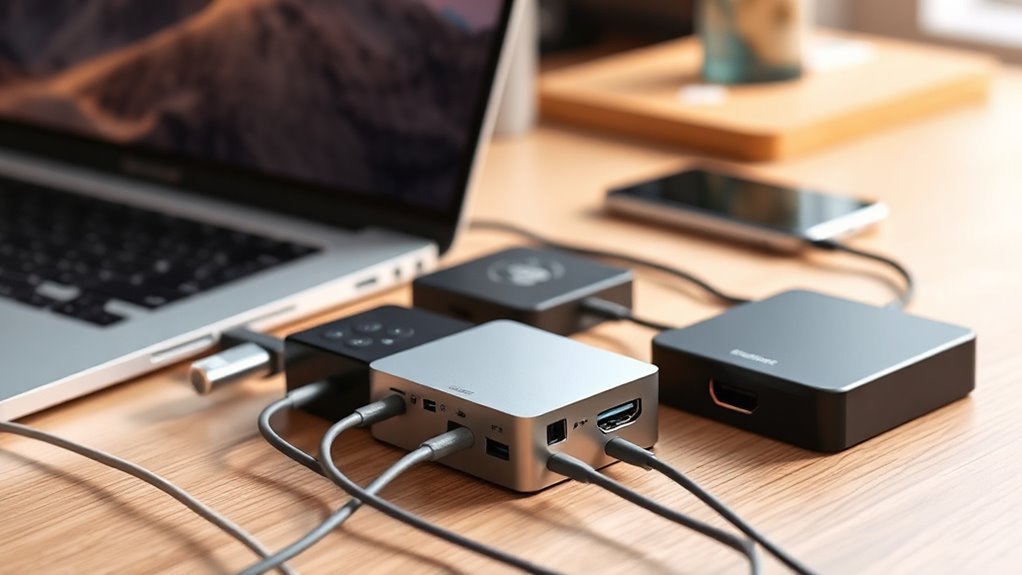
When choosing a dock for your MacBook Air M1, you need to check port compatibility to guarantee all your devices connect smoothly. Consider display support and charging power to keep your setup efficient and powered.
Don’t forget data transfer speeds and build quality for fast performance and lasting durability. It’s all about making sure your dock works well now and stays reliable over time.
Port Compatibility
Because the MacBook Air M1 relies heavily on USB-C and Thunderbolt 3/4 ports, choosing a dock with these connections guarantees seamless compatibility and performance. Make certain the dock includes USB 3.0 and USB 2.0 ports to connect your external hard drives, keyboards, and other peripherals without hassle.
If you use cameras or memory cards regularly, a dock with SD and microSD card readers is essential for quick data transfers. While video output options like HDMI or DisplayPort are important, they’ll be covered in the next section.
Also, don’t overlook power delivery—select a dock that supports at least 60W to 100W charging to keep your MacBook Air powered during heavy use. Prioritizing these port features assures your dock meets all your connectivity needs efficiently.
Display Support
Display support plays a key role in selecting the right dock for your MacBook Air M1, especially given its native limitation to a single external display at up to 6K resolution. You’ll want a dock that fully supports this, ideally offering HDMI or DisplayPort connections for crisp, high-resolution output.
Many docks advertise dual monitor support, but keep in mind M1 Macs typically mirror the display rather than extend it. If you need multiple screens with extended desktop functionality, consider docks with DisplayLink technology to bypass this limitation.
Also, prioritize docks that support 4K output at 60Hz, ensuring smooth visuals on your external monitor. Choosing the right dock means balancing compatibility with your display needs for the best visual experience.
Charging Power
Making sure your dock delivers sufficient charging power is essential to keep your MacBook Air M1 running smoothly throughout the day. You should look for docks that support at least 100W Power Delivery (PD) to charge your laptop efficiently while using peripherals.
Keep in mind that some docks may reduce charging power when multiple ports are active, so check power output specs carefully. Choosing a dock with simultaneous charging and data transfer capabilities helps maintain your battery life during heavy use.
Also, verify the dock’s compatibility with your MacBook Air M1 to prevent overheating or damage. Prioritizing these factors makes for faster charging times and uninterrupted productivity during your work sessions.
Data Transfer Speeds
When selecting a dock for your MacBook Air M1, you’ll want to prioritize data transfer speeds to keep your workflow efficient. Different docks offer varying speeds: USB 3.0 supports up to 5 Gbps, USB-C and USB 3.1 reach 10 Gbps, while Thunderbolt 3 can hit an impressive 40 Gbps.
For tasks like video editing or large backups, choose docks with Thunderbolt 3 or USB 3.1 support to guarantee fast transfers. Keep in mind that connecting multiple devices can reduce overall speed since bandwidth is shared.
Also, verify your MacBook Air M1’s compatibility with Thunderbolt or USB-C standards to enhance performance. Picking the right dock with ideal data transfer speeds means less waiting and smoother productivity.
Build Quality
A dock’s build quality directly impacts its durability and your overall experience. Look for docks made from sturdy materials like aluminum or high-grade plastic; these resist wear and tear better over time.
A stable design is key—you don’t want your dock wobbling or tipping when you connect multiple devices. Check that the ports are securely mounted to withstand frequent plugging and unplugging without damage.
Also, consider how well the dock manages heat; good heat dissipation prevents overheating, which can reduce performance and shorten its lifespan.
Finally, a compact, lightweight design not only makes your dock easy to carry but also shows thoughtful engineering that balances strength with portability. Prioritizing build quality guarantees your dock stays reliable and functional for years.
Operating System Compatibility
Because the MacBook Air M1 runs on macOS 11 or later, you’ll want a dock that fully supports this operating system to avoid compatibility issues. Make certain the dock explicitly states compatibility with macOS 11+ and supports USB-C, USB4, or Thunderbolt connections for smooth integration.
Since the M1 chip limits external display support, check if the dock handles single-monitor connections properly. Also, opt for one with firmware and software update capabilities to stay compatible with future macOS releases.
Don’t forget power delivery—choose a dock that can provide up to 100W charging to keep your MacBook Air M1 powered efficiently while in use. Prioritizing these factors guarantees your dock works seamlessly with your MacBook’s operating system and hardware.
Size And Design
Choosing the right dock size and design plays a crucial role in complementing your MacBook Air M1’s sleek profile. You want a dock that doesn’t overwhelm your workspace but still offers enough ports for your needs.
A slim, lightweight dock boosts portability, so you can easily take it wherever you go. Consider vertical or stackable designs to save desk space and keep things tidy, especially if your workspace is limited.
Look for docks with built-in cable management to prevent tangled cords and maintain a clean setup. Finally, choose materials and finishes—like aluminum or gray—that match your MacBook’s aesthetic for a seamless, professional look.
This way, your dock won’t just be functional but also stylish and space-efficient.
Warranty And Support
Warranty and support play a vital role in ensuring your dock for the MacBook Air M1 remains reliable and hassle-free. Most docks come with a 1 to 2-year warranty, covering defects or malfunctions. Some even offer a 30-day return policy if the dock doesn’t meet your expectations or arrives damaged.
You’ll want to check the warranty terms carefully since coverage can vary for features like power delivery or data transfer. Friendly customer support is essential, too, helping you with setup, troubleshooting, and any questions you might have.
Additionally, some manufacturers offer extended warranties or support plans for extra peace of mind. So, it’s a good idea to prioritize docks with solid warranty and support options. This way, you protect your investment and avoid headaches down the line.
Frequently Asked Questions
Are These Docks Compatible With Macbook Air M2 Models?
Yes, these docks generally work with MacBook Air M2 models since they use similar USB-C ports. Just double-check each dock’s specs to verify full compatibility and support for any specific features your M2 model might have.
It’s always a good idea to look closely at what each dock offers. That way, you can be sure it meets your needs without any surprises.
Can These Docks Charge Other Devices Besides the Macbook Air?
Yes, you can charge other devices with these docks. They usually include USB-C and USB-A ports that support power delivery.
Just connect your device, and the dock will handle charging alongside your MacBook Air. It’s pretty straightforward!
Do These Docks Support Wireless Peripherals Connectivity?
Yes, these docks support wireless peripherals connectivity through built-in Bluetooth or USB dongles.
You’ll easily connect your wireless mouse, keyboard, or headphones, making your workspace clean and efficient without extra cables cluttering your desk.
It’s a simple way to keep things neat and hassle-free.
Are Any of These Docks Portable for Travel Use?
You might expect bulky docks, but some are surprisingly portable for travel.
You’ll find compact, lightweight options that slip easily into your bag.
They let you connect all your peripherals without lugging around heavy gear or sacrificing functionality.
How Do These Docks Affect Macbook Air M1 Battery Life?
Using these docks won’t drain your MacBook Air M1’s battery directly; they draw power from your laptop. However, charging through a dock can be slower or less efficient.
Conclusion
Choosing the right dock for your MacBook Air M1 is like finding the perfect key to unlock its full potential. With so many options offering multiple ports, high-resolution displays, and fast charging, expanding your workspace has never been easier.
Think about what you really need—maybe dual monitors or extra USB ports. Picking the dock that fits seamlessly into your setup can seriously boost your productivity.
Your MacBook Air deserves a dock that works as hard as you do. Finding the best dock for MacBook Air M1 means considering compatibility, port variety, and reliable performance. With the right dock, you’ll effortlessly connect all your devices and enjoy a smooth, efficient workflow every day.