10 Best 11×17 Printers for 2027 That Deliver Stunning Prints
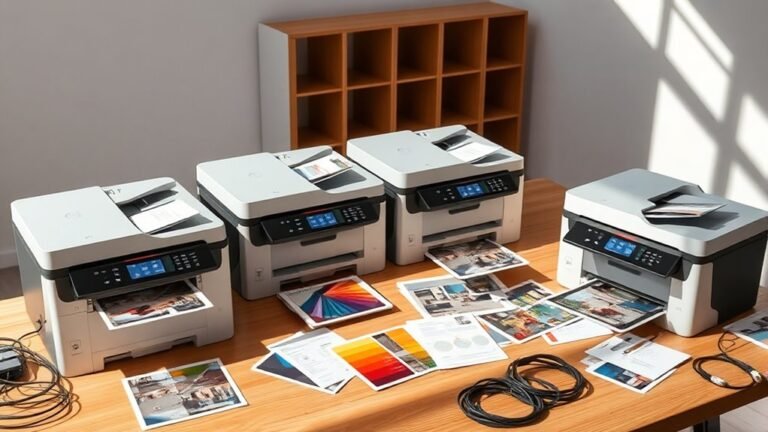
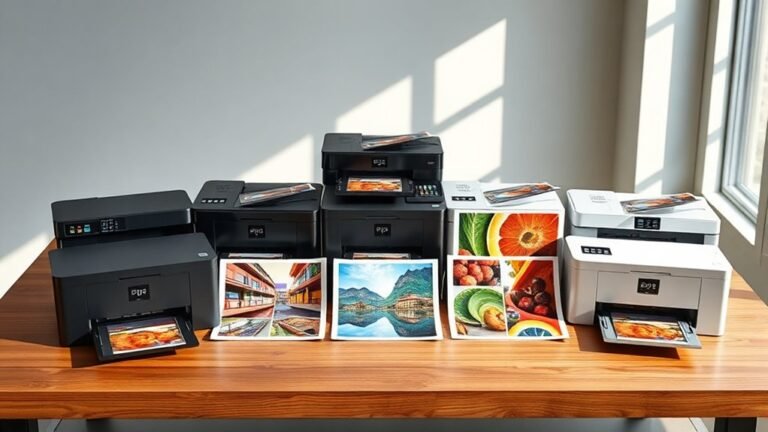
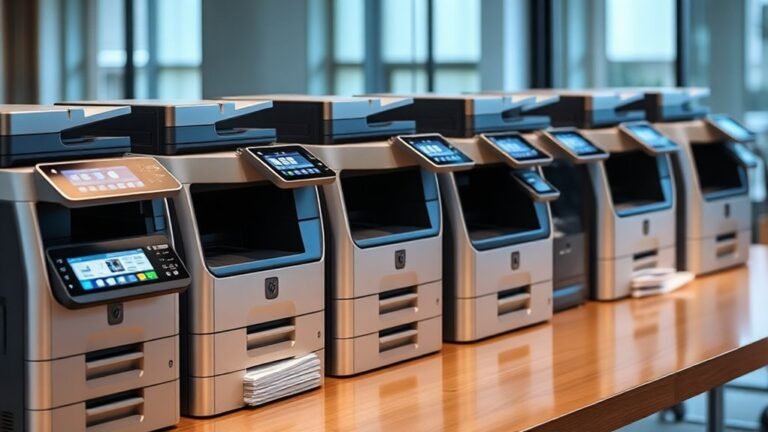
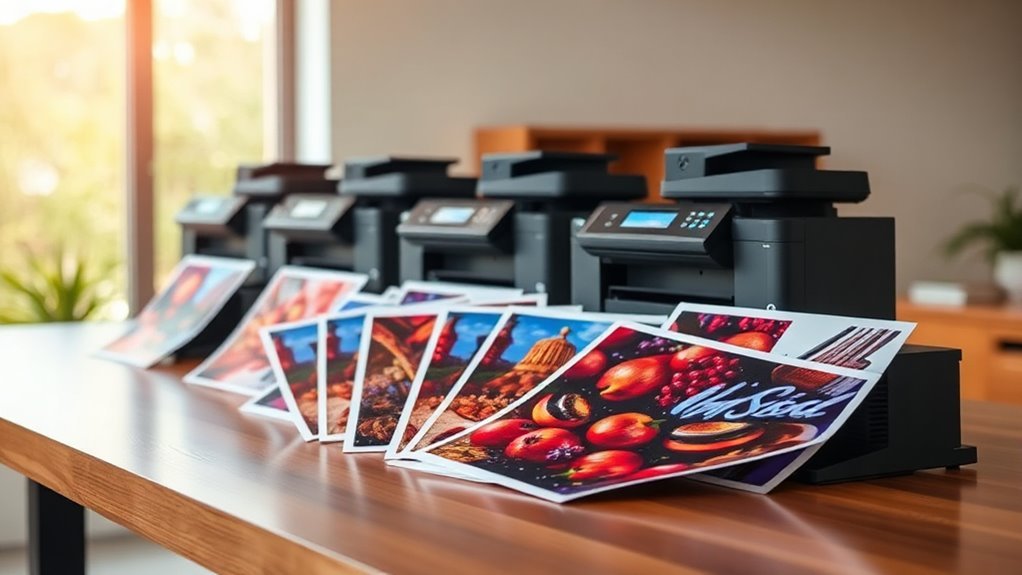
You’ll want an 11×17 printer that delivers sharp, vibrant prints with versatile media support and fast speeds. These wide-format printers are perfect for everything from creative projects to professional documents. Finding one that balances quality, efficiency, and ease of use is key.
Models like the HP OfficeJet Pro 9730 and Brother INKvestment 6960 combine wide-format capability with efficient ink systems and user-friendly touchscreens. Epson’s EcoTank series stands out for its long-lasting ink tanks and excellent borderless photo printing.
Whether you’re printing detailed graphics or busy office documents, these printers offer reliable performance and impressive color accuracy. Keep exploring to find the perfect 11×17 printer that fits your needs and budget.
HP OfficeJet Pro 9730 Wide-Format Wireless Printer
The HP OfficeJet Pro 9730 Wide-Format Wireless Printer is designed to handle demanding office tasks with ease. It produces professional-quality color documents up to 11×17 inches, making it ideal for businesses that require larger-format prints. You’ll benefit from fast print speeds and sharp resolution, ensuring clear and vibrant results for every project.
This printer simplifies multitasking with automatic two-sided printing and scanning, thanks to its single-pass duplex ADF. It saves time and reduces manual effort, which is essential in busy work environments. The dual 250-sheet trays provide ample paper capacity, minimizing interruptions during large print jobs.
Maintenance is straightforward but note that ink cartridges have moderate yields, so frequent replacements might be necessary in high-volume settings. The device supports flexible connectivity options including dual-band Wi-Fi, Ethernet, and USB. You can control printing tasks easily via the 4.3-inch touchscreen or the HP Smart app for mobile convenience.
While it offers robust functionality, the OfficeJet Pro 9730 is relatively large and weighs over 40 pounds, which could be a consideration for space-limited offices. Overall, it balances wide-format capability with efficient duplex handling and versatile connectivity.
Best for: Professionals and small offices that need a reliable wide-format printer for high-quality color documents with efficient duplex printing and scanning.
What We Like:
- Fast print speeds with sharp 4800 x 1200 dpi resolution
- Supports wide-format printing up to 11 x 17 inches
- Automatic two-sided printing and scanning with single-pass duplex ADF
- Multiple connectivity options including dual-band Wi-Fi and Ethernet
- User-friendly 4.3-inch touchscreen and mobile app control
Specification:
| Feature | Description |
|---|---|
| Manufacturer | HP |
| Dimensions (W×D×H) | Approximately 21.8 × 22.6 × 11.7 in |
| Weight | 43 lbs (19.5 kg) |
| Color Options | Black |
| Connectivity | Dual-band Wi-Fi, Ethernet, USB |
Brother INKvestment 6560 Wireless Color Inkjet Printer
The Brother INKvestment 6560 Wireless Color Inkjet Printer is designed to meet the needs of small businesses and home offices that require sharp, versatile color printing. It handles large-format prints up to 11×17 inches, which expands your options for presentations and marketing materials.
This printer delivers fast output with speeds up to 31 ppm in black and 30 ppm in color, ensuring your projects finish quickly without sacrificing quality. The high resolution of 1,200 x 4,800 dpi produces crisp, professional results that help your work stand out.
Maintenance is simplified with the INKvestment system, which helps reduce ink costs and refills less frequently. The 250-sheet tray and automatic duplexing streamline your workflow, while the 50-page automatic document feeder supports efficient scanning and faxing.
Connectivity options are flexible, including dual-band Wi-Fi, Ethernet, and USB. You can control print jobs easily through the intuitive 2.7” touchscreen or a mobile app, making it convenient to manage tasks from anywhere. The printer’s size and weight may need consideration for your workspace.
Best for: small businesses and home offices needing reliable, high-quality color printing with multi-function capabilities and large-format support.
What We Like:
- Prints large-format documents up to 11×17 inches with automatic duplexing.
- Fast print speeds and sharp, high-resolution output.
- Multiple connectivity options including dual-band Wi-Fi and Ethernet.
- Efficient ink use with the INKvestment system.
- Easy-to-use 2.7” touchscreen and mobile app control.
Specification:
| Feature | Details |
|---|---|
| Manufacturer | Brother |
| Dimensions (W×D×H) | 18.8 × 22.7 × 12 inches |
| Weight | 44.1 lb (20 kg) |
| Print Resolution | Up to 1,200 × 4,800 dpi |
| Print Speed | Up to 31 ppm (black), 30 ppm (color) |
| Paper Capacity | 250-sheet tray |
| Connectivity | Dual-band Wi-Fi, Ethernet, USB |
| Display | 2.7-inch touchscreen |
| ADF Capacity | 50 pages |
HP OfficeJet Pro 9720 Color Inkjet Printer | Wireless | All-in-One
The HP OfficeJet Pro 9720 is designed to tackle the demands of small and medium businesses needing versatile printing solutions. It excels at wide-format printing, handling sizes up to 11×17 inches, which is ideal for producing detailed documents and large presentations. This all-in-one device combines printing, scanning, copying, and faxing, reducing the need for multiple machines.
Its fast print speeds—up to 22 ppm in black and 18 ppm in color—help keep your workflow efficient. The sharp 4800 x 1200 dpi resolution ensures professional-quality output. Managing print jobs is simple with the 2.7-inch touchscreen and the HP Smart app, which also allows remote control. The 250-sheet input tray supports varied media types, while automatic duplexing cuts paper use and saves time.
Maintenance is straightforward, though the included ink cartridges have moderate yields, so busy offices might need to replace them more often. Security features protect your network, and HP’s AI optimizes print layouts, enhancing productivity and reliability in daily office tasks.
Best for: Small and medium businesses requiring a reliable, efficient all-in-one printer with wide-format capabilities and smart management features.
What We Like:
- Supports wide-format printing up to 11×17 inches with crisp color quality
- Fast print speeds and automatic duplexing save time and resources
- Easy job management via touchscreen and HP Smart app
- Built-in AI and security features enhance productivity and network safety
Specification:
| Feature | Description |
|---|---|
| Manufacturer | HP |
| Dimensions (W×D×H) | Approx. 20.2 × 18.8 × 10.4 in |
| Weight | Approx. 21.4 lb |
| Print Technology | Color Inkjet |
| Max Print Size | 11 × 17 inches |
| Touchscreen | 2.7-inch color display |
| Input Tray Capacity | 250 sheets |
| Connectivity | Wireless |
Brother INKvestment 6960 Wireless Color Inkjet Printer
Experience efficient wide-format printing with the Brother INKvestment 6960 Wireless Color Inkjet Printer. Designed for busy offices, it makes printing, scanning, copying, and faxing large documents easy. Its ability to handle 11×17-inch media helps you create professional reports and presentations without hassle.
This printer offers fast output speeds—up to 31 ppm black and 30 ppm color—so you spend less time waiting. Automatic duplex printing saves paper and effort on double-sided jobs. The 3.5” color touchscreen simplifies navigation, keeping tasks straightforward and efficient.
Maintenance is streamlined with Brother’s ink subscription service that lowers costs and reduces the frequency of cartridge changes. Multiple paper trays, including a 500-sheet capacity, ensure you can manage large print jobs without frequent refills. Connectivity options such as Wi-Fi, Ethernet, and cloud support fit smoothly into any office setup.
While the printer’s size and weight require a dedicated space, its robust design supports heavy use. Ink yields are moderate but manageable through the subscription plan. The initial setup and subscription enrollment may take some time but offer long-term convenience.
Best for: Small businesses and offices needing reliable, fast, and versatile 11×17 color printing with multifunction features.
What We Like:
- Handles large 11” x 17” media with automatic duplex printing
- Fast print speeds and easy-to-use 3.5” color touchscreen
- Multiple connectivity options including wireless and cloud support
- High-capacity paper trays reduce frequent refilling
- Ink subscription service helps control printing costs
Specification:
| Feature | Details |
|---|---|
| Manufacturer | Brother |
| Dimensions | 17.3 x 15.7 x 12.4 in |
| Weight | 51.4 lb |
| Media Size | Up to 11” x 17” |
| Connectivity | Wi-Fi, Ethernet, Cloud |
| Display | 3.5” Color Touchscreen |
Epson EcoTank ET-15000 Wireless All-in-One Wide-Format Supertank Printer
Experience the convenience of wide-format printing with the Epson EcoTank ET-15000, designed to handle documents up to 13 x 19 inches. This all-in-one wireless printer meets the needs of users requiring print, scan, copy, and fax capabilities in one compact device. Its refillable ink tanks drastically reduce ink expenses, saving up to 90% compared to traditional cartridges.
Maintaining this printer is simple thanks to the easy-to-refill supersized ink tanks, which allow for high-volume printing without frequent interruptions. The 250-sheet front tray and rear specialty paper feed support diverse media types, adding flexibility to your printing tasks.
Ideal for home offices or small businesses, the ET-15000 offers multiple connectivity options including Wi-Fi, Ethernet, and USB to ensure seamless integration into your workspace. The 2.7″ color touchscreen and hands-free voice printing enhance user interaction and convenience.
While print speeds are moderate at up to 17 ppm black and 9 ppm color, this printer balances quality and volume effectively. Note that scanning and copying are limited to 8.5 x 14 inches, which is smaller than the maximum print size.
Best for: Small office or home users needing an affordable, versatile all-in-one printer capable of wide-format printing and significant ink cost savings.
What We Like:
- Cartridge-free printing with large refillable ink tanks reduces ink costs by up to 90%.
- Supports wide-format printing up to 13 x 19 inches with multiple paper feeding options.
- Offers flexible connectivity via Wi-Fi, Ethernet, USB, plus touchscreen and voice-activated printing.
- Easy maintenance with supersized ink tanks designed for high-volume use.
Specification:
| Feature | Details |
|---|---|
| Manufacturer | Epson |
| Dimensions (W×D×H) | Approx. 24.4 × 20.1 × 9.7 in (62 × 51 × 24.6 cm) |
| Weight | Approx. 23.6 lb (10.7 kg) |
| Maximum Print Size | Up to 13 × 19 inches |
| Maximum Scan/Copy Size | Up to 8.5 × 14 inches |
| Connectivity | Wi-Fi, Ethernet, USB |
| Display | 2.7″ color touchscreen |
Epson Workforce Pro WF-7310 Wireless All-in-One Wide-Format Inkjet Printer
The Epson Workforce Pro WF-7310 Wireless All-in-One Wide-Format Inkjet Printer is designed to meet the demands of busy professionals who require high-quality, wide-format printing. Its ability to produce borderless 11 x 17-inch prints ensures your documents and presentations stand out without compromising on speed.
With print speeds up to 25 pages per minute (ppm) in black and 12 ppm in color, this printer keeps up with fast-paced workflows. Automatic duplexing helps save time and paper by printing on both sides efficiently. Its 500-sheet capacity across three trays means fewer interruptions during large print jobs.
Maintenance is straightforward thanks to DURABrite Ultra pigment inks, which provide sharp, smudge-resistant prints at 4800 x 2400 dpi. Wireless and Ethernet connectivity simplify printing from smartphones, tablets, or PCs through the Epson Smart Panel app. This connectivity enhances flexibility but requires an internet connection for full functionality.
The sheetfed scanner supports quick digitization of documents but may not handle thick or bound materials well. Some users find setup involving the mobile app a bit complex, so it’s best suited for users comfortable with smart device integration.
Best for: professionals and small businesses needing reliable wide-format printing with fast speeds and versatile connectivity.
What We Like:
- Wide-format printing up to 13 x 19 inches with borderless 11 x 17 capability
- Fast print speeds and automatic duplexing for efficient workflows
- Wireless and Ethernet connectivity with mobile app support for easy multi-device printing
Specification:
| Feature | Details |
|---|---|
| Manufacturer | Epson |
| Dimensions | Not specified |
| Weight | Not specified |
| Print Technology | Inkjet |
| Max Print Size | 13 x 19 inches |
| Max Print Resolution | 4800 x 2400 dpi |
| Connectivity | Wireless, Ethernet |
| Scanner Type | Sheetfed only |
Epson WorkForce Pro WF-7840 Wireless All-in-One Wide-Format Inkjet Printer
Experience professional-quality printing with the Epson WorkForce Pro WF-7840, designed to meet the demands of busy offices. This all-in-one printer handles wide-format documents up to 13 x 19 inches, delivering sharp, vibrant prints that bring your projects to life. Its multifunction design allows you to print, copy, scan, and fax from a single device, reducing clutter and improving workflow.
Maintenance is straightforward thanks to its large paper capacity, holding up to 500 sheets in the main tray plus two additional trays. Automatic duplex printing saves time and paper, making it ideal for high-volume tasks. The DURABrite Ultra ink ensures your documents resist smudging and fading, keeping your marketing materials and photos looking professional.
Wireless connectivity and a 4.3-inch touchscreen simplify operation, letting you print directly from mobile devices or control the printer with ease. While it has a sizeable footprint, the added convenience and functionality balance the space required. Color print speeds may be slower than black-and-white, so plan accordingly for large color jobs.
Best for: Professionals and small businesses needing a reliable, wide-format all-in-one printer with versatile features and robust connectivity.
What We Like:
- High-resolution wide-format printing up to 13 x 19 inches
- Multifunction capabilities: print, copy, scan, and fax
- Large paper capacity with three trays and duplex printing
- Wireless and mobile printing with intuitive touchscreen control
Specification:
| Feature | Details |
|---|---|
| Manufacturer | Epson |
| Dimensions (W×D×H) | 38.4 × 20.5 × 20.3 inches |
| Weight | 45.4 lbs |
| Maximum Print Size | 13 × 19 inches |
| Print Resolution | Up to 4800 × 2400 dpi |
| Ink Type | DURABrite Ultra ink |
| Connectivity | Wireless, mobile printing |
Epson Workforce Pro WF-7820 Wireless All-in-One Wide-Format Inkjet Printer
The Epson Workforce Pro WF-7820 is designed to deliver professional-quality wide-format prints up to 13 x 19 inches. It helps small businesses and creative professionals produce sharp, detailed documents and images quickly, improving workflow with reliable all-in-one functionality. This printer reduces the hassle of managing multiple devices by combining printing, copying, scanning, and faxing in one unit.
With print speeds of up to 25 ppm in black and 12 ppm in color, it meets the demands of busy offices. The 4.3-inch touchscreen and voice command support make operation intuitive, while automatic duplexing saves paper and time. Its wireless connectivity options, including Wi-Fi, Bluetooth, and Ethernet, enable seamless integration into different work environments.
Maintaining the WF-7820 is straightforward but requires using Epson Genuine Cartridges to ensure optimal performance and protect the warranty. The printer’s size and weight make it better suited for dedicated workspaces rather than compact areas. Despite these considerations, it offers a balance of speed, precision, and versatility for high-volume printing needs.
Best for: Small businesses and creative professionals seeking a dependable wireless all-in-one printer capable of wide-format output.
What We Like:
- High-resolution wide-format printing with sharp detail and fast speeds
- All-in-one functions including copy, scan, fax, and automatic duplexing
- Easy-to-use 4.3-inch touchscreen with voice command support
- Multiple connectivity options: wireless, Wi-Fi Direct, Bluetooth, and Ethernet
- Large paper capacity designed for high-volume workloads
Specification:
| Feature | Details |
|---|---|
| Manufacturer | Epson |
| Dimensions (W x D x H) | 23.7 x 18.5 x 12.6 inches |
| Weight | 39.7 lbs (18 kg) |
| Printing Technology | Inkjet |
| Max Print Size | 13 x 19 inches |
| Print Speed | 25 ppm black, 12 ppm color |
| Connectivity | Wireless, Wi-Fi Direct, Bluetooth, Ethernet |
| Control Interface | 4.3-inch touchscreen, voice commands |
Epson EcoTank Photo ET-8550 Wireless Wide-Format All-in-One Tank Printer
Experience vibrant, borderless photo printing with the Epson EcoTank Photo ET-8550. Designed for creators and photo enthusiasts, this wide-format all-in-one printer delivers stunning prints up to 13 x 19 inches. The advanced cartridge-free 6-color ink system produces lab-quality images without the hassle of frequent cartridge replacement.
This printer simplifies your workflow by combining printing, scanning, and copying in one device. It supports various media types, including thick paper up to 1.3 mm and customized CDs/DVDs, offering versatile creative options. Wireless connectivity lets you print from multiple devices, enhancing convenience in home studios or offices.
Maintaining the EcoTank system is cost-effective and environmentally friendly. Large refillable ink bottles supply up to two years of ink, significantly reducing waste and ongoing expenses. While setup and refilling require some attention, the long-term savings and print quality make it worthwhile.
The Epson ET-8550 fits best where space allows, as its size is larger than typical printers. It’s ideal for users who prioritize high-resolution, wide-format prints and want to avoid cartridge replacements.
Best for: Creators and home studios seeking high-quality, borderless wide-format photo printing with economical, cartridge-free ink.
What We Like:
- Cartridge-free EcoTank system cuts printing costs and waste.
- Supports media up to 13 x 19 inches and 1.3 mm thickness, including CDs/DVDs.
- Wireless all-in-one printing, scanning, and copying functionality.
- Sharp 1440 dpi resolution delivers vibrant, detailed images.
Specification:
| Specification | Details |
|---|---|
| Manufacturer | Epson |
| Model | EcoTank Photo ET-8550 |
| Dimensions (W×D×H) | 17.7 × 22.7 × 9.8 inches |
| Weight | Approximately 16.1 lbs (7.3 kg) |
| Color Options | Black |
| Maximum Print Size | 13 × 19 inches |
| Ink System | Cartridge-free 6-color EcoTank |
Epson EcoTank Pro ET-16600 Wireless All-in-One Wide-Format Tank Printer
The Epson EcoTank Pro ET-16600 Wireless All-in-One Wide-Format Tank Printer is designed to meet the demands of busy offices that require reliable, high-volume printing. It handles up to 66,000 pages per month, making it ideal for heavy workloads without frequent interruptions. This printer supports wide-format printing up to 11×17 inches, perfect for large documents, presentations, and detailed graphics.
Its all-in-one functionality allows users to print, scan, copy, and fax, all controlled through a simple 4.3″ touch screen. The automatic duplexing and 50-sheet feeder streamline multitasking, saving time and effort. Connectivity options like Wi-Fi and LAN help integrate the printer smoothly into any office network.
Maintenance is straightforward with the EcoTank system, which uses refillable ink tanks rather than cartridges. This reduces the need for frequent replacements and lowers running costs, though initial setup and refilling may require some care. The printer delivers sharp prints at up to 4800 x 2400 dpi and scans at 1200 dpi optical resolution, balancing quality and efficiency.
Best for: Offices and professionals needing consistent, high-quality wide-format printing with versatile all-in-one capabilities.
What We Like:
- Supports heavy workloads with a high monthly duty cycle
- Wide-format printing up to 11×17 inches for large projects
- Multiple connectivity options including Wi-Fi and LAN
- Automatic duplexing and a 50-sheet feeder enhance productivity
Specification:
| Feature | Details |
|---|---|
| Manufacturer | Epson |
| Dimensions (W×D×H) | Requires significant space |
| Weight | Not specified |
| Print Resolution | Up to 4800 x 2400 dpi |
| Scan Resolution | Optical up to 1200 dpi |
| Connectivity | Wi-Fi, LAN, USB |
| Monthly Duty Cycle | 66,000 pages |
| Max Print Size | 11 x 17 inches |
| Display | 4.3-inch touch screen |
Factors to Consider When Choosing 11X17 Printers
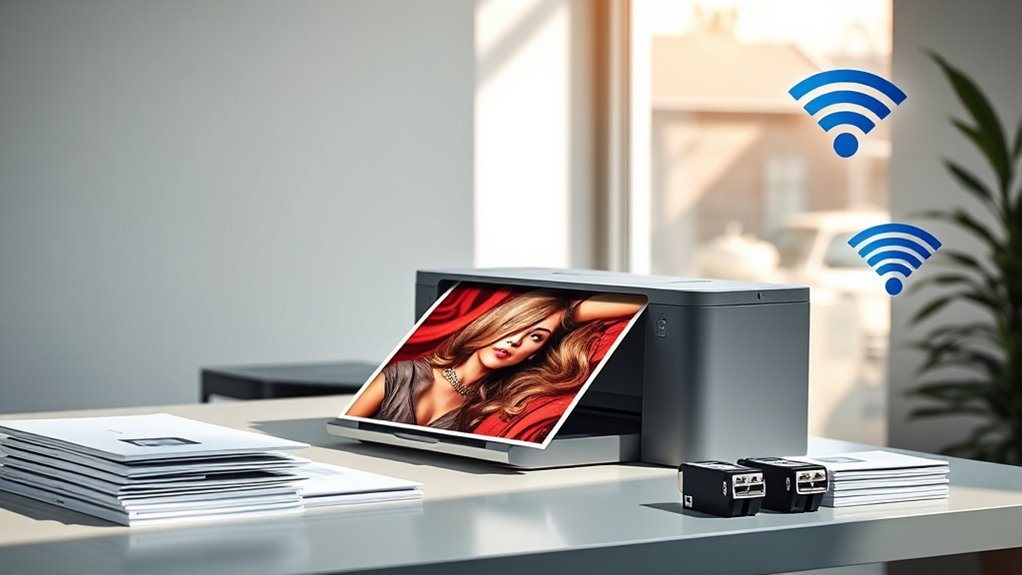
When choosing an 11×17 printer, you’ll want to focus on print quality resolution and how well the printer handles different media sizes. Consider the speed and efficiency, along with the connectivity options that fit your setup.
Don’t forget to check the type of ink system, as it impacts both cost and maintenance. It’s always good to think about what works best for your specific needs. That way, you get the most value out of your printer.
Print Quality Resolution
Although you might not always notice it, print quality resolution plays a crucial role in determining how sharp and vibrant your 11×17 prints will look. Higher printer resolutions, typically between 2400 and 4800 dpi, deliver finer detail and smoother gradients, which is essential for photos and graphics.
Keep in mind, printer dpi differs from scanner dpi—the former affects print sharpness, while the latter impacts how much detail is captured from originals. Also, pay attention to color depth and gamut; deeper bit depths and wider gamuts guarantee accurate colors and smooth tonal shifts.
Beware of marketing claims—look for native print engine resolution and advanced dot-placement technology for true quality. Finally, match your printer’s resolution with high-quality paper and proper color profiles to avoid muddy colors or loss of detail.
Media Handling Capacity
Since your printing needs might vary, making sure your 11×17 printer can handle different media sizes and types is essential for smooth operation. Check if the printer supports your required maximum media size, whether through the main tray or a specialty rear feed.
Consider input capacity carefully—a model with two 250-sheet trays lets you load more paper and reduce reloads during high-volume tasks. Don’t overlook multipurpose or manual feeds, especially if you work with heavy cardstock, envelopes, or banners.
Also, confirm that automatic duplexing supports two-sided 11×17 prints to save time. If scanning 11×17 originals is part of your workflow, verify the automatic document feeder’s size and its ability to handle single-pass two-sided scanning.
These factors make sure your printer adapts to diverse media handling demands efficiently.
Speed and Efficiency
Choosing an 11×17 printer means you’ll want to focus on speed and efficiency to keep your workflow smooth. Look closely at pages per minute (ppm) for both black and color printing—higher speeds, like 20–30+ ppm, cut down wait times on big jobs.
Pay attention to first-page-out time, since a quick start boosts responsiveness for occasional single-page prints. If you scan or copy two-sided documents, prioritize models with fast duplex and single-pass duplex ADF.
Also, check paper handling—larger input trays mean fewer reloads during heavy use. Finally, consider the monthly duty cycle and recommended page volume to make sure your printer can handle your workload reliably without frequent maintenance or early wear.
These factors together keep your printing efficient and worry-free. It’s all about making sure your printer works as hard as you do!
Connectivity Options Available
When setting up your 11×17 printer, you’ll want to zero in on connectivity options that fit your environment and devices. Choose printers supporting both wired (Ethernet, USB) and wireless (dual-band Wi-Fi, Wi-Fi Direct) connections for versatile, reliable access.
If you print from smartphones or cloud storage, look for mobile and cloud printing protocols like AirPrint, Mopria, or proprietary apps. For busy offices, prioritize Ethernet and strong wireless security features such as WPA3 to keep your network safe and stable.
USB Host or Wi-Fi Direct help when no network’s available, while Bluetooth simplifies mobile device setup. Finally, confirm your printer supports remote management and firmware updates to maintain security and quickly resolve connection issues.
This guarantees smooth, secure printing tailored to your workflow.
Ink System Types
Explore the different ink system types to find one that matches your printing needs and budget. Cartridge-based systems offer high initial print quality and easy installation but usually cost more per page over time.
Refillable tank, or supertank, printers use large ink reservoirs, cutting your ink expense by 70–90%. They’re ideal if you print frequently.
Integrated bulk-fed systems boost page yield and reduce replacement frequency but might need occasional maintenance. Also, consider pigment versus dye inks: pigment dries faster with better smudge resistance and longevity.
On the other hand, dye inks deliver brighter colors perfect for photos and graphics. When comparing printers, check ink yield metrics, subscription refill options, and total cost of ownership.
That way, you can make sure you pick an ink system that balances quality, convenience, and cost effectively.
Duplex Printing Capability
Don’t overlook duplex printing capability when picking an 11×17 printer—it lets you print automatically on both sides of your sheets, saving paper and giving your documents a polished, professional look. Make certain the printer supports automatic duplex at the full 11″ x 17″ size, not just smaller paper.
Keep in mind that duplexing larger sheets often uses a different feed path, which can slow down print speeds, so check rated duplex speeds and duty cycles. You’ll also want a duplex mechanism that maintains correct page orientation and margin alignment to avoid misprints, especially for booklets or spreads.
Finally, consider how duplexing works with finishing options like stapling or folding, as some finishers need specific duplex features or software support to guarantee properly paginated 11×17 outputs.
Device Size Weight
Consider the physical footprint and weight of an 11×17 printer carefully before making your choice. These larger-format printers often weigh between 25 and 50 pounds, so you’ll want sturdy furniture or a dedicated stand to support them safely.
Measure your available space precisely, accounting for the printer’s depth and width—which can range from 18 to 30 inches deep and 20 to 39 inches wide. Don’t forget to include room for open trays and access panels.
Heavier models might need two people to move and benefit from carts with casters. If you require multiple trays, ADFs, or rear feeds, expect the footprint and height to grow, affecting clearance under shelves or in tight offices.
In shared spaces, size and weight also impact installation options, vibration, ventilation, and service access. So, plan accordingly!
Warranty and Support
While choosing an 11×17 printer, you’ll want to carefully review the warranty terms and support options to avoid unexpected costs and downtime. Check the warranty length—typically 1 to 2 years—and whether it covers on-site service or requires you to send the printer back.
Confirm what support channels are available, such as phone, email, or live chat, along with their hours and response times. Be aware of exclusions like consumables, printheads, or damage from third-party ink.
See if extended or accidental-damage plans are offered. Understand warranty registration rules, claim procedures, and any geographic or usage limits that might void coverage.
Finally, evaluate authorized service center availability and spare parts costs. This will help you anticipate long-term maintenance needs and minimize downtime.
Frequently Asked Questions
How Do 11X17 Printers Compare in Energy Consumption?
You’ll find 11×17 printers generally consume more energy than smaller models due to their size and functionality.
However, many newer printers include energy-saving modes, so you can reduce consumption without sacrificing print quality or speed.
It’s pretty handy because you get the benefits of a larger printer without the usual energy costs.
What Types of Paper Finishes Are Best for 11X17 Printing?
You’ll want to use glossy or satin finishes for vibrant colors and sharp details, while matte finishes reduce glare and offer a professional look.
Choose based on your project’s purpose and desired visual effect.
It really depends on what vibe you’re going for and how the final print will be used.
Can These Printers Handle Borderless Printing on 11X17 Paper?
Yes, many 11×17 printers handle borderless printing on that size. You’ll enjoy edge-to-edge photos and documents, but double-check your model’s specs because not all support full-bleed printing on larger paper.
It’s always a good idea to confirm before you buy or print. That way, you know exactly what to expect!
Are There 11X17 Printers Compatible With Macos and Windows?
Just like a universal remote controls various devices seamlessly, many 11×17 printers work smoothly with both macOS and Windows.
You’ll find models offering easy setup and compatibility, ensuring you print effortlessly regardless of your system. It’s pretty convenient, right?
What Are the Maintenance Costs for Wide-Format Inkjet Printers?
You’ll find maintenance costs for wide-format inkjet printers vary, but expect to spend on ink, print heads, and occasional servicing.
Budgeting for regular cleaning and replacement parts helps keep your printer running smoothly without surprises. It’s all about staying ahead to avoid bigger issues down the road.
Conclusion
Choosing the right 11×17 printer is like picking the perfect brush for your masterpiece—it shapes how your ideas come to life on paper. Whether you want vibrant colors, speedy prints, or versatile features, there’s a printer here ready to be your creative sidekick.
So, don’t let your projects fall flat—grab the printer that fits your style and watch your prints bloom like a garden in spring. Your stunning prints await!
Finding the best 11×17 printer means balancing quality, speed, and reliability. With the right printer, your large-format prints will stand out with sharp details and vivid colors every time. Whether you’re tackling professional designs or creative projects, these printers deliver excellence.
In 2027, the best 11×17 printers combine innovation with ease of use, making them perfect for home offices, studios, or busy workplaces. Choose one that matches your needs and get ready to create stunning prints that truly impress.