6 Best Commercial Printers for 2027 (Boost Your Business)
You can boost your business in 2027 with top commercial printers that combine speed, quality, and efficiency.
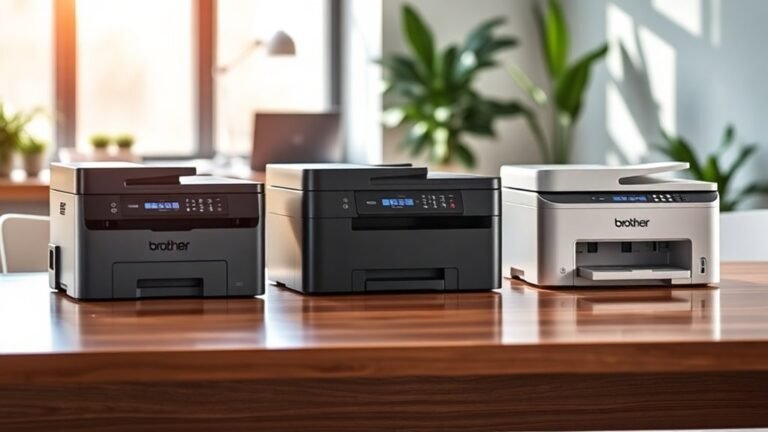
The Brother MFC-L5915DW is a standout, offering fast 50 ppm printing and ultra high-yield toner that keeps costs down.
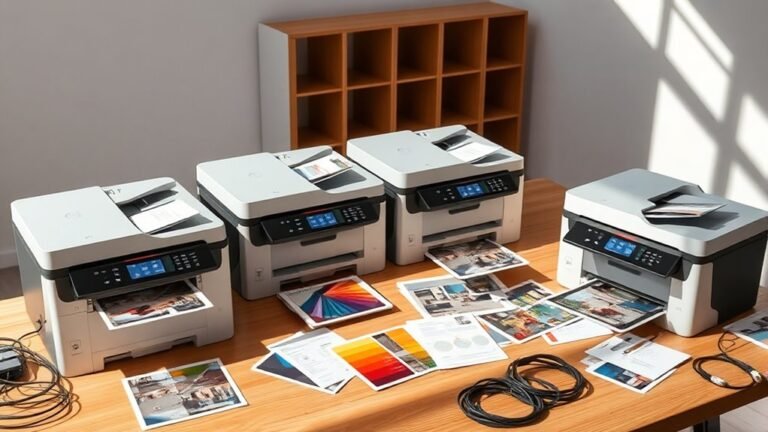
If color printing is your game, the Brother MFC-L8930CDW and HP Color LaserJet Pro MFP 4301fdw deliver vibrant, high-speed output that grabs attention.
For those with powerful monochrome printing needs, the HP LaserJet Enterprise M635fht impresses with a blistering 65 ppm speed.
Meanwhile, Canon’s MF465dw II and Brother HL-6210DW bring multifunctionality and duplex wireless options to the table.
These printers fit seamlessly into various workflows, making them smart choices for businesses looking to enhance productivity and quality.
Curious how these models might work for you? Let’s dive in!
Brother Professional All-in-One Laser Printer (MFC-L5915DW)
If your office needs a reliable printer that handles large volumes quickly, the Brother Professional All-in-One Laser Printer (MFC-L5915DW) is designed to keep up. It delivers fast printing speeds of up to 50 pages per minute, helping you meet tight deadlines without compromising quality.
This all-in-one device also features a 70-page automatic document feeder and single-pass, two-sided scanning at 56 images per minute. These functions reduce manual tasks, making your workflow smoother and more efficient.
Connectivity options include dual-band WiFi and Gigabit Ethernet, allowing easy access from multiple devices such as smartphones and computers. The 5-inch color touchscreen offers an intuitive interface, simplifying daily operations.
Maintenance is straightforward with an ultra high-yield toner cartridge that cuts down on frequent replacements and lowers running costs. Security features protect sensitive information, though setting them up may require some technical know-how.
Best for: Businesses and professionals needing fast, high-volume monochrome printing and scanning with versatile connectivity and strong security features.
What We Like:
- Fast printing and two-sided scanning improve productivity
- Flexible network options with dual-band WiFi and Gigabit Ethernet
- High-capacity toner reduces ongoing expenses
- User-friendly touchscreen enhances navigation
- Robust security safeguards confidential documents
Specification:
| Feature | Details |
|---|---|
| Manufacturer | Brother |
| Model | MFC-L5915DW |
| Print Speed | Up to 50 ppm |
| Scan Speed | 56 images per minute (two-sided) |
| Paper Capacity | 250 sheets |
| Connectivity | Dual-band WiFi, Gigabit Ethernet |
| Display | 5-inch color touchscreen |
| Color Printing | Monochrome only |
Brother MFC-L8930CDW Color Laser All-in-One Printer
The Brother MFC-L8930CDW delivers fast, reliable color printing designed to meet the demands of busy offices. Its compact build fits neatly in limited spaces, helping you maximize your workspace without sacrificing performance. With print and copy speeds up to 33 pages per minute, it keeps your workflow moving efficiently.
Scanning is streamlined with a high-speed, two-sided feeder that handles up to 80 pages at 104 images per minute. This feature reduces manual handling and accelerates document processing. Maintenance is straightforward, with included toner cartridges and options for super high-yield replacements that lower your cost per page and reduce downtime.
Connectivity options like dual-band wireless, Gigabit Ethernet, and mobile printing keep your office devices seamlessly linked. The 7-inch touchscreen offers an intuitive interface, simplifying daily tasks. Enhanced security features, including triple-layer protection and NFC badge authentication, protect sensitive data from unauthorized access.
While it weighs 71.2 pounds, limiting portability, this printer is built to last with durable construction. Its compact size means paper capacity is smaller than larger models, so plan accordingly for high-volume printing needs.
Best for: Offices and professionals requiring a compact, versatile all-in-one color laser printer that balances speed, security, and cost efficiency.
What We Like:
- Fast printing and copying at up to 33 ppm with efficient two-sided scanning
- Cost-effective toner options reduce operating expenses and maintenance frequency
- Advanced security features safeguard your documents and data
- User-friendly 7-inch touchscreen enhances ease of use
- Multiple connectivity choices support flexible office setups
Specification:
| Feature | Details |
|---|---|
| Manufacturer | Brother |
| Dimensions (W×D×H) | Approx. 16.1 × 18.7 × 15.7 in |
| Weight | 71.2 lb (32.3 kg) |
| Color Options | White/Gray |
| Connectivity | Dual-band Wi-Fi, Gigabit Ethernet, Mobile Printing |
HP LaserJet Enterprise M635fht | Monochrome | Laser Printer | All-in-One
The HP LaserJet Enterprise M635fht delivers fast, reliable printing designed to keep busy offices moving. With speeds up to 65 pages per minute, this monochrome laser printer tackles large print jobs efficiently. It combines printing, copying, scanning, and faxing into one powerful all-in-one device, reducing the need for multiple machines.
Its large 1200-sheet paper capacity minimizes interruptions, while automatic duplex printing saves time and paper. The device is built for secure environments, featuring HP Sure Start and advanced data protection to safeguard sensitive information.
Maintenance is straightforward with centralized management through HP Web JetAdmin, making it easier to monitor and control multiple units from one place. The 9-inch touchscreen keeps operation simple and intuitive. Although it supports only Ethernet and USB connectivity, this ensures stable, wired connections.
This printer’s robust design suits businesses with heavy printing needs but note its weight of 115.8 pounds may limit placement options. The monochrome output fits well for text-heavy documents but not color tasks.
Best for: Businesses and offices requiring a high-speed, secure, and efficient monochrome all-in-one printer for demanding daily use.
What We Like:
- Fast print speed at 65 ppm with automatic duplexing
- Strong security features including HP Sure Start
- Large 1200-sheet capacity for uninterrupted workflow
- Centralized device management via HP Web JetAdmin
- Intuitive 9-inch touchscreen interface
Specification:
| Specification | Detail |
|---|---|
| Manufacturer | HP |
| Dimensions (W×D×H) | Not provided |
| Weight | 115.8 lb (52.5 kg) |
| Printing Technology | Monochrome Laser |
| Paper Capacity | 1200 sheets |
| Connectivity | Ethernet, USB |
| Display | 9-inch touchscreen |
HP Color LaserJet Pro MFP 4301fdw | Color Printer | Wireless | All-in-One
The HP Color LaserJet Pro MFP 4301fdw is designed to meet the demands of small teams needing efficient and versatile printing solutions. It delivers up to 35 color pages per minute, ensuring your documents are ready quickly without compromising on sharp detail with its 607 x 600 dpi resolution. This all-in-one device combines printing, scanning, copying, and faxing into a single compact unit, saving valuable workspace.
Connectivity is straightforward with built-in Wi-Fi, Ethernet, and Bluetooth, allowing seamless integration with PCs, Macs, and mobile devices. The automatic two-sided printing and 300-sheet paper capacity help maintain high productivity levels during busy workdays. This printer balances performance and convenience to keep your office running smoothly.
Maintenance is simplified with HP Wolf Pro Security, which protects your data and restricts the use of non-HP cartridges. While this ensures reliable operation and security, it may lead to higher operating costs. The printer’s size and weight might limit portability, but it remains a sturdy and dependable choice for fixed office setups.
Best for: Small teams of up to 10 people needing a fast, versatile, and secure all-in-one color laser printer with wireless connectivity.
What We Like:
- Fast print speed with high-quality color output
- Multiple connectivity options including Wi-Fi and Bluetooth
- Auto two-sided printing for efficient paper use
- Robust security features protecting data and device integrity
- Large paper capacity supports extended printing tasks
Specification:
| Feature | Details |
|---|---|
| Manufacturer | HP |
| Dimensions (W×D×H) | 16.4 × 16.5 × 14.4 inches |
| Weight | 45 lbs (20.4 kg) |
| Print Speed | Up to 35 pages per minute (color) |
| Print Resolution | 607 x 600 dpi |
| Connectivity | Wi-Fi, Ethernet, Bluetooth |
| Paper Capacity | 300 sheets |
Canon imageCLASS MF465dw II Wireless Laser Printer
Experience fast, reliable printing designed to keep your business moving. The Canon imageCLASS MF465dw II wireless laser printer handles multiple tasks seamlessly, including printing, copying, scanning, and faxing. Its sharp 1200 x 1200 dpi resolution ensures clear, professional documents every time.
This printer tackles high-volume jobs with ease, producing up to 42 pages per minute. The 50-sheet automatic document feeder simplifies scanning and copying, saving valuable time. Paper capacity can expand to 900 sheets with an optional cassette, minimizing interruptions during busy workdays.
Designed for small offices and hybrid work environments, it offers flexible connectivity options like wireless, Ethernet, and USB. Maintenance is straightforward, though toner replacements may carry a higher cost due to their large yield. Keep in mind, this model supports only monochrome printing and paper sizes up to legal (8.5 x 14 inches).
With its intuitive 5-inch customizable touchscreen, navigating tasks is quick and user-friendly. The Canon imageCLASS MF465dw II streamlines office workflows while delivering consistent performance.
Best for: Small businesses and home offices needing fast, dependable monochrome printing with multifunction capabilities.
What We Like:
- Fast print speed of up to 42 ppm boosts productivity
- Multifunction design covers print, copy, scan, and fax
- Expandable paper capacity up to 900 sheets reduces refills
- 5-inch touchscreen simplifies operation and customization
Specification:
| Feature | Details |
|---|---|
| Manufacturer | Canon |
| Dimensions | Not specified |
| Weight | Not specified |
| Printing Technology | Monochrome Wireless Laser |
| Print Speed | Up to 42 pages per minute |
| Resolution | 1200 x 1200 dpi |
| Paper Capacity | Up to 900 sheets (with cassette) |
| Automatic Feeder | 50-sheet document feeder |
| Connectivity | Wireless, Ethernet, USB |
Brother Laser Printer, Monochrome Duplex Wireless Printer, HL-6210DW
The Brother HL-6210DW is designed to keep your office productive with fast, reliable monochrome printing. It delivers sharp, clear text at speeds up to 50 pages per minute, helping you reduce wait times during busy workdays. The high resolution ensures professional-quality documents every time.
This printer handles large print jobs with ease thanks to its 520-sheet main tray and a 100-sheet multipurpose tray, expandable up to 1,660 sheets. Wireless printing via dual-band Wi-Fi or wired connections through Gigabit Ethernet offer flexible integration with laptops and smartphones.
Maintenance is straightforward with Brother’s ultra high-yield toner cartridges, which lower operating costs by printing up to 18,000 pages before replacement. Energy-saving modes help reduce power consumption without sacrificing performance.
While it focuses on monochrome output, its duplex printing capability saves paper and boosts efficiency. Advanced security features protect sensitive information, though some setup knowledge may be needed to fully utilize them.
Best for: Busy offices and professionals needing fast, high-volume monochrome printing with versatile connectivity options.
What We Like:
- High print speed with sharp 1200 x 1200 dpi resolution
- Large, expandable paper capacity for extensive printing needs
- Cost-effective toner cartridges that reduce supply expenses
- Dual-band wireless and Gigabit Ethernet connectivity
- Energy-saving features that cut power usage
Specification:
| Feature | Details |
|---|---|
| Manufacturer | Brother |
| Model | HL-6210DW |
| Print Speed | Up to 50 pages per minute |
| Print Resolution | 1200 x 1200 dpi |
| Paper Capacity | 520-sheet main tray, 100-sheet multipurpose tray (expandable to 1,660 sheets) |
| Connectivity | Dual-band Wi-Fi, Gigabit Ethernet |
| Printing Type | Monochrome, Duplex |
| Toner Yield | Up to 18,000 pages |
Factors to Consider When Choosing Commercial Printers

When choosing a commercial printer, you need to prioritize print speed and guarantee it offers the right connectivity options for your setup.
Don’t overlook cost efficiency, security features, and paper handling capacity, as these can impact your workflow and budget.
Keeping these factors in mind will help you find a printer that truly fits your business needs.
Print Speed Importance
Why does print speed matter so much in commercial printing? When you run a high-volume operation, every second counts.
Printers that churn out up to 65 pages per minute keep your workflow smooth, cutting down wait times and boosting productivity. If your printer manages around 50 ppm, you’ll notice a significant difference in how quickly projects move from start to finish.
This helps you meet tight deadlines with ease.
Speed isn’t just about printing; scanning matters too. High-speed scanners reaching up to 104 images per minute speed up document handling, letting you process jobs faster.
Choosing a printer with rapid print and scan speeds also lowers operational costs by reducing the time and resources spent on each task.
In your business, faster means smarter and more efficient.
Connectivity Options Variety
Although print speed is essential, connectivity options play an equally important role in choosing a commercial printer that fits your business needs. Look for printers offering dual-band wireless (2.4GHz and 5GHz) to guarantee flexible, reliable connections in different network environments.
Built-in Gigabit Ethernet ports are crucial if you need stable wired connections, especially for busy offices with high-demand printing. Mobile printing capabilities let you print directly from smartphones, tablets, and laptops via apps like AirPrint or Google Cloud Print, adding convenience.
Some models also support NFC, enabling quick, secure connections with mobile devices on the go. Additionally, advanced features such as centralized device management through web interfaces help you maintain control over connectivity settings across multiple printers in your network.
This simplifies administration and improves workflow efficiency. So, when picking a printer, keep these connectivity options in mind to ensure smooth operation every day.
Cost Efficiency Factors
Cost efficiency plays a critical role in choosing the right commercial printer for your business. To keep printing costs low, look for models using ultra high-yield toner cartridges that can produce up to 18,000 pages, greatly cutting your per-page expense.
High-volume printers often offer low-cost printing modes, letting you save even more. Energy-efficient, ENERGY STAR-certified printers reduce power consumption, which benefits businesses with heavy printing needs.
Features like Eco Mode and Toner Save Mode help minimize toner and energy use, boosting long-term savings. Don’t forget regular maintenance and using compatible, high-capacity toner cartridges—they maintain reliable performance and reduce replacement frequency.
Security Features Needed
Beyond managing expenses, protecting your business data and documents is equally important when choosing a commercial printer. You should look for triple layer security features that guard sensitive information and restrict unauthorized access to both the device and your network.
Make sure the printer has data protection solutions capable of detecting and stopping attacks before they compromise your data. Self-repair capabilities, like checking operating code at startup, are essential to prevent firmware hacks.
Choose models supporting badge authentication with NFC card readers for secure user access, especially in shared environments. Finally, opt for printers that regularly receive firmware updates to address emerging threats and keep your device secure over time.
Prioritizing these features helps you safeguard your business effectively. It’s all about keeping your information safe and your operations smooth.
Paper Handling Capacity
When selecting a commercial printer, understanding its paper handling capacity is key to keeping your workflow efficient and uninterrupted. Look for models with standard trays holding 250 to 520 sheets and multipurpose trays adding about 100 sheets for media flexibility.
Many printers let you expand capacity by adding trays, boosting total paper capacity to over 1,600 sheets—perfect for high-volume jobs. Automatic document feeders (ADF) are also essential, with capacities ranging from 50 to 80 pages to speed up scanning and copying.
Additionally, consider the maximum media size supported; printers that handle legal-sized documents (8.5 x 14 inches) and various media formats offer greater versatility. Choosing the right paper handling capacity guarantees your printer meets your business’s demands without frequent interruptions.
User Interface Ease
How easily you interact with your commercial printer can make a big difference in daily operations. Look for a user-friendly interface, ideally with a 5-inch or larger touchscreen, which makes navigation straightforward and lets you set custom shortcuts.
Color displays simplify the printing process by offering clear visual prompts and easy settings adjustments. Intuitive menus and customizable workflows cut down the learning curve, helping your team get up to speed quickly.
Voice compatibility lets you execute commands hands-free, which is a real time-saver in busy environments. Also, clear error messages and troubleshooting prompts on the interface help you resolve issues fast, reducing downtime.
Prioritizing these features guarantees you’ll boost productivity and keep your business running smoothly every day. It’s all about making your printer work for you, not the other way around.
Frequently Asked Questions
What Are the Environmental Impacts of Commercial Printers?
You’ll find that commercial printers consume lots of energy and use chemicals in inks, which can pollute air and water. They also generate significant waste, so choosing eco-friendly options helps reduce your environmental footprint.
It’s pretty important to think about these impacts. By going green, you’re not just saving the planet—you might also cut costs in the long run.
How Do Commercial Printer Warranties Typically Work?
Warranties act as your printer’s shield, covering repairs and defects for a set time. You’ll usually need to register it, keep receipts, and follow usage guidelines to keep that protection strong and your business running smoothly.
It’s kind of like having a safety net. If something goes wrong, you’re not left scrambling to fix it on your own. Just remember, staying on top of the warranty rules helps avoid any hiccups down the road.
Can Commercial Printers Handle Custom Media Sizes?
Yes, commercial printers can handle custom media sizes, but you’ll want to check the printer’s specifications carefully. Many models allow adjustments for various dimensions, giving you flexibility to print on unique materials and sizes for your projects.
It’s pretty handy when you need something a bit different than the standard sizes. Just make sure to double-check what your printer can do before you start your project to avoid any surprises.
What Security Features Protect Commercial Printers From Cyber Threats?
You’ll find commercial printers use encryption, user authentication, and secure boot processes to protect against cyber threats. They also include firmware updates and network security protocols, helping you keep sensitive data safe from unauthorized access or attacks.
These features work together to create multiple layers of defense. So, even if one security measure is bypassed, others are still in place to protect your information. It’s all about making sure your data stays safe and secure.
How Do Commercial Printers Integrate With Cloud Services?
Like a skilled conductor, your commercial printer syncs seamlessly with cloud services, letting you print, scan, and manage documents remotely.
You’ll effortlessly access files anytime, anywhere, boosting efficiency while staying connected to your digital workflow. It’s all about making your work life easier and more flexible.
Conclusion
Choosing the right commercial printer can feel overwhelming, but you don’t have to settle for less. Whether you need speed, color quality, or wireless convenience, one of these top models will fit your business perfectly.
Worried about complexity? Don’t be—these printers are designed for ease of use, so you won’t waste time on frustrating setups.
Investing in the right printer now means smoother operations and a real boost for your business tomorrow. With the best commercial printers of 2027, you’re not just getting a device—you’re enhancing productivity, improving print quality, and streamlining your workflow. Choosing a reliable commercial printer that matches your business needs ensures you stay ahead in a competitive market. So, take the leap and upgrade your office with a commercial printer that truly supports your growth and success.