
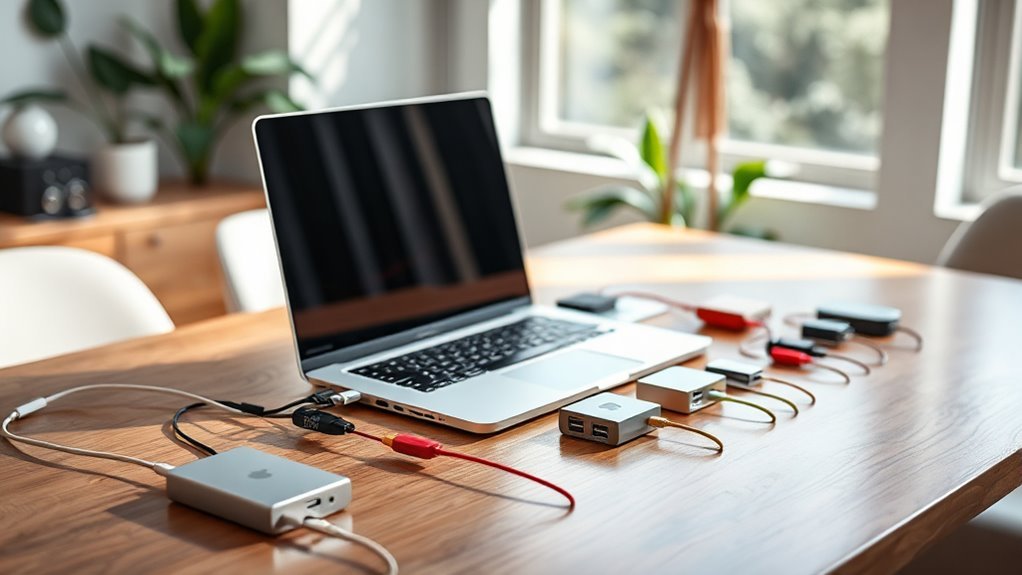
14 Best Docking Stations for MacBook Pro M1 in 2027
You’ll find high-quality docking stations like TobenONE’s 16-in-2 with dual 4K@60Hz displays and up to 87W charging perfect for your MacBook Pro M1.
These docks are designed to enhance your workspace by offering seamless connectivity and reliable power delivery.
Anker’s versatile hubs offer up to 14 ports and fast 100W charging, supporting smooth multi-display setups at high refresh rates.
Whether you need extra USB ports, HDMI outputs, or fast data transfer, these hubs have you covered.
MOKiN and USB C docks bring extensive port options and solid build quality too.
If you want to optimize power delivery and connectivity options effortlessly, exploring the detailed features will help you pick the ideal dock.
It’s all about finding the right balance between performance and convenience for your MacBook Pro M1.
TobenONE 16-in-2 MacBook Docking Station Dual 4K@60Hz, 7 USB, 2 HDMI
The TobenONE 16-in-2 MacBook Docking Station offers a streamlined solution for those needing to expand their MacBook’s connectivity. It supports dual 4K@60Hz displays, enhancing productivity with crisp, high-resolution visuals. This dock helps tackle the challenge of limited ports on MacBooks, providing easy access to multiple devices simultaneously.
Designed for MacBook Pro and Air models from 2016 to 2026, it supports Intel and Apple chips from M1 to M5 Pro/Max. While M1, M2, and M3 base models support only single display output, this dock still delivers reliable charging and data transfer. Its compact grey design keeps your workspace neat and clutter-free.
Maintenance is simple thanks to its durable build and straightforward setup. The dock includes seven USB ports, SD/Micro SD card readers, a 3.5mm audio jack, and Gigabit Ethernet, making it a versatile hub for creative and professional workflows. With up to 87W charging, you can power your MacBook while working without extra chargers.
Best for: MacBook Pro and Air users from 2016 to 2026 who require seamless dual 4K@60Hz display support and versatile USB connectivity for multitasking and creative tasks.
What We Like:
- Supports crisp dual 4K@60Hz displays for enhanced productivity
- Wide range of ports including USB 3.0, USB 2.0, USB-C, HDMI, and Ethernet
- Up to 87W charging with 100W Power Delivery keeps devices powered
- Compact, sleek design that reduces workspace clutter
- Easy to maintain and compatible with multiple MacBook chipsets
Specification:
| Feature | Details |
|---|---|
| Manufacturer | TobenONE |
| Dimensions | Compact design (exact size not specified) |
| Weight | Not specified |
| Material | Durable grey casing |
| Color Options | Grey |
| Compatible Models | MacBook Pro/Air 2016–2026 (Intel & M1–M5 Pro/Max) |
Anker USB-C Hub for MacBook, 7-in-2 Mac Dock with 4K@60Hz HDMI
The Anker USB-C Hub transforms your MacBook into a versatile workstation. Its compact design solves the common problem of limited ports, letting you connect multiple devices effortlessly. With seven essential ports, including USB-C, USB-A, and an HDMI output supporting 4K@60Hz, you can easily expand your connectivity without clutter.
This hub efficiently supports up to 100W charging, so your MacBook stays powered during intense work sessions. Data transfers reach speeds up to 40 Gb/s, making file sharing fast and reliable. Its slim, lightweight gray plastic body fits seamlessly without blocking the MagSafe port, preserving your MacBook’s original functionality.
Designed for M4 and M5 MacBook Air and Pro models, it offers high-performance video output with 4K HDMI and a multi-function port supporting 5K@60Hz. However, it does not support dual external displays on M1, M2, or M3 models, and its plastic construction may not match the durability of metal hubs. Regular cleaning with a soft cloth will help maintain its sleek appearance.
Best for: MacBook Air and Pro users (M4/M5) needing a compact, all-in-one USB-C hub for enhanced connectivity and high-quality video output.
What We Like:
- Supports up to 100W charging and fast 40 Gb/s data transfer
- Delivers 4K@60Hz HDMI and 5K@60Hz multi-function video output
- Slim design that preserves access to the MacBook’s MagSafe port
- Lightweight and easy to carry for mobile professionals
Specification:
| Feature | Details |
|---|---|
| Manufacturer | Anker |
| Dimensions | Compact (exact size not specified) |
| Weight | Lightweight |
| Material | Gray plastic |
| Color Options | Gray |
TobenONE Macbook Pro Docking Station Dual 4K Monitor, 150W Charger, 7 USB
TobenONE MacBook Pro Docking Station transforms your workspace by supporting dual 4K@60Hz displays, enhancing multitasking with crisp, clear visuals. It solves connectivity issues by combining multiple ports into one sleek hub, reducing clutter and simplifying device management.
Designed for MacBook M1 to M6 Pro/Max users, it delivers powerful charging with a 150W adapter that provides up to 100W for your MacBook and two 30W PD ports for iPhone or iPad. This means fewer chargers and cables on your desk, keeping your setup clean and efficient.
Its seven USB-C/A ports offer fast data transfer speeds up to 10Gbps, while the 2.5G Ethernet port ensures stable, high-speed internet. The integrated SD/TF card readers with 312MB/s support quick media transfers, saving time during busy workdays.
Maintenance is straightforward with its compact design, but be mindful that the 0.8-inch middle slot may not fit MacBooks with thick protective cases. The dock’s HDMI-only video output limits display options but covers most common setups effectively.
Best for: MacBook users seeking a reliable docking station to support dual 4K monitors, multiple USB devices, and fast charging in a streamlined workspace.
What We Like:
- Dual 4K@60Hz HDMI support for enhanced screen productivity
- 150W adapter with 100W MacBook charging and two 30W PD ports
- Seven USB-C/A ports with up to 10Gbps transfer speeds
- 2.5G Ethernet and fast SD/TF card readers for reliable connectivity
- Compact design that reduces desk clutter
Specification:
| Feature | Details |
|---|---|
| Manufacturer | TobenONE |
| Dimensions | Not specified |
| Weight | Not specified |
| Material | Not specified |
| Color Options | Not specified |
MacBook Pro Docking Station Dual Monitor 4K@60Hz for M6/M5/M4/M3 Pro & Max
Experience seamless productivity with the PULWTOP MacBook Pro Docking Station Dual Monitor 4K@60Hz. Designed to support MacBook Pro models M3 through M6 Pro & Max, as well as the upcoming MacBook Air M4 (2025), it effortlessly powers dual 4K displays at 60Hz. This docking station eliminates screen lag and connectivity issues, helping you focus on your work without interruptions.
Its compact design keeps your workspace tidy by reducing cable clutter. Multiple USB ports provide fast 10Gbps data transfers, while SD and TF card slots add versatile options for expanding your workflow. Gigabit Ethernet ensures stable internet connections, making it ideal for both creative and professional environments.
The docking station supports robust power delivery, with 100W input and 95W output, ensuring your MacBook stays charged during intensive tasks. Maintenance is simple, as the durable build resists wear and keeps connections secure over time. However, it is not compatible with base M1, M2, or M3 MacBook models, nor with Windows or Chrome devices.
Best for: Professionals and creatives using MacBook Pro (M3 to M6 Pro & Max) or MacBook Air M4 (2025) who require reliable dual 4K@60Hz monitor support and efficient data connectivity in a compact docking solution.
What We Like:
- Supports dual 4K@60Hz HDMI outputs for crisp multi-display setups
- High-speed USB ports with 10Gbps data transfer and SD/TF card slots
- Strong power delivery with 100W input and 95W output for laptop charging
- Compact design reduces workspace clutter and keeps cables organized
Specification:
| Feature | Details |
|---|---|
| Manufacturer | PULWTOP |
| Compatible Models | MacBook Pro M3 to M6 Pro & Max, MacBook Air M4 (2025) |
| Video Output | Dual HDMI 4K@60Hz |
| USB Ports | Multiple USB with 10Gbps speed |
| Card Slots | SD and TF |
| Ethernet | Gigabit Ethernet |
| Power Delivery | 100W input / 95W output |
| Dimensions | Compact (exact size not specified) |
| Color | Not specified |
Anker Laptop Docking Station Dual Monitor, 8-in-1 USB C Hub with 4K HDMI
Experience the convenience of expanding your MacBook Pro M1’s display capabilities with the Anker Laptop Docking Station Dual Monitor. This 8-in-1 USB C hub enables you to connect two 4K HDMI monitors at 30Hz, helping you multitask efficiently without sacrificing screen clarity. It’s a practical solution for users needing more workspace without the complexity of multiple adapters.
Designed with a compact ABS enclosure, this dock offers essential ports including two USB-A connections, an Ethernet port, and microSD/SD card readers. The USB-C PD port supports up to 85W pass-through charging, allowing you to power your laptop while using multiple devices. This setup streamlines your workspace and reduces cable clutter.
The hub supports various connections like USB-C, USB4, and Thunderbolt on macOS, although it limits dual 4K output to 30Hz per display. Keep in mind, only one display can run at 4K 60Hz, which may affect users needing higher refresh rates on both screens. Maintenance is simple, thanks to its durable yet lightweight design.
Best for: MacBook Pro M1 and other USB-C or Thunderbolt laptop users seeking a compact docking station for dual 4K displays at 30Hz and versatile port options.
What We Like:
- Dual 4K HDMI outputs at 30Hz enhance multitasking with two external monitors.
- 85W USB-C PD pass-through charging powers laptops while connected.
- Multiple ports including Ethernet and microSD/SD readers in a compact frame.
- Lightweight ABS enclosure ensures easy portability and durability.
Specification:
| Feature | Details |
|---|---|
| Manufacturer | Anker |
| Dimensions | Compact (exact size not provided) |
| Weight | Lightweight (exact weight not provided) |
| Material | ABS enclosure |
| Color Options | Not specified |
Anker USB C Hub, 5-in-1 USBC to HDMI Splitter with 4K Display
Anker’s 5-in-1 USB C Hub provides a simple solution to expand your MacBook Pro M1’s connectivity. It allows you to connect effortlessly to a 4K external monitor, delivering crisp visuals at 4K@30Hz. This feature enhances your workspace or entertainment experience without the hassle of multiple adapters.
The hub combines essential ports into one compact device, including two USB-A ports and a USB-C data port, all supporting fast data transfer speeds up to 5 Gbps. Its 100W USB-C PD charging port ensures your device stays powered during demanding tasks, reducing downtime and cable clutter.
Designed with durable ABS material, the hub is lightweight and portable, making it easy to carry. It works seamlessly with macOS 14 Sonoma and other major operating systems, ensuring broad compatibility for various devices. Maintenance is straightforward; just keep it clean and handle with care to prolong its lifespan.
While it supports high-speed data and charging, note that the USB-C ports do not output video, and a separate charger is needed for power delivery. It is not compatible with Linux systems, which may limit use in some environments.
Best for: Users needing a compact, versatile USB-C hub to expand connectivity for MacBook Pro M1 and other devices with 4K HDMI support and fast data transfer.
What We Like:
- Supports 4K@30Hz HDMI output for clear external displays
- Multiple USB-A and USB-C ports with up to 5 Gbps transfer speeds
- 100W USB-C PD port for efficient pass-through charging
- Compact, durable design ideal for travel and everyday use
Specification:
| Feature | Details |
|---|---|
| Manufacturer | Anker |
| Dimensions | Compact, lightweight |
| Weight | Lightweight |
| Material | Durable ABS |
| Color Options | Not specified |
Anker USB C Hub, Smart Display Hub, Docking Station Dual Monitor,No Charger
Experience seamless productivity with the Anker USB C Hub, designed to elevate your workspace. This smart docking station supports dual monitors at high refresh rates, delivering crisp visuals that enhance your everyday tasks. Whether you need sharp 4K@144Hz or smooth dual 2K@240Hz displays, it handles demanding setups with ease.
The hub’s 10-in-1 connectivity keeps you organized and connected through multiple USB-C and USB-A ports, Gigabit Ethernet, and SD card slots. Its smart display features offer real-time port status and customizable settings via an intuitive app, helping you manage your devices effortlessly.
Built for both macOS and Windows users, this iron gray hub complements your MacBook Pro M1 with a sleek design that maintains a tidy desk. Note that while it supports 80W pass-through charging, a separate 100W charger is required. Dual monitor functionality depends on your laptop’s USB-C port specifications.
Maintenance is simple—its durable build withstands daily use while the app control helps optimize performance without physical adjustments. This hub is ideal for professionals seeking efficient multi-display setups in a compact form.
Best for: Users needing a versatile USB-C hub that supports dual high-refresh-rate monitors and extensive device connectivity for macOS and Windows laptops.
What We Like:
- Dual monitor support at 4K@144Hz or dual 2K@240Hz for sharp, fluid visuals
- Comprehensive 10-in-1 ports including USB-C, USB-A, Gigabit Ethernet, and SD/microSD slots
- Smart display hub with real-time status and app/web customization
- Compact, iron gray design that fits well with MacBook Pro M1 setups
Specification:
| Feature | Details |
|---|---|
| Manufacturer | Anker |
| Dimensions | Not specified |
| Weight | Not specified |
| Material | Not specified |
| Color Options | Iron Gray |
TobenONE 15-in-2 MacBook Pro Docking Station, Dual 4K Monitor, Plug & Play
Experience smooth multitasking with the TobenONE 15-in-2 MacBook Pro docking station. It solves the challenge of limited screen space by supporting dual 4K monitors, letting you expand your workspace effortlessly. Whether you choose one 4K display at 60Hz or two at 30Hz, you get crisp visuals that enhance productivity.
Designed for seamless connectivity, this dock offers 15 ports including HDMI, VGA, USB 3.0, USB-C, Ethernet, and audio. This means you can easily connect all your essential peripherals without clutter. The compact and lightweight design fits neatly in any workspace, making it easy to maintain and transport.
Power delivery up to 85W via USB-C ensures your MacBook stays charged during long work sessions. However, note that dual 4K displays run at 30Hz, which may not suit users needing higher refresh rates. Also, the power adapter is sold separately, requiring an additional purchase.
The TobenONE docking station is tailored for MacBook Pro and Air models with Thunderbolt 3/4/5 USB-C ports, offering reliable multi-display support and extensive peripheral options.
Best for: Professionals and creatives seeking efficient multi-display setups and versatile connectivity for their MacBook Pro or Air.
What We Like:
- Supports dual 4K external displays with flexible resolution modes
- Includes 15 ports for broad peripheral compatibility
- Delivers up to 85W charging to keep your MacBook powered
- Compact and lightweight for easy use and transport
Specification:
| Feature | Details |
|---|---|
| Manufacturer | TobenONE |
| Dimensions | Not specified |
| Weight | Not specified |
| Material | Not specified |
| Compatible Devices | MacBook Pro/Air with Thunderbolt 3/4/5 USB-C ports |
| Ports | HDMI, VGA, USB 3.0, USB-C, Ethernet, Audio |
| Power Delivery | Up to 85W via USB-C PD |
MOKiN MacBook Pro Docking Station Dual Monitor MacBook Pro/Air HDMI Adapter
The MOKiN MacBook Pro Docking Station transforms your workspace with seamless dual monitor connectivity. It solves the challenge of limited ports on MacBook Pro and Air models by providing two HDMI outputs. This lets you easily extend or mirror your display across two 4K screens, enhancing productivity.
Designed to support up to 4K at 60Hz on a single monitor and 4K at 30Hz on dual monitors, it adapts to your workflow needs. The docking station also offers nine versatile ports, including USB 3.0, USB 2.0, and Thunderbolt 3, consolidating your peripherals into one compact hub.
Crafted from anodized aluminum, its sturdy yet lightweight design complements your MacBook. The built-in 100W USB-C Power Delivery keeps your laptop charged, so you can work uninterrupted. Maintenance is simple thanks to its durable finish and minimal setup requirements.
This docking station is tailored for MacBook Pro and Air models released between 2018 and 2021. While it does not support newer or older models, it excels in providing reliable connectivity and efficient power management for compatible devices.
Best for: MacBook Pro and Air users from 2018-2021 needing dual 4K monitor support and expanded peripheral connectivity.
What We Like:
- Dual 4K HDMI output with mirror and extend modes
- Comprehensive 9-in-2 port layout including Thunderbolt 3 and Ethernet
- 100W USB-C Power Delivery for consistent charging
- Durable anodized aluminum construction
- Compact, easy to maintain design
Specification:
| Specification | Details |
|---|---|
| Manufacturer | MOKiN |
| Compatibility | MacBook Pro/Air (2018-2021 models) |
| Dimensions | Compact (exact size not specified) |
| Weight | Lightweight (exact weight not specified) |
| Material | Anodized aluminum |
| Ports | 2x HDMI, USB 3.0, USB 2.0, SD/microSD, Gigabit Ethernet, Thunderbolt 3, USB-C PD (100W) |
USB C Docking Station for MacBook Triple 4K
Experience seamless multitasking with the USB C Docking Station for MacBook Triple 4K, designed to expand your workspace effortlessly. This dock allows you to connect three ultra-high-definition 4K displays at 60Hz, boosting your productivity whether you’re designing, editing videos, or managing multiple projects.
Its versatile design integrates 19 ports, including HDMI, DisplayPort, USB-C, USB-A, and card readers, ensuring you can connect all your essential devices without clutter. The dock also supports 100W power delivery to keep your MacBook Pro charged quickly, while providing 18W fast charging for other gadgets.
Maintenance is straightforward, but keep in mind that optimal display quality depends on using quality, short-length HDMI or DisplayPort cables. DisplayLink drivers must be installed to enable extended and mirror display modes, which adds flexibility but requires initial setup.
This docking station is compatible with both macOS and Windows systems, making it a practical and powerful hub for professionals needing multiple high-resolution screens and broad connectivity options.
Best for: MacBook Pro M1 and other USB-C laptop users who demand multiple high-resolution displays and versatile ports for professional workflows.
What We Like:
- Supports triple 4K@60Hz displays with DisplayLink for enhanced multitasking.
- Comprehensive 19-port layout covers diverse connectivity needs.
- 100W power delivery ensures efficient laptop charging.
- Compatible with macOS and Windows for flexible use.
Specification:
| Feature | Details |
|---|---|
| Manufacturer | Not specified |
| Dimensions | Not specified |
| Weight | Not specified |
| Ports | 2 HDMI, 2 DisplayPort, USB-C, USB-A, card readers, Gigabit LAN, audio jacks |
| Power Delivery | 100W (laptop), 18W (devices) |
| Compatibility | macOS, Windows |
| Included Accessories | Type-C cable, power adapter |
Plugable USB C Docking Station, Dual Monitor 4K 60Hz 2x HDMI or DisplayPort
Experience smooth dual 4K monitor support at 60Hz with the Plugable USB C Docking Station. Designed to enhance your workspace, it solves the common MacBook Pro M1 limitation by using DisplayLink technology to enable two crisp 4K displays. This means you can expand your screen real estate without sacrificing clarity or performance.
The docking station offers versatile connectivity with 14 ports, including dual HDMI and a DisplayPort. It delivers up to 100W power to keep your laptop charged while providing USB 3.0 ports, SD card readers, and Ethernet for all your peripherals. Its sleek space gray aluminum design fits neatly on any desk, combining durability with style.
Maintenance is straightforward: simply install the DisplayLink driver once for full compatibility and smooth operation. The robust build ensures long-term reliability, while the variety of ports minimizes the need for additional adapters. It’s ideal for professionals who require a dependable and multifunctional docking solution.
While it requires a driver installation and is a bit larger than some compact models, it excels in functionality and connectivity. Ensure your device supports full-featured USB-C, USB4, or Thunderbolt 3/4 to get the most out of this docking station.
Best for: Professionals and creatives using MacBook Pro M1 or compatible USB-C/Thunderbolt laptops needing seamless dual 4K 60Hz monitor support and versatile connectivity.
What We Like:
- Enables dual 4K 60Hz displays with HDMI and DisplayPort using DisplayLink for Macs
- Offers 14 ports including USB 3.0, SD card readers, Ethernet, and 100W power delivery
- Durable aluminum design with a sleek space gray finish
- Simple maintenance with one-time DisplayLink driver installation
- Supports a wide range of peripherals for a clutter-free workspace
Specification:
| Feature | Details |
|---|---|
| Manufacturer | Plugable |
| Dimensions | 9.4 x 3.1 x 1.2 inches |
| Weight | Not specified |
| Material | Aluminum |
| Color Options | Space Gray |
Anker Nano Laptop Docking Station, 13in1 Dock with Detachable 6in1 USBC Hub
The Anker Nano Laptop Docking Station offers a smart solution for professionals who need to switch effortlessly between workspaces. Its detachable 6-in-1 USB-C hub lets you travel light or expand your desktop setup in seconds. This flexibility helps reduce clutter and speeds up transitions from home to office or on the go.
Supporting up to three external monitors, including two HDMI and one DisplayPort, it delivers sharp visuals with resolutions up to 4K@60Hz for a single display. The dock also provides 100W power delivery, ensuring your MacBook Pro M1 or compatible laptop stays charged without extra cables. Data transfers reach speeds up to 10Gbps, making file sharing quick and seamless.
Designed for easy maintenance, the dock’s modular design means fewer cables and less wear on ports. Its 13 versatile ports handle multiple peripherals through a single USB-C connection, simplifying your workspace. However, macOS limits multi-monitor use to mirrored mode, and the dock may require space for its detachable parts.
Best for: Professionals and remote workers needing a flexible, high-performance docking station for multi-monitor setups and efficient connectivity across locations.
What We Like:
- Detachable 6-in-1 USB-C hub enhances portability and desktop flexibility
- Supports three external monitors with high-resolution output
- Provides 100W power delivery for simultaneous charging and data transfer
- Single USB-C cable reduces clutter and cable management effort
- Robust 140W adapter supports multiple peripherals with ease
Specification:
| Feature | Details |
|---|---|
| Manufacturer | Anker |
| Dimensions | Not specified |
| Weight | Not specified |
| Material | Not specified |
| Color Options | Not specified |
| Number of Ports | 13 (includes detachable 6-in-1 USB-C hub) |
| Power Delivery | 100W |
| Adapter Power | 140W |
| Video Outputs | 2 HDMI, 1 DisplayPort |
| Max Resolution | 4K @ 60Hz (single display) |
| Data Transfer Speed | Up to 10Gbps |
Anker Prime Docking Station, 14-in-1 Laptop Docking Station Dual Monitor
Professionals juggling multiple devices and screens need a docking station that keeps up with their workflow. The Anker Prime Docking Station offers a seamless solution by supporting dual monitors with crisp 2K resolution at 60Hz. This capability helps users expand their workspace and boost productivity effortlessly.
Beyond display support, the dock provides fast charging with a total output of 160W, including up to 100W per USB-C port. This ensures your laptop and accessories stay powered without interruption. The station’s 14-in-1 design also includes 10 USB ports, enabling easy connection to a variety of peripherals.
Designed primarily for Windows and ChromeOS users, the dock handles high-speed data transfers up to 10Gbps. macOS users, however, will find external display options limited to mirrored screens only. Linux compatibility is not supported, which is important to consider.
Maintenance is straightforward thanks to its durable build and compact design. Its setup helps reduce cable clutter, making it ideal for busy desks where organization matters.
Best for: Professionals and power users needing a versatile docking station with dual monitor support, fast charging, and multiple high-speed USB ports for Windows and ChromeOS laptops.
What We Like:
- Supports dual 2K@60Hz monitors for enhanced productivity.
- High total charging output of 160W, including up to 100W per USB-C port.
- Wide compatibility with Windows 10/11 and ChromeOS.
- Fast data transfer speeds up to 10Gbps.
- Compact design helps reduce cable clutter.
Specification:
| Feature | Details |
|---|---|
| Manufacturer | Anker |
| Dimensions | Not specified |
| Weight | Not specified |
| Material | Not specified |
| Color Options | Not specified |
Anker Laptop Docking Station, 13-in-1 USB C Docking Station, Triple Display
The Anker 13-in-1 USB C docking station is designed to expand your workspace effortlessly. It connects multiple devices through a single hub, helping you manage your laptop setup with ease. The station supports triple display output, perfect for users who require more screen real estate.
It powers your laptop with up to 85W charging while simultaneously delivering 18W to your phone. This means fewer cables and a cleaner desk. The compact vertical design fits neatly in small spaces, keeping your workspace organized without sacrificing connectivity.
This docking station supports up to three external 1080p monitors or a single 4K@60Hz display. Windows users benefit from extended desktop support, while MacBook Pro M1 users will see mirrored screens. Its 13 ports include HDMI, DisplayPort, USB-C, USB-A, Ethernet, and SD card slots, covering all essential connections.
Maintenance is simple thanks to its durable build and minimal setup. Ensure your laptop has compatible USB-C, USB4, or Thunderbolt ports for full functionality. Some older devices may not support all features.
Best for: Users who need versatile triple display support and comprehensive connectivity in a compact USB-C docking station.
What We Like:
- Supports up to three 1080p monitors or one 4K@60Hz display with MST on Windows
- Provides simultaneous 85W laptop and 18W phone charging
- Includes a broad array of 13 ports for extensive device connectivity
- Compact vertical design saves desk space
- Easy to maintain with durable construction
Specification:
| Feature | Details |
|---|---|
| Manufacturer | Anker |
| Dimensions | Compact vertical design (exact size not specified) |
| Weight | Not specified |
| Material | Durable construction |
| Color Options | Not specified |
Factors to Consider When Choosing a Docking Station for MacBook Pro M1
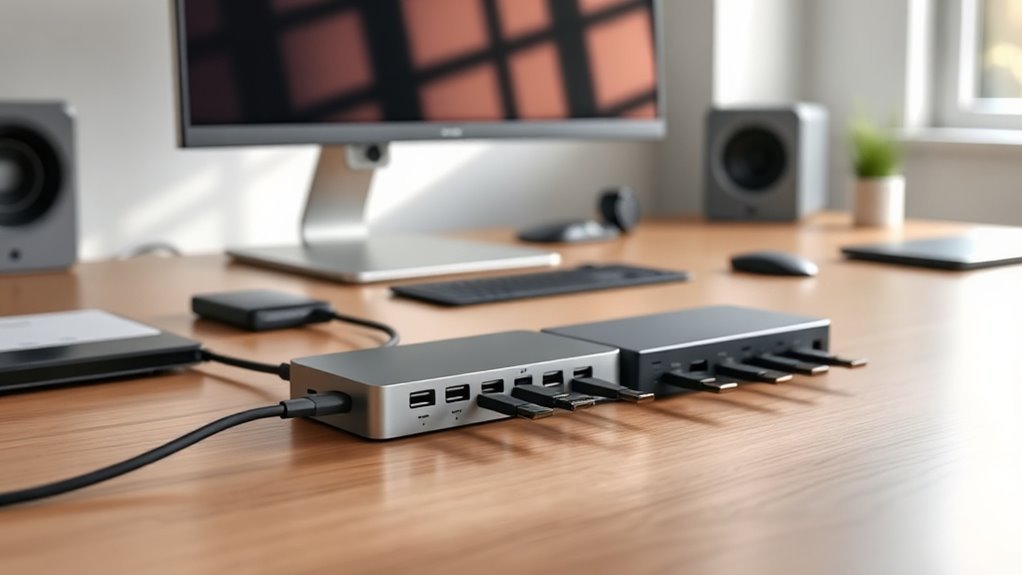
When choosing a docking station for your MacBook Pro M1, make sure it’s fully compatible and supports the display setup you need. Check how many USB ports it offers and whether it delivers enough power to keep your laptop charged.
Also, don’t forget to take into account Ethernet connectivity if you need a stable wired internet connection. It’s these little details that can make a big difference in your daily workflow.
Compatibility With MacBook
Although choosing a docking station might seem straightforward, confirming compatibility with your MacBook Pro M1 is crucial for seamless performance. First, verify the dock explicitly supports your MacBook model, especially M1 and its variants, since not all docks work with every generation.
Next, check that it uses Thunderbolt 3 or USB-C connections, which are essential for peak speed and reliability. You’ll also want to verify the dock’s power delivery—make sure it can provide enough wattage (up to 100W) to keep your MacBook charged during use.
Finally, confirm the docking station supports your macOS version, as some require specific updates to function properly. Taking these factors into account will help you avoid compatibility issues and get the most from your setup.
Display Support Capabilities
Since your MacBook Pro M1 has specific display limitations, you’ll want a docking station that supports dual 4K monitors at 60Hz for smooth multitasking. However, keep in mind that M1 models typically don’t support dual external displays natively, so choosing a dock designed to work around this is essential.
Look for docking stations with at least two HDMI or DisplayPort outputs to enable extended monitor setups. Be certain the dock offers plug-and-play functionality to save you from complicated installations.
While checking display support, also consider overall port availability for connecting other devices. Prioritizing these factors guarantees you get a dock that maximizes your MacBook Pro M1’s display potential without compatibility headaches.
Number Of USB Ports
Alongside display capabilities, the number of USB ports on your docking station plays a big role in how efficiently you can connect and use multiple peripherals. You’ll want a docking station with at least 7 USB ports, combining USB-C and USB-A to support devices like external drives, keyboards, mice, and printers without extra adapters.
Prioritize USB 3.0 ports since they deliver data transfer speeds up to 5 Gbps, which is essential for fast file transfers during video editing or backups. Also, make sure the docking station supports different USB standards, so you can connect both older and newer devices seamlessly.
Having a versatile and ample number of USB ports keeps your workspace organized and productive. It lets you plug in everything you need without constantly swapping cables.
Power Delivery Output
One key factor to evaluate when choosing a docking station for your MacBook Pro M1 is the power delivery output. You’ll want a dock that provides at least 85W to charge your MacBook Pro efficiently while using peripherals.
Ideally, aim for around 100W to guarantee peak performance without slowing down charging. Make sure the dock supports USB-C Power Delivery 3.0 for fast, reliable charging.
Also, consider the total power output because your dock must handle the combined power needs of all connected devices without compromising charging speed. Look for pass-through charging features so your docking station can simultaneously power your MacBook and other peripherals.
That way, everything keeps running smoothly without interrupting your workflow.
Ethernet Connectivity Options
Choosing a docking station with reliable Ethernet connectivity can greatly boost your MacBook Pro M1’s internet speed and stability. Ethernet offers faster, more stable access compared to Wi-Fi, which is perfect for video streaming, online gaming, and other high-bandwidth tasks.
Many docking stations come with built-in Gigabit Ethernet ports, supporting speeds up to 1000 Mbps. This really enhances performance during data-heavy activities. Some models even offer advanced 2.5G Ethernet, giving you higher speeds and better network performance.
You’ll also notice reduced latency and improved connection reliability, especially if you’re in an area with weak or congested Wi-Fi signals. Just make sure the docking station is compatible with your MacBook’s operating system so Ethernet works smoothly without needing extra drivers.
That way, you get seamless, hassle-free connectivity for your workflow.
Port Types Variety
Several key port types can make or break your experience with a docking station for the MacBook Pro M1. You’ll want a variety that covers USB-C, USB-A, HDMI, and Ethernet to connect all your devices seamlessly.
Multiple USB ports, including USB 3.0 and USB-C, guarantee fast data transfer rates up to 10Gbps or more, which is essential for efficiency. Look for HDMI or DisplayPort connections that support dual 4K@60Hz displays to boost your productivity with crisp visuals.
Including card readers for SD and microSD cards adds convenience when working with external storage or media. Don’t overlook a Gigabit Ethernet port—it provides stable, high-speed internet vital for smooth workflows and reliable connections during demanding tasks.
Choose wisely to suit your needs. It really makes a difference!
Build Quality And Design
Durability and design play an essential role when picking a docking station for your MacBook Pro M1. You’ll want a model made from sturdy materials like aluminum or high-grade plastic to handle daily use and dissipate heat efficiently.
A compact design is vital, too—it should fit neatly on your desk without creating clutter. If you travel often, prioritize a lightweight docking station for easy portability.
Also, look for built-in cable management features to keep your workspace tidy and organized. Finally, verify the docking station offers proper ventilation to prevent overheating during long sessions, so you can rely on consistent performance.
Warranty And Support
While a docking station’s features might catch your eye, don’t overlook the importance of warranty and support when selecting one for your MacBook Pro M1. A warranty period, usually between 1 to 2 years, offers peace of mind against manufacturing defects.
Make sure the warranty covers both parts and labor to avoid unexpected expenses. Also, choose a docking station with reliable customer support—this can be a lifesaver if you face compatibility or connectivity issues.
Some brands even provide a 30-day return policy, letting you test the product risk-free. Prioritizing solid warranty and support guarantees you won’t be left stranded if problems arise.
In the end, this will save you time, hassle, and money while enhancing your overall experience with your MacBook Pro M1 docking setup.
Frequently Asked Questions
Are These Docking Stations Compatible With Macbook Air M1?
Yes, these docking stations are compatible with your MacBook Air M1. They support USB-C and Thunderbolt connections, ensuring seamless functionality.
You’ll enjoy expanded ports and easy connectivity without worrying about compatibility issues. It’s all about making your setup smoother and more efficient!
Can I Use These Docks With Windows Laptops?
Yes, you can use these docks with Windows laptops as most support universal USB-C or Thunderbolt connections.
Just make sure to check the specific ports and drivers. This way, you can guarantee full compatibility with your Windows device before purchasing.
Do These Docking Stations Support Charging Other Devices?
Yes, these docks don’t just charge—they empower.
You’ll find USB-C and USB-A ports ready to juice up your phone, tablet, or earbuds while your MacBook Pro M1 stays fully powered without missing a beat.
What Is the Average Lifespan of These Docking Stations?
You can expect these docking stations to last around 3 to 5 years with regular use. Proper care and avoiding power surges will help extend their lifespan.
Are Firmware Updates Required for These Docking Stations?
Oh, sure, because who doesn’t love surprise updates? Yes, you’ll need firmware updates to keep these docking stations working smoothly.
They fix bugs, add features, and prevent your dock from becoming a fancy paperweight. It’s all about keeping things running without a hitch.
Conclusion
When choosing your MacBook Pro M1 docking station, prioritize speed, versatility, and reliability. Look for multiple ports, seamless 4K display support, and strong charging power.
Choose a dock that complements your workflow, enhances your productivity, and fits your budget. Whether you’re connecting monitors, transferring data, or powering devices, the right docking station will simplify your setup.
It will boost your efficiency and elevate your overall experience. So, make your choice smart, simple, and suited to you. Picking the best docking station for MacBook Pro M1 means finding one that balances performance and convenience perfectly.
Remember, the right docking station isn’t just an accessory—it’s a productivity game-changer designed to keep up with your needs today and tomorrow.