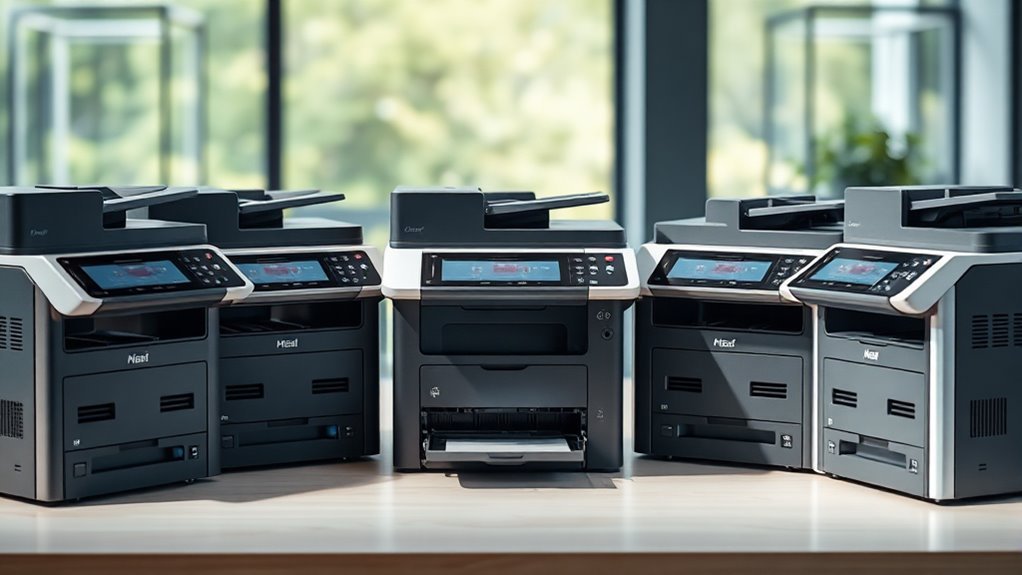
10 Best Duplex Printers for 2027
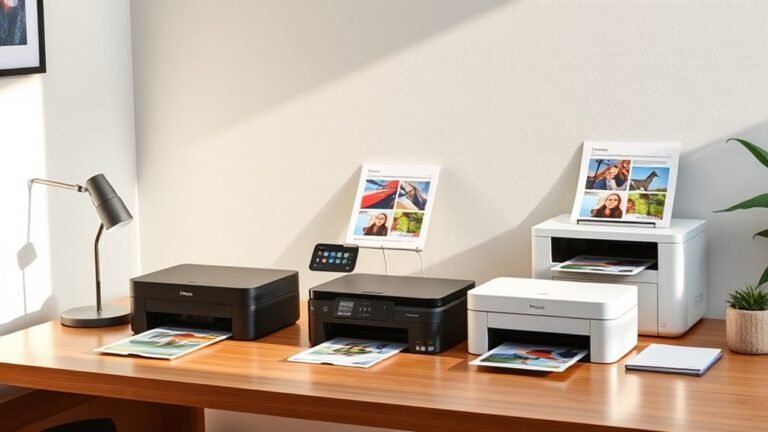
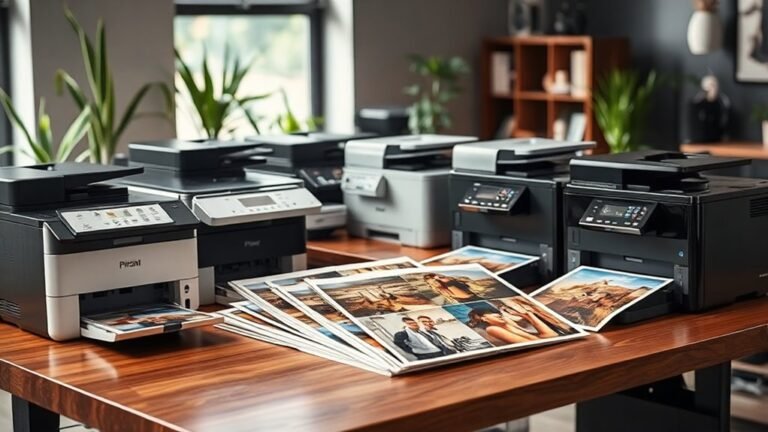
If you’re looking for a reliable duplex printer in 2027, you’ve got some great options to consider. Models like the Canon PIXMA TS6520 and Epson EcoTank ET-2988 stand out with excellent wireless capabilities and smooth duplex printing.
These printers make double-sided printing simple and efficient, which can save you time and paper.
For those who want to keep costs low, the Canon Megatank G3290 and Epson EcoTank ET-4950 come with refillable ink tanks. This feature helps you save money in the long run without sacrificing print quality.
If speed and smart features are a priority, check out the HP OfficeJet Pro 8125 and Canon MF753Cdw II. Both offer fast, high-quality prints that are perfect for busy office environments.
Take a closer look at each model to see how it fits your specific needs and workspace. This way, you can make the best choice for efficiency and top performance.
Canon PIXMA TS6520 Wireless Color Inkjet Printer, 1.42″ OLED Display, White
The Canon PIXMA TS6520 is an ideal solution for those needing a compact printer that fits seamlessly into home or office spaces. Its wireless color inkjet technology allows you to print high-quality documents and vibrant photos without the hassle of cables. The sharp 1.42” OLED display simplifies setup and daily operation, making it easy to navigate printer functions.
This model improves productivity with automatic two-sided printing, which helps reduce paper use effortlessly. Dual-band Wi-Fi ensures a stable connection, allowing you to print directly from your smartphone, tablet, or computer. Voice control compatibility with Amazon Alexa adds another layer of convenience for hands-free printing.
Maintenance is straightforward, though the 2-cartridge hybrid ink system may require more frequent replacements if you print photos often. Weighing just 15.4 pounds, the printer remains portable and fits well in various workspaces. While print speeds are moderate, the TS6520 balances quality and efficiency for everyday tasks.
Best for: individuals or small offices seeking a stylish, efficient wireless color inkjet printer with smart connectivity and quality output.
What We Like:
- High-quality prints with up to 1200 x 1200 dpi resolution
- Automatic two-sided printing to save paper
- Dual-band Wi-Fi and Alexa voice control for easy wireless printing
- Compact, lightweight design ideal for limited spaces
Specification:
| Feature | Details |
|---|---|
| Manufacturer | Canon |
| Dimensions | Not specified |
| Weight | 15.4 lb (7.0 kg) |
| Technology | Wireless color inkjet |
| Display | 1.42” OLED |
| Connectivity | Dual-band Wi-Fi, Alexa voice control |
| Ink System | 2-cartridge hybrid ink |
| Printing Resolution | Up to 1200 x 1200 dpi |
Canon Megatank G3290 All-in-One Wireless Printer
The Canon Megatank G3290 is designed to make printing easier and more efficient for home users and small offices. It tackles the hassle of frequent ink refills by delivering up to 6,000 black and 7,700 color pages per ink set, reducing interruptions and saving time.
This all-in-one wireless printer offers clear, sharp text and vibrant colors with its hybrid ink system and high resolution. Its 2.7” color touchscreen makes navigation simple, while auto duplexing helps save paper and speeds up your workflow.
Maintenance is straightforward thanks to the refillable ink tanks, which lower running costs and reduce waste. Wireless connectivity and mobile printing options ensure the G3290 fits smoothly into various work environments.
While it delivers reliable prints, the print speed is moderate, and it lacks advanced office features like fax or Ethernet. These factors make it less suitable for very high-volume or large office needs but ideal for everyday home or small office tasks.
Best for: users who need a reliable, cost-effective all-in-one printer with wireless and duplex capabilities for home or small office use.
What We Like:
- High page yield reduces the need for frequent refills
- Auto duplex printing saves paper and time
- User-friendly 2.7” color touchscreen
- Versatile media support with wireless and mobile printing
Specification:
| Feature | Details |
|---|---|
| Manufacturer | Canon |
| Dimensions (W×D×H) | 17.7 × 14.7 × 5.9 inches |
| Weight | Approximately 7.7 lbs |
| Printing Technology | Inkjet |
| Resolution | Up to 4800 × 1200 dpi |
| Connectivity | Wireless, USB |
Epson EcoTank ET-2988 Wireless All-in-One Printer
The Epson EcoTank ET-2988 offers a smart solution for those tired of frequent ink replacements. Its refillable EcoFit tanks provide up to three years of ink supply, cutting down both hassle and plastic waste. This design helps users save money and reduces environmental impact over time.
Printing is efficient and sharp, with a high resolution of 4800 x 1200 dpi. Auto duplex printing allows you to print on both sides of the paper, saving resources and time. Whether you need crisp documents or vibrant photos, the ET-2988 delivers consistent quality.
Maintenance is simple and mess-free thanks to the easy-to-use ink tanks. The compact, user-friendly design fits well in small offices or home workspaces. Wireless connectivity via the Epson Smart Panel app and USB support enables flexible printing and scanning, enhancing productivity.
While color printing speed is moderate at 8 ppm and the 100-sheet tray may require frequent refills for heavy users, the ET-2988 balances convenience with eco-conscious performance. Its small 1.44″ screen is functional but may limit navigation ease compared to larger displays.
Best for: individuals or small offices looking for an eco-friendly, cost-effective all-in-one printer with long-lasting ink and versatile wireless features.
What We Like:
- Up to three years of ink with easy, clean refilling
- High-resolution printing with auto duplex to save paper
- Flexible wireless and USB connectivity for printing and scanning
- Compact design suitable for limited workspace
Specification:
| Feature | Details |
|---|---|
| Manufacturer | Epson |
| Dimensions | 14.8 x 12.5 x 7.7 inches |
| Weight | 11.1 lb (5.04 kg) |
| Color Options | White |
| Print Resolution | Up to 4800 x 1200 dpi |
| Print Speed | 15 ppm black, 8 ppm color |
| Paper Tray Capacity | 100 sheets |
| Display | 1.44″ color screen |
| Connectivity | Wireless (Epson Smart Panel), USB |
HP OfficeJet Pro 8125 Wireless All-in-One Printer
The HP OfficeJet Pro 8125 Wireless All-in-One Printer is designed to streamline your home office tasks with ease and efficiency. It handles both black and color printing smoothly, making it ideal for everyday document needs. The printer’s fast duplex printing helps save time by producing double-sided pages quickly, reducing paper use.
Navigating the device is simple thanks to its bright 2.7-inch color touchscreen. Wireless connectivity options like dual-band Wi-Fi, the HP app, and Apple AirPrint allow effortless mobile printing from various devices. This flexibility supports a seamless workflow whether you work from your desk or remotely.
Maintenance is straightforward with a sustainable design that uses over 45% recycled plastic. The printer also features AI-driven print optimization to enhance output quality while minimizing ink waste. However, the 225-sheet paper tray may require frequent refills during heavy use, and the color print speed is slower compared to black.
Built-in security features help protect your data from cyber threats, and the included 3-month Instant Ink trial offers convenient ink management. The OfficeJet Pro 8125 balances functionality and eco-consciousness, making it a practical choice for home office environments.
Best for: Home office users needing a versatile, efficient, and eco-friendly wireless all-in-one printer with smart connectivity.
What We Like:
- Fast duplex printing saves time and paper.
- User-friendly 2.7-inch color touchscreen.
- Multiple wireless printing options including HP app and Apple AirPrint.
- Sustainable design with recycled materials.
- Built-in security to protect sensitive information.
Specification:
| Feature | Details |
|---|---|
| Manufacturer | HP |
| Dimensions | Approx. 17.2 x 14.6 x 9.6 in (43.7 x 37.1 x 24.4 cm) |
| Weight | Approx. 15.2 lb (6.9 kg) |
| Material | Plastic (over 45% recycled) |
| Color Options | White with black accents |
Canon Color imageCLASS MF753Cdw II – All-in-One Color Duplex Laser Printer
Experience efficient, high-quality printing designed for today’s busy small and hybrid offices. The Canon Color imageCLASS MF753Cdw II delivers fast duplex printing at up to 35 pages per minute, ensuring your documents look sharp with 1200 x 1200 dpi resolution in both color and black-and-white. This keeps your workflow smooth and professional without unnecessary delays.
Its 50-sheet automatic duplex feeder streamlines two-sided scanning, copying, and faxing in a single pass. This feature reduces manual handling and saves valuable time. With standard paper capacity of 250 sheets, expandable to 850 sheets via an optional cassette, you can tailor the printer’s capacity to your office needs.
Designed for convenience, wireless connectivity and the Canon PRINT app allow seamless mobile printing from anywhere. The customizable 5-inch touchscreen makes navigation and operation straightforward, minimizing training and maintenance efforts.
While the printer offers many advanced features, its expanded paper capacity requires an additional cassette, which increases cost. It may also be more complex than necessary for very small or occasional print tasks.
Best for: Small and hybrid office users needing reliable, versatile duplex printing with mobile connectivity and easy control.
What We Like:
- Fast, sharp duplex printing at 35 ppm with 1200 x 1200 dpi resolution
- Efficient 50-sheet automatic duplex feeder for two-sided tasks
- Wireless connectivity with Canon PRINT app for mobile convenience
- Customizable 5-inch touchscreen for easy operation
Specification:
| Feature | Details |
|---|---|
| Manufacturer | Canon |
| Dimensions (W x D x H) | Approx. 17.7 x 19.7 x 16.7 in (45 x 50 x 42.5 cm) |
| Weight | Approx. 38.5 lb (17.5 kg) |
| Color Options | White/Gray |
| Paper Capacity | 250 sheets standard, expandable to 850 sheets |
Brother DCP-L2640DW Wireless Monochrome Printer
Experience efficient and reliable black-and-white printing with the Brother DCP-L2640DW wireless monochrome printer. It simplifies everyday office tasks by combining printing, copying, and scanning in one compact device. Designed to keep up with busy workflows, it delivers sharp output quickly, helping you save time.
Maintenance is straightforward with a large 250-sheet paper tray and a 50-page automatic document feeder that reduces manual handling. Automatic duplex printing cuts paper use, supporting eco-friendly practices without extra effort. The printer’s design balances functionality and space, though it is somewhat heavier than smaller models.
Connectivity is versatile, offering dual-band Wi-Fi, Ethernet, and USB options, plus remote management through the Brother Mobile Connect app. This flexibility ensures smooth integration into both home and office networks. Security features provide peace of mind by protecting sensitive documents.
While it handles monochrome printing efficiently, it does not support color output. Its one-year warranty covers basic needs but may be shorter than some alternatives.
Best for: Small offices or home users needing fast, reliable monochrome printing, copying, and scanning with wireless convenience and efficient paper handling.
What We Like:
- Fast printing up to 36 ppm with automatic duplex for paper savings
- Multiple connectivity options including dual-band Wi-Fi and Ethernet
- 50-page automatic document feeder for easy multi-page scanning and copying
- ENERGY STAR® certified for energy efficiency
- Advanced security features to protect documents
Specification:
| Feature | Details |
|---|---|
| Manufacturer | Brother |
| Dimensions | 14.2 x 14.2 x 7.2 inches |
| Weight | 15.9 lb (7.2 kg) |
| Printer Type | Wireless Monochrome Laser |
| Paper Capacity | 250 sheets |
| Auto Document Feeder | 50 pages |
| Connectivity | Dual-band Wi-Fi, Ethernet, USB |
Brother HL-L2460DW Wireless Monochrome Laser Printer
The Brother HL-L2460DW delivers efficient black-and-white printing designed to meet the needs of busy users. Its fast print speed helps you complete large print jobs quickly, while the sharp 1200 x 1200 dpi resolution ensures clear, professional-quality output. Automatic duplex printing saves time and paper by printing on both sides without manual intervention.
This printer adapts to varied workflows with a 250-sheet capacity tray and a manual feed slot for specialty papers. Flexible connectivity options include dual-band wireless, Ethernet, and USB, allowing seamless integration with multiple devices. Mobile printing through the Brother Mobile Connect app adds extra convenience for on-the-go tasks.
Maintenance is straightforward with energy-saving features and a Refresh EZ Print Subscription option that simplifies toner replacement and reduces downtime. The printer’s compact design fits well in small office spaces without sacrificing functionality.
While it only supports monochrome printing, this model excels in delivering consistent, cost-effective black-and-white prints. The manual feed slot requires some handling for envelopes or unique media, but overall, the HL-L2460DW is a reliable choice for efficient document production.
Best for: Small offices and users needing a fast, reliable monochrome printer with automatic duplexing and versatile connectivity.
What We Like:
- Fast print speeds up to 36 ppm with crisp 1200 x 1200 dpi output
- Automatic duplexing reduces paper use and speeds up workflows
- Multiple connection methods including dual-band Wi-Fi and Ethernet
- Easy maintenance with toner subscription and energy-saving mode
- Compact design suited for limited workspace
Specification:
| Feature | Details |
|---|---|
| Manufacturer | Brother |
| Dimensions (W×D×H) | Approx. 16.1 × 15.7 × 7.2 in |
| Weight | Approx. 15.4 lb (7 kg) |
| Printing Technology | Monochrome Laser Printer |
| Print Speed | Up to 36 pages per minute |
| Print Resolution | 1200 x 1200 dpi |
| Paper Capacity | 250-sheet tray + manual feed |
| Connectivity | Dual-band wireless, Ethernet, USB, Mobile app |
Epson EcoTank ET-4950 Wireless Color All-in-One Supertank Printer – Black
The Epson EcoTank ET-4950 offers a practical solution for those frustrated with frequent cartridge replacements. Its high ink capacity lets you print thousands of pages without interruption, significantly cutting down maintenance time. The cartridge-free design means fewer hassles and more productivity.
Refilling the printer is simple and clean, thanks to the keyed EcoFit bottles that prevent ink mix-ups. This system helps avoid messes and errors that commonly slow down printing tasks. You can focus on your work without worrying about complicated or tedious upkeep.
Designed for busy environments, the ET-4950 supports fast printing speeds—18 black and 9 color ISO ppm—with no warmup delay. Its 250-sheet input tray and auto duplex printing make handling large jobs easier. The device also includes scanning, copying, and fax functions, all navigated through a clear 2.4-inch color display.
While the printer’s footprint is larger than some models, its all-in-one capabilities and ink efficiency make it well-suited for home offices or small businesses. The initial cost is higher, but the long-term savings on ink and convenience make it a smart choice.
Best for: Small businesses or individuals needing a reliable, high-capacity all-in-one printer with hassle-free ink refills and versatile functionality.
What We Like:
- High ink capacity reduces refill frequency and downtime
- EcoFit bottles ensure mess-free, error-proof refilling
- Fast print speeds with no warmup time
- Comprehensive all-in-one features including duplex printing, scanning, copying, and fax
- Large 250-sheet tray supports high-volume printing
Specification:
| Feature | Details |
|---|---|
| Manufacturer | Epson |
| Dimensions | Not specified |
| Weight | Not specified |
| Color | Black |
| Ink System | Cartridge-free EcoTank Supertank |
| Print Speed | 18 ppm (black), 9 ppm (color) ISO |
| Display | 2.4-inch color |
| Paper Capacity | 250 sheets |
Brother INKvestment 1365 Wireless Color Inkjet Printer
The Brother INKvestment 1365 Wireless Color Inkjet Printer is designed to simplify busy home office tasks. Its wireless color printing and automatic duplexing save time and reduce paper waste, making everyday printing more efficient. Quick print speeds keep your workflow steady without long waits.
This versatile all-in-one handles copying and scanning with ease. The flatbed scanner and 20-page automatic document feeder allow you to manage multiple documents smoothly. Whether you need single-page scans or batch copying, it adapts to your needs.
Maintenance is straightforward with long-lasting ink cartridges that reduce frequent replacements. Connecting is hassle-free through Wi-Fi Direct, USB, or mobile devices, and you can print directly from cloud services like Google Drive for added convenience.
Compact in design, it fits comfortably in tight spaces but supports media sizes only up to 8.5 x 14 inches. While its 150-sheet capacity is suitable for moderate use, heavy-volume printing may require more frequent refills.
Best for: busy home office users who need reliable, fast, and high-quality wireless color printing with versatile all-in-one functionality.
What We Like:
- Fast print speeds up to 16 ppm (black) and 9 ppm (color) with sharp 1,200 x 6,000 dpi resolution
- Efficient automatic duplex printing and 20-page document feeder for multitasking
- Multiple connectivity options including Wi-Fi Direct, USB, mobile devices, and cloud printing
Specification:
| Feature | Details |
|---|---|
| Manufacturer | Brother |
| Dimensions (W x D x H) | 15.7 x 13.7 x 7.9 inches |
| Weight | 15.4 lbs (7.0 kg) |
| Color Options | White |
| Maximum Media Size | 8.5 x 14 inches (Legal) |
| Paper Capacity | 150 sheets |
Canon PIXMA TR4720 Wireless All-in-One Printer
The Canon PIXMA TR4720 is designed to simplify your printing tasks at home or in a small office. Its wireless all-in-one functionality lets you print, copy, scan, and fax with ease, helping you manage documents efficiently in one device. The auto two-sided printing and document feeder reduce manual effort, saving you time on repetitive tasks.
Maintaining the printer is straightforward thanks to its easy ink cartridge replacement and 100-sheet paper capacity. This practical design helps keep your workflow smooth without frequent interruptions. You can also print borderless photos quickly, making it a versatile choice for both documents and images.
Connectivity is another strong point. The PIXMA TR4720 supports mobile printing and integrates with Alexa, so you can get ink notifications and reorder supplies smartly. This feature ensures you stay stocked without hassle, keeping your printer ready when you need it.
While it offers solid performance, the color print speed is moderate, and the maximum print size suits standard paper only. Overall, this printer combines functionality and smart features to enhance everyday printing needs.
Best for: users seeking a versatile, wireless all-in-one printer ideal for home or small office tasks with efficient printing and smart connectivity features.
What We Like:
- Wireless 4-in-1 print, copy, scan, and fax capability
- Auto two-sided printing and document feeder for convenience
- Mobile printing support with Alexa integration for ink alerts
- Easy ink cartridge replacement and 100-sheet paper capacity
Specification:
| Feature | Details |
|---|---|
| Manufacturer | Canon |
| Dimensions (W x D x H) | 17.7 x 12.5 x 6.0 in |
| Weight | 11.3 lb (5.1 kg) |
| Color Options | Black |
| Print Speed (Black) | Up to 8.8 ipm |
| Print Speed (Color) | Up to 4.4 ipm |
| Max Print Size | 8.5 x 11 inches |
Factors to Consider When Choosing a Duplex Printer
When choosing a duplex printer, you’ll want to focus on print speed and the quality of double-sided prints to match your needs. Don’t forget to check connectivity options and how efficient the ink usage is, as these impact convenience and cost.
Also, consider the paper handling capacity to guarantee it fits your typical workload. It’s all about finding the right balance that works for you.
Print Speed Performance
Although print speed isn’t the only feature to take into account, it plays an essential role in choosing the right duplex printer for your needs. Print speed is measured in pages per minute (ppm), with fast models reaching up to 36 ppm for black-and-white and about 20 ppm for color prints.
Automatic double-sided printing boosts productivity by cutting manual paper handling time. Keep in mind, high-end printers may print black documents at 14 ppm and color ones around 9 ppm.
Also, if your work involves detailed images, higher resolution printing can slow down processing, affecting speed. Don’t forget to evaluate the printer’s warm-up time—some start printing immediately, while others need a few seconds.
Balancing these factors helps you pick a printer that suits your pace.
Duplex Printing Quality
Because duplex printing involves producing images and text on both sides of the paper, you’ll want to focus on print resolution and ink quality to guarantee sharp, smudge-free results. Look for printers offering up to 1200 x 1200 dpi to ensure crisp text and clear images.
Consider the ink system too—hybrid setups combining pigment and dye-based inks often deliver superior quality on both sides. Some models use advanced tech to minimize smudging, which is vital when printing duplex.
Also, check if the printer can handle two-sided printing in a single pass, as this reduces paper waste and speeds up your workflow. Paying attention to these factors helps you pick a duplex printer that balances quality and efficiency perfectly.
Connectivity Options Available
Choosing the right connectivity options can make your duplex printing experience much smoother and more flexible. Many duplex printers offer wireless capabilities like Wi-Fi, so you can print from multiple devices without cables.
Dual-band Wi-Fi (2.4GHz and 5GHz) improves connection stability and speed, especially in crowded networks. You’ll also find mobile printing features, allowing you to print directly from smartphones or tablets using apps like Apple AirPrint or Google Cloud Print.
If you prefer wired connections, USB and Ethernet ports provide secure, reliable options. Plus, compatibility with cloud services makes it easy to print documents stored online, so you don’t have to transfer files to your device first.
Picking a printer with the right connectivity will fit your setup and make everyday printing hassle-free. It’s all about what works best for you and your devices.
Ink Efficiency and Cost
Saving money and resources is easier when you focus on ink efficiency and cost in a duplex printer. Since duplex printing cuts paper use in half, you’ll enjoy lower overall expenses and boost efficiency at home or in the office.
Look for printers with high page yields—they print thousands of pages per ink set. This reduces your cost per page and cuts down cartridge replacement frequency.
Printers featuring refillable ink tanks also save you money over time compared to traditional cartridges that need frequent buying. Some models even offer subscription services with automatic ink delivery at discounted rates, which helps lower your ink costs even more.
Plus, automatic duplex printing streamlines your workflow, saving you time and resources while keeping your costs in check. It’s a smart way to stay efficient without extra hassle.
Paper Handling Capacity
When selecting a duplex printer, understanding its paper handling capacity can make a big difference in your printing experience. This capacity refers to how many sheets the input trays can hold, affecting how often you need to refill during large print jobs.
Home or small office models usually hold between 100 and 300 sheets, while larger office printers can accommodate 500 or more. It’s pretty handy to know this upfront so you’re not caught off guard.
Look for a multi-purpose tray if you want to print on envelopes or specialty paper without swapping out standard sheets. Also, check the maximum media size the printer supports to verify it can handle legal documents or bigger promotional prints.
Finally, an Automatic Document Feeder (ADF) boosts efficiency by letting you scan or copy multiple pages at once. This feature is especially great for duplex tasks, saving you time and effort.
User Interface Ease
Although duplex printers offer powerful features, their usability hinges on an easy-to-navigate interface that lets you access print, scan, and copy functions without hassle. Look for models with touchscreen displays, as they simplify navigation and provide clear on-screen instructions and icons. This way, you won’t need any technical expertise to operate them.
An intuitive button layout also helps you quickly manage duplex printing without a steep learning curve. Mobile app support is a game-changer, letting you control printing tasks directly from your smartphone or tablet.
Plus, if your printer supports voice commands through smart assistants, you can issue hands-free print orders. That’s perfect for busy environments.
Prioritizing user interface ease guarantees you spend less time troubleshooting and more time printing efficiently.
Device Size And Weight
Choosing the right duplex printer means paying close attention to its size and weight, as these factors directly impact where and how you use the device. Compact models, like those measuring around 14.8” D x 14” W x 6.7” H, fit easily in tight spaces, making them ideal for home offices or small work areas.
Meanwhile, larger printers need dedicated spots and more desk space, which might limit mobility. Weight also matters; lighter models, roughly 11.5 pounds, are easy to move and install, perfect if you need flexibility.
Heavier units, up to 25 pounds, offer stability but can be harder to relocate. Consider your workspace and how often you’ll move the printer—choosing a size and weight that matches your usage guarantees smooth setup and efficient operation.
Warranty And Support
After considering the size and weight of your duplex printer, it’s equally important to look at the warranty and support options. Warranties typically last between 1 to 3 years, covering defects in materials and workmanship, which gives you peace of mind.
You should review the warranty terms carefully—some may have coverage limitations or maintenance requirements to keep it valid. Many manufacturers back their printers with customer support via online resources, live chat, and phone assistance, helping you troubleshoot issues quickly.
Some brands also offer extended warranties or service plans for extra coverage beyond the standard period. Checking customer feedback on warranty claims can reveal how reliable and responsive a manufacturer is, helping you choose a duplex printer that won’t leave you stranded if problems arise.
Frequently Asked Questions
How Do Duplex Printers Impact Ink or Toner Consumption?
Duplex printers reduce your paper use by printing on both sides, but they don’t necessarily save ink or toner.
You’ll still use about the same amount since both sides require ink or toner for quality prints.
Can Duplex Printers Handle Specialized Paper Types?
Yes, duplex printers can handle specialized paper types like cardstock, labels, and photo paper. You’ll want to check your printer’s specifications first.
Adjust the settings accordingly, and test small batches to verify smooth feeding. That way, you can make sure you get high-quality double-sided prints without any hiccups.
What Are Common Maintenance Issues With Duplex Printers?
You’ll often face paper jams, misfeeds, and worn rollers in duplex printers. Cleaning sensors and regularly replacing ink or toner cartridges also help keep your printer running smoothly.
These steps can prevent print quality issues or mechanical failures. Staying on top of maintenance really makes a difference.
Are Duplex Printers Compatible With Mobile Printing Apps?
Yes, duplex printers often support mobile printing apps. You can easily print double-sided documents directly from your smartphone or tablet.
It’s super convenient to manage printing tasks on the go without needing a computer. Just a few taps, and you’re good to go!
How Noisy Are Duplex Printers During Operation?
Duplex printers usually aren’t very noisy during operation, but it depends on the model.
You’ll find some quieter options designed for offices, while others might produce a mild humming or clicking sound as they print double-sided pages.
It’s generally not too distracting, though. Most people barely notice the noise when the printer is running.
Conclusion
Choosing the right duplex printer is like finding your perfect dance partner—it needs to move smoothly with your workflow and keep pace with your printing demands. Whether you want vibrant color bursts or sharp black-and-white pages, these top picks will have you spinning through tasks effortlessly.
So, don’t let paper jams trip you up; grab one that fits your style and watch your productivity twirl to a whole new rhythm.
When looking for the best duplex printer, consider speed, print quality, and reliability. A great duplex printer not only saves time but also reduces paper waste by printing on both sides automatically.
With the right duplex printer, you can boost efficiency in your office or home setup. Explore these top duplex printers for 2027 and find the perfect match to keep your printing smooth and hassle-free.