
15 Best Docking Stations for Laptops in 2027
You’ll find the best laptop docking stations in 2027 combine powerful multi-display support, high-speed data ports, and efficient power delivery up to 100W.
These features make connecting monitors, Ethernet, USB devices, and audio simple, whether you’re at your desk or on the go.
Compact, durable, and compatible across major operating systems, these docks boost productivity and streamline your workspace.
They’re designed to keep up with your tech needs and make your setup hassle-free.
Keep exploring to discover specific models and features that fit your needs perfectly.
Whether you want something lightweight for travel or a powerhouse for your office, there’s a docking station out there for you!
Dell Pro Laptop Docking Station WD25, USB-C, 100W, DisplayPort, HDMI
The Dell Pro Laptop Docking Station WD25 is designed to streamline your workspace and enhance productivity. It tackles the challenge of connecting multiple devices by supporting up to four high-resolution displays, allowing you to expand your screen real estate effortlessly. With a USB-C connection that delivers up to 100W of power, you can keep your laptop charged while running all your peripherals.
This docking station features a total of 10 ports, including six USB and an Ethernet port, providing versatile connectivity for a variety of devices. Its ambidextrous cable design lets you route the connection to either side, helping maintain an organized desk setup. The compact yet robust build ensures durability and convenience, fitting well into both office and home environments.
Maintenance is simple due to its sturdy connector and reliable construction, minimizing downtime and connection issues. While it offers extensive functionality, it may be more than necessary for users with minimal peripheral needs. Additionally, some Mac users might encounter compatibility limitations.
Best for: Professionals and remote workers needing a reliable docking solution to connect multiple high-resolution displays and peripherals with efficient power delivery.
What We Like:
- Supports up to four high-resolution displays via DisplayPort and HDMI
- Provides fast charging with up to 100W USB-C power delivery
- Offers versatile connectivity with 10 ports including Ethernet and six USB
- Ambidextrous cable design for flexible desk organization
- Durable build suited for both office and home use
Specification:
| Feature | Details |
|---|---|
| Manufacturer | Dell |
| Dimensions | Compact design (exact size not specified) |
| Weight | Slightly heavier than ultra-compact docks (exact weight not specified) |
| Material | Robust connector with durable housing |
| Color Options | Not specified |
Anker Laptop Docking Station Dual Monitor, 8-in-1 USB C Hub with 4K HDMI
The Anker Laptop Docking Station transforms your workspace by simplifying dual-monitor setups. It supports crisp 4K resolution on two screens, making multitasking smoother and more efficient. This docking station eliminates clutter by consolidating multiple connections into one sleek hub.
Designed for everyday use, it features eight versatile ports including USB-C Power Delivery up to 85W for fast charging, Ethernet for stable wired internet, and an SD card reader for quick file transfers. Its compact and lightweight design fits neatly on any desk, reducing cable chaos and enhancing portability.
Maintenance is straightforward thanks to its durable build and plug-and-play functionality. Just connect your laptop with a USB-C or Thunderbolt cable, and you’re ready to work. It’s compatible with Windows and ChromeOS systems, though Linux users may face limitations.
While it supports dual 4K monitors, note that running two displays at 4K limits refresh rates to 30Hz, which could impact smoothness for some tasks. Also, to achieve maximum charging power, a 100W PD wall charger and USB-C to USB-C cable are required but may not be included.
Best for: Professionals and multitaskers seeking a compact, all-in-one docking station that enhances productivity with dual 4K monitor support and diverse connectivity for Windows and ChromeOS laptops.
What We Like:
- Dual 4K HDMI support for enhanced multitasking
- USB-C PD charging up to 85W for fast laptop power
- Ethernet port ensures reliable wired internet connection
- Compact, lightweight design ideal for clean workspaces
- Simple plug-and-play setup with broad device compatibility
Specification:
| Feature | Details |
|---|---|
| Manufacturer | Anker |
| Dimensions | Compact (exact size not specified) |
| Weight | Lightweight (exact weight not specified) |
| Material | Durable plastic and metal components |
| Color Options | Black |
USB C Docking Station Dual Monitor for Laptop, 10-in-1 Dock HDMI Hub
Experience seamless connectivity with the USB C Docking Station Dual Monitor for Laptop. This versatile 10-in-1 docking hub transforms a single USB-C port into multiple high-speed connections, helping you manage your devices with ease. It solves the common problem of limited ports while enhancing your workspace productivity.
The docking station supports dual 4K HDMI outputs, allowing Windows users to extend displays independently. Mac users benefit from mirrored screens, perfect for presentations or multitasking. With fast data transfer options, including USB-C 5Gbps and USB-A ports, you can quickly move files without hassle.
Built with durable aluminum and a tangle-resistant nylon cable, this docking station is designed for longevity and portability. It also delivers up to 100W Power Delivery, keeping your laptop charged while you work. Maintenance is simple—just wipe with a dry cloth to keep it clean and dust-free.
While the HDMI outputs are limited to 30Hz and Mac users cannot extend displays independently, this dock efficiently meets the needs of most professionals using USB-C or Thunderbolt laptops.
Best for: Users seeking to expand a single USB-C port into multiple data connections and dual 4K HDMI displays for enhanced multitasking on Windows or Mac laptops.
What We Like:
- Dual 4K HDMI outputs for extended or mirrored displays
- 100W Power Delivery charges laptops during use
- Sturdy aluminum body with a tangle-resistant cable
- Multiple USB ports and card readers for versatile connectivity
Specification:
| Feature | Details |
|---|---|
| Manufacturer | Not specified |
| Dimensions | Not specified |
| Weight | Not specified |
| Material | Aluminum |
| Color Options | Not specified |
Anker Nano Laptop Docking Station, 13in1 Dock with Detachable 6in1 USBC Hub
Anker Nano’s 13-in-1 docking station is designed to simplify your workspace and reduce clutter. It helps professionals connect multiple devices and displays with ease, improving productivity whether at the office or on the move. The dock supports up to three monitors, offering sharp visuals with 4K resolution on a single display or smooth 1080p across three screens.
This docking station features a detachable 6-in-1 USB-C hub, making it adaptable for travel and desktop use. With a single USB-C cable, you can connect all your peripherals, from USB and Ethernet to audio and SD cards. Its compact design makes maintenance straightforward—just keep the ports clean to ensure reliable connections.
Power delivery of up to 100W keeps your laptop charged during heavy multitasking, while fast data transfer at 10Gbps speeds up file sharing and syncing. Note that macOS users may face limitations with multiple external monitors, as only mirrored mode is supported. Compatibility with USB-C laptops that support power delivery and display output is essential for full functionality.
Best for: Professionals and remote workers who need a versatile docking station to enhance connectivity and efficiency both at their desk and on the go.
What We Like:
- Supports up to three external monitors with high-resolution output
- Detachable 6-in-1 USB-C hub enhances portability
- Up to 100W power delivery for continuous laptop charging
- Fast 10Gbps data transfer for efficient multitasking
- Compact design simplifies maintenance and setup
Specification:
| Feature | Details |
|---|---|
| Manufacturer | Anker |
| Dimensions | Not specified |
| Weight | Not specified |
| Material | Not specified |
| Color Options | Not specified |
Anker Prime Docking Station, 14-in-1 Laptop Docking Station Dual Monitor
The Anker Prime Docking Station transforms your workspace by enabling smooth dual monitor setups and powerful device charging. It tackles common productivity hurdles by supporting two external displays and multiple devices without clutter.
This 14-in-1 dock features three USB-C ports and one USB-A port, providing fast data transfers up to 10Gbps. With up to 100W charging per USB-C port and a total of 160W power output, it keeps your laptop and peripherals charged simultaneously, minimizing downtime.
Designed for Windows and ChromeOS users, it supports dual HDMI monitors at 2K@60Hz or 1080p@60Hz, depending on your laptop’s DisplayPort version. Its compact design simplifies connectivity, helping maintain an organized and efficient workspace.
While it offers broad compatibility, it does not support Linux and limits macOS users to identical external displays. The single USB-A port may also restrict older device connections. Despite these minor drawbacks, it delivers reliable performance for multitasking professionals.
Best for: Professionals and multitaskers needing efficient dual monitor support and robust charging for Windows or ChromeOS laptops.
What We Like:
- Supports dual HDMI monitors up to 2K@60Hz with DP 1.4 laptops
- High 160W total power with up to 100W per USB-C port
- Fast data transfer speeds up to 10Gbps
- Compatible with Windows 10, Windows 11, and ChromeOS
- Compact design for organized workspaces
Specification:
| Feature | Details |
|---|---|
| Manufacturer | Anker |
| Dimensions | Not specified |
| Weight | Not specified |
| Ports | 3 USB-C, 1 USB-A, 2 HDMI |
| Power Output | 160W total, 100W per USB-C |
| Compatible OS | Windows 10/11, ChromeOS |
Anker USB C Hub, 5-in-1 USBC to HDMI Splitter with 4K Display
Experience seamless connectivity wherever you go with the Anker USB-C Hub 5-in-1. Designed to solve the common problem of limited ports on modern laptops, this hub expands your device’s capabilities with ease. It lets you connect multiple peripherals and enjoy crisp 4K HDMI output without hassle.
The hub’s compact and lightweight design makes it easy to carry and use on the move. Its 4K HDMI port delivers sharp visuals for external displays, enhancing your productivity and entertainment. Meanwhile, two USB-A ports and a USB-C data port provide fast data transfers at 5 Gbps, keeping your workflow smooth.
Keeping your laptop powered is simple with the dedicated USB-C PD port, which supports pass-through charging up to 85W. Note that this feature requires an external charger, which is not included. The hub supports MacBook, Windows, and ChromeOS devices but is not compatible with Linux.
Maintenance is straightforward—just keep the hub clean and store it safely to avoid damage. Its sturdy build ensures durability, making it a reliable companion for daily use.
Best for: Professionals and students needing a compact, multi-port USB-C hub with 4K HDMI output and fast data transfer for MacBook, Windows, or ChromeOS laptops.
What We Like:
- Supports high-resolution 4K HDMI output
- Multiple USB ports with 5 Gbps data transfer speeds
- Pass-through charging up to 85W for uninterrupted use
- Lightweight and portable design
Specification:
| Feature | Details |
|---|---|
| Manufacturer | Anker |
| Dimensions | Compact and lightweight |
| Weight | Lightweight |
| Color Options | Standard black |
| Compatible OS | MacBook, Windows, ChromeOS |
Acer USB-C Docking Station Dual Monitor, 9-in-1 Laptop Dock with 2 HDMI
Experience effortless workspace expansion with the Acer USB-C Docking Station, designed to support dual 4K monitors smoothly. It solves the common problem of limited screen space, allowing you to boost productivity with ultra-clear visuals on two HDMI displays running at 4K@60Hz. This docking station keeps your workflow uninterrupted and efficient.
Data transfer is fast and reliable thanks to multiple USB-A and USB-C ports delivering speeds up to 5Gbps. Convenient SD and MicroSD slots add flexibility for managing your files, although their transfer speeds are slower. The dock’s 100W power delivery ensures your laptop stays charged with up to 90W, reducing cable clutter and maintaining continuous operation.
Built with a sleek aluminum alloy body, this dock offers durability and style. The integrated 0.65-foot cable and lock button enhance security and reduce setup complexity. While it works seamlessly with Windows, Mac users may need to tweak settings to enable full dual-display functionality.
Maintenance is straightforward, with a robust design that resists wear and tear. Its compact form fits well on any desk, making it a practical choice for professionals who want a secure and efficient docking solution.
Best for: Professionals and power users needing seamless dual 4K monitor support, fast data transfer, and reliable laptop charging in a compact, secure docking solution.
What We Like:
- Dual 4K@60Hz HDMI support enhances multitasking and workspace efficiency
- Multiple USB ports and card slots enable versatile device connectivity
- 100W power delivery supports up to 90W laptop charging
- Durable aluminum alloy construction with built-in cable and security lock
Specification:
| Feature | Details |
|---|---|
| Manufacturer | Acer |
| Dimensions | Not specified |
| Weight | Not specified |
| Material | Aluminum alloy |
| Color Options | Not specified |
| HDMI Ports | 2 (4K@60Hz) |
| USB Ports | 3 USB-A, 1 USB-C (5Gbps) |
| Card Slots | SD, MicroSD |
| Power Delivery | 100W (up to 90W charging) |
| Cable Length | Built-in 0.65 ft |
Anker Nano Laptop Docking Station Dual Monitor,8-in-1 USB C Hub for Windows
The Anker Nano Laptop Docking Station transforms your workspace by enabling connection to two 4K monitors at once. This capability enhances productivity, allowing you to manage multiple tasks smoothly without switching screens. It’s designed specifically for Windows laptops with full-function USB-C, USB4, or Thunderbolt ports, ensuring broad compatibility and reliable performance.
Beyond dual monitors, this 8-in-1 USB-C hub offers fast 10 Gbps data transfer across all USB ports and delivers up to 85W pass-through charging. This means you can keep your laptop powered while using multiple peripherals, reducing cable clutter. The dock includes two HDMI ports, USB-C and USB-A data ports, plus SD and TF card slots, making it a versatile tool for professionals who handle various media types.
Its compact aluminum body measures just 7.87 by 4.13 inches and weighs under 4 ounces, making it easy to carry and maintain. The sturdy design resists wear and keeps your setup organized without bulk. While macOS users will face limitations with external display support, Windows users benefit from seamless multi-display functionality and efficient power delivery.
Best for: Windows laptop users needing a compact, all-in-one docking station to connect dual 4K displays, transfer data quickly, and charge devices efficiently.
What We Like:
- Supports dual 4K@60Hz monitors for enhanced multitasking
- High-speed 10 Gbps data transfer on all USB ports
- 85W pass-through charging balances power for your laptop and hub
- Compact, durable aluminum design for easy portability
Specification:
| Feature | Details |
|---|---|
| Manufacturer | Anker |
| Dimensions (L×W) | 7.87 × 4.13 inches |
| Weight | Under 4 ounces (approx.) |
| Material | Aluminum |
| Compatible Systems | Windows (USB-C, USB4, Thunderbolt) |
USB C Laptop Docking Station Dual Monitor HDMI USB C Hub Multiport Adapter
Experience seamless connectivity with this USB C Laptop Docking Station, designed to simplify your workspace. It tackles common issues like limited ports and clutter, making it easy to connect multiple devices at once.
This docking station supports dual HDMI monitors at up to 4K@60Hz and a DisplayPort for three-screen setups. You can efficiently manage your workflow across multiple displays, enhancing productivity and reducing screen switching.
Data transfer is fast and reliable, thanks to USB A 3.1 and USB C ports delivering speeds up to 10Gbps. The built-in SD card reader provides quick access to files, making content management smoother. Its 100W power delivery keeps your laptop charged without interruptions.
The compact, durable design requires minimal maintenance and fits well in any setup. Compatible with major laptops like Dell, HP, Lenovo, and Surface Pro, it works seamlessly on both Windows and Mac OS. Gigabit Ethernet and audio jacks add to its comprehensive connectivity options.
Best for: Professionals and tech users who need a versatile docking station for multi-monitor workspaces and fast peripheral connections.
What We Like:
- Supports up to three external monitors with dual 4K HDMI output
- High-speed data transfer with USB A 3.1 and USB C 10Gbps ports
- 100W power delivery for efficient laptop charging
- Includes SD/Micro SD card reader for easy file access
- Compatible with Windows and Mac OS across major laptop brands
Specification:
| Feature | Details |
|---|---|
| Manufacturer | Not specified |
| Dimensions | Not specified |
| Weight | Not specified |
| Material | Not specified |
| Color Options | Not specified |
Anker USB C Hub, Smart Display Hub, Docking Station Dual Monitor,No Charger
Experience effortless multitasking with the Anker USB C Hub, designed to elevate your laptop’s connectivity. This versatile docking station solves the hassle of managing multiple devices, enabling seamless dual-monitor setups for enhanced productivity. Whether you’re working, streaming, or gaming, it handles high-resolution displays with ease.
The hub supports dual monitors at 2K@240 Hz or a single display at 4K@144 Hz, delivering smooth visuals for detailed work. Its compact and durable iron gray design fits neatly on any desk without clutter. The smart display provides real-time port status and easy customization through a dedicated app, helping you monitor connections at a glance.
Maintenance is simple with plug-and-play functionality and no complicated setup required. While it needs an external charger for pass-through charging up to 80W, this design choice keeps the hub lightweight and adaptable to various laptop models. Just ensure your laptop supports the necessary DisplayPort standards for dual monitor use.
Best for: Professionals and laptop users who need a reliable, high-performance hub for multitasking with dual monitors and extensive connectivity options.
What We Like:
- Smooth dual-monitor support at 2K@240 Hz or single 4K@144 Hz resolution
- Smart built-in display with real-time port monitoring
- Wide range of ports including HDMI 2.1, DisplayPort 1.4, USB-C, USB-A, Ethernet, and SD card slots
- Compact, sturdy iron gray design fits any workspace
Specification:
| Feature | Details |
|---|---|
| Manufacturer | Anker |
| Dimensions | Compact (exact size N/A) |
| Weight | Lightweight (exact weight N/A) |
| Material | Durable iron gray metal |
| Color Options | Iron gray |
MOKiN Laptop Docking Station Dual Monitor 4K HDMI USB C Hub for Dell/HP/Mac
Professionals seeking a smooth multi-display experience will find the MOKiN Laptop Docking Station ideal. It effortlessly connects dual 4K monitors through HDMI and DisplayPort, expanding your workspace without hassle. This docking station supports Dell, HP, and Mac laptops with Thunderbolt 3/4 or full-function USB-C ports, simplifying your setup.
Designed for efficiency, it offers 14 versatile ports, including USB-C, USB-A, SD/microSD slots, and Gigabit Ethernet. You gain fast 5 Gbps data transfers and reliable 1000 Mbps network speeds. The 100W USB-C power delivery keeps your laptop charged during long work sessions, though a separate charger is needed for full power.
Maintenance is straightforward thanks to its plug-and-play design, allowing easy connection without complex installation. The docking station also features a privacy screen lock button, adding an extra layer of security when sharing your workspace.
Note that macOS users may be limited to mirrored displays due to SST mode, which could restrict extended multi-monitor setups. USB-C ports operate at the 3.0 standard, which might not match the speed of newer devices but still provides solid performance.
Best for: Professionals and power users needing a versatile docking station for multi-display setups with Dell, HP, or Mac laptops supporting Thunderbolt 3/4 or full-function USB-C.
What We Like:
- Supports dual 4K monitors with HDMI and DisplayPort options
- Fast 5 Gbps data transfer and gigabit Ethernet connectivity
- Privacy screen lock button enhances security
- Plug-and-play setup simplifies use
Specification:
| Feature | Details |
|---|---|
| Manufacturer | MOKiN |
| Dimensions | Not specified |
| Weight | Not specified |
| Material | Not specified |
| Color Options | Not specified |
Plugable USB 3.0 Universal Laptop Docking Station, Dual HDMI Monitor
The Plugable USB 3.0 Universal Laptop Docking Station offers a straightforward solution for expanding your workspace with dual HDMI monitors. It connects via a USB 3.0 or USB-C hybrid cable, enabling easy setup without hassle. This docking station supports two HDMI outputs at resolutions up to 1920×1200 at 60Hz, helping you boost productivity by managing multiple displays effectively.
Designed for versatility, it includes six USB ports, gigabit Ethernet, and audio jacks to connect various peripherals. Its plug-and-play functionality works smoothly on Windows and ChromeOS, making it ideal for users who want quick and reliable connections without complex installations. For macOS users, manual driver installation is needed, which may require extra effort.
While it doesn’t support gaming, HDCP-protected content, or provide laptop charging, it excels in everyday office tasks and multimedia setups. The lightweight design at just 13 ounces makes it easy to carry and maintain, fitting well into any workspace or travel setup.
Best for: Users needing a reliable and versatile docking station for dual HDMI monitors and multiple peripherals, ideal for productivity on Windows and ChromeOS laptops.
What We Like:
- Dual HDMI outputs support up to 1920×1200 @ 60Hz for enhanced multitasking
- Six USB ports plus gigabit Ethernet and audio jacks for broad connectivity
- Plug-and-play setup on Windows and ChromeOS for ease of use
- Lightweight and portable design for convenient mobility
Specification:
| Feature | Details |
|---|---|
| Manufacturer | Plugable |
| Dimensions | Not specified |
| Weight | 13 ounces (approx. 0.37 kg) |
| Material | Not specified |
| Color Options | Not specified |
Selore USB C Docking Station Dual Monitor, 14-in-1 Laptop Docking Station
The Selore USB C Docking Station transforms your workspace by enabling smooth multi-display setups. It supports dual 4K HDMI and VGA outputs, allowing Windows users to extend their screens across three displays. Mac users with M1 or M2 chips can enjoy mirror mode, enhancing their productivity without complicated setups.
With 14 versatile ports, including high-speed USB 3.1, SD/microSD card readers, and a 3.5mm audio jack, this docking station connects all your essential devices in one place. It also delivers 100W fast charging, keeping your laptop powered throughout the day. The stable 1000M Ethernet port ensures reliable wired internet access for uninterrupted work.
Designed for everyday use, the dock is plug-and-play, requiring no additional drivers. Its plastic enclosure keeps it lightweight and easy to maintain, though it may not feel as premium as metal alternatives. It works seamlessly with Thunderbolt 3 or USB-C laptops like MacBook, Lenovo Yoga, and Dell XPS.
Best for: Professionals and creatives seeking a versatile docking station with multi-display support and extensive connectivity for Windows and Mac USB-C or Thunderbolt 3 devices.
What We Like:
- Supports triple displays on Windows, dual on Mac M1/M2 with dual 4K HDMI and VGA
- 14 ports including USB 3.1, SD/microSD readers, and gigabit Ethernet
- 100W power delivery for fast charging and easy plug-and-play setup
Specification:
| Feature | Details |
|---|---|
| Manufacturer | Selore |
| Dimensions | Not specified |
| Weight | Not specified |
| Material | Plastic |
| Color Options | Not specified |
USB C Docking Station Dual Monitor for HP,Laptop Docking Station 3 Monitors
Experience seamless multi-monitor setups with this USB C docking station designed for HP and other laptops. It effortlessly expands your workspace by supporting dual or triple displays, making multitasking smoother and more efficient. This dock helps you stay productive without the hassle of constant unplugging and reconnecting.
The docking station offers versatile video outputs, including two HDMI ports with crisp 4K@60Hz and 1080p@60Hz resolutions, a DisplayPort supporting 4K@60Hz, and a VGA port limited to 1080p. This variety ensures compatibility with a wide range of monitors and projectors, adapting well to different work environments.
Charging your laptop is straightforward with the built-in 100W USB C power delivery, safely supplying up to 87W when your device supports it. The dock also features three USB 2.0 ports to connect essential peripherals, balancing connectivity with simplicity. Its compact, heat-resistant design requires minimal maintenance and fits easily into any workspace.
Compatibility extends across Windows, Mac OS, and Ubuntu systems, enabling plug-and-play use without complex setup. One consideration is that the VGA port’s resolution cap and USB 2.0 ports’ slower speeds might limit performance for some users. Additionally, a laptop with a full-featured USB-C port supporting video output is necessary.
Best for: Professionals and remote workers needing a compact, reliable docking station to connect multiple monitors and efficiently charge USB-C laptops.
What We Like:
- Supports up to three monitors with high-resolution video output options
- Provides up to 87W safe charging through USB C power delivery
- Compatible with Windows, Mac OS, and Ubuntu for versatile use
- Compact, heat-resistant design simplifies maintenance and workspace integration
Specification:
| Feature | Details |
|---|---|
| Manufacturer | Not specified |
| Dimensions | Not specified |
| Weight | Not specified |
| Material | Heat-resistant materials |
| Color Options | Not specified |
Dell Pro Thunderbolt 4 Smart Dock SD25TB4
The Dell Pro Thunderbolt 4 Smart Dock SD25TB4 transforms your workspace with seamless multi-monitor connectivity and efficient device management. It solves the common challenge of limited ports by offering 12 diverse connections, including dual Thunderbolt 4, USB-C, HDMI 2.1, and DisplayPort 1.4. This allows creative professionals and data scientists to effortlessly connect up to four 4K displays and chain multiple devices, enhancing productivity.
Designed with power delivery in mind, the dock supplies up to 130W for Dell laptops and 96W for other devices, ensuring your gear stays charged during intensive tasks. Its compact, ambidextrous form fits neatly into various setups, while the use of 65% recycled plastic supports eco-conscious users seeking sustainable solutions.
Maintenance is straightforward thanks to its durable build and remote management capabilities, which streamline updates and security. The dock’s robust security features, including WPA3 encryption and DMA protection, help protect sensitive data in professional environments. However, it requires Windows 10 or newer, which may limit compatibility for some users.
Best for: Professionals needing secure, high-performance docking that supports multiple 4K monitors and efficient device charging.
What We Like:
- Connects up to four 4K monitors with diverse high-speed ports
- Delivers strong charging power for Dell and non-Dell laptops
- Remote management simplifies maintenance and security updates
- Built with eco-friendly materials for sustainability
- Advanced security features safeguard professional data
Specification:
| Feature | Details |
|---|---|
| Manufacturer | Dell |
| Dimensions | Compact, ambidextrous design |
| Weight | Not specified |
| Material | 65% recycled plastic |
| Color Options | Standard Dell black |
Factors to Consider When Choosing a Docking Station for Laptop
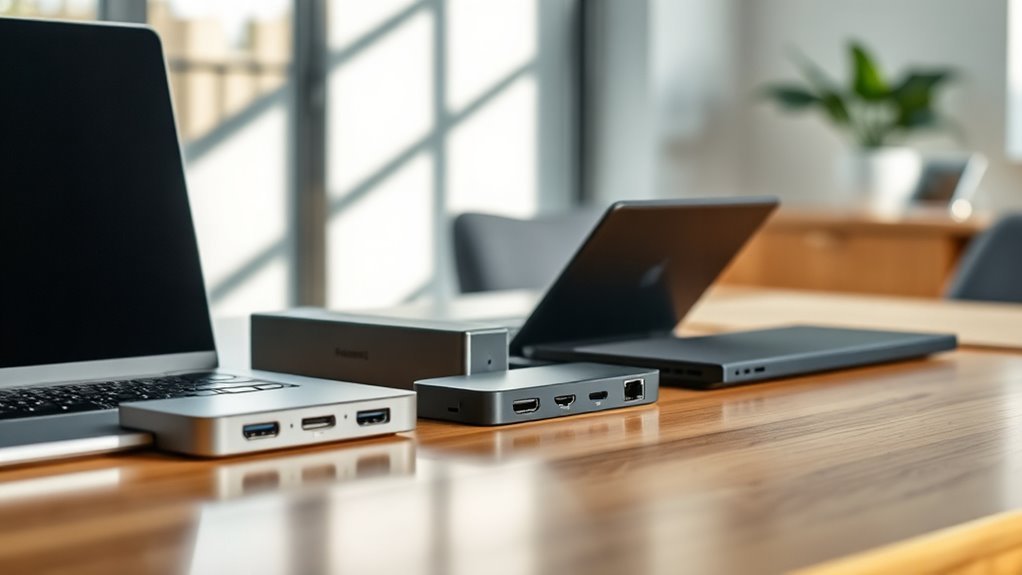
When choosing a docking station for your laptop, you’ll want to focus on port variety and types to match your devices. Make sure it offers enough power delivery and supports your display needs.
Don’t forget to check compatibility. Also, consider the build quality and design for a reliable, long-lasting setup.
Port Variety And Types
Choosing a docking station with the right port variety is key to maximizing your laptop’s connectivity. You’ll want a mix of HDMI, USB-A, USB-C, and Ethernet ports to connect multiple devices at once.
If you use multiple monitors, opt for docks supporting dual or triple HDMI or DisplayPort outputs to boost your workspace efficiency. Pay attention to USB data transfer speeds—USB 3.1 ports offer up to 10 Gbps, perfect for fast external drive access.
Also, verify your docking station supports your laptop’s operating system fully, especially for features like dual display and USB port functionality. This way, you avoid compatibility issues and enjoy seamless connectivity tailored to your workflow and device needs.
Power Delivery Capabilities
Although docking stations offer various connectivity options, their power delivery capabilities play an essential role in keeping your laptop charged while you work. Power delivery indicates how much power a docking station can provide to devices, which is vital for charging your laptop alongside peripherals.
Most docking stations offer between 60W and 130W; aiming for 100W guarantees your laptop charges efficiently, even during power-hungry tasks. Be certain your laptop’s USB-C port supports power delivery to fully benefit from this feature.
Besides charging, enhanced power delivery can boost data transmission speeds, improving performance when multiple devices are connected. Choosing a docking station with the right power delivery assures you stay powered up and productive without interruptions.
Display Support Options
Display support options play an essential role in selecting the right docking station for your laptop. Look for models that can handle multiple monitors, with some supporting up to four high-resolution displays simultaneously.
Check the types of outputs available—most docking stations offer HDMI and DisplayPort, supporting resolutions from 1080p up to 4K at 60Hz. Also, confirm the dock supports DisplayPort Alt Mode, which is vital for video output over USB-C.
Keep in mind that macOS might limit you to mirrored displays, while Windows typically allows extended setups. And don’t forget to consider the maximum resolution and refresh rates the dock can maintain when running multiple monitors.
Some docks may reduce quality with more screens connected, so these factors guarantee you get the best visual experience from your setup.
Compatibility With Devices
When you pick a docking station, make sure it supports your laptop’s connection type—whether that’s USB-C, Thunderbolt, or USB 3.0. This helps guarantee everything works seamlessly.
Also, check the operating system compatibility. Some docks work best with Windows and ChromeOS but may have limited support for macOS or Linux.
Confirm the docking station matches your laptop’s display output needs, especially if you use multiple monitors or require high resolutions.
Power delivery compatibility is essential too. You want to make sure your laptop charges efficiently through the dock.
Finally, verify the number and type of ports, like USB-A, USB-C, HDMI, and Ethernet. This way, all your peripheral connections are covered.
Paying attention to these factors ensures the docking station integrates smoothly with your devices.
Build Quality And Design
After ensuring your docking station works smoothly with your laptop and peripherals, you’ll want to focus on its build quality and design. Look for durable materials like aluminum or high-grade plastics that can handle daily use without wearing down.
A compact, lightweight design makes it easy to carry between workspaces or while traveling. Make sure the docking station fits comfortably on your desk without crowding your setup.
Effective cable management, such as ambidextrous routing options, keeps your workspace neat by reducing cable clutter. Also, consider eco-friendly features like recycled materials and sustainable packaging if you want to make a more environmentally conscious choice.
Prioritizing these factors helps you get a docking station that’s not only reliable but also convenient and responsible.
Frequently Asked Questions
Can Docking Stations Improve Laptop Battery Life?
Docking stations don’t directly improve your laptop’s battery life, but they can help by keeping your laptop plugged in and preventing battery drain during heavy use.
When you use a docking station, you’ll rely less on battery power. This can actually extend your laptop’s overall battery lifespan.
Are Docking Stations Compatible With Gaming Laptops?
Just like a Walkman fits your cassette tapes, most docking stations work with gaming laptops, but you’ll want to check ports and power delivery.
They boost connectivity without slowing your gaming beast down. Easy, right? Just make sure everything matches up before you plug in.
How Do Docking Stations Affect Laptop Warranty?
Using a docking station usually won’t void your laptop warranty, but you should check your manufacturer’s terms.
Make sure to avoid causing any physical damage or hardware issues linked to the dock. Otherwise, they might deny your warranty claims.
Can Docking Stations Be Used With Tablets or Smartphones?
You’re in luck—docking stations can often be your tablet’s or smartphone’s new best friend. Just check compatibility and ports; many support USB-C or Thunderbolt.
This lets you expand connectivity and boost productivity with ease. It’s pretty handy when you want more from your device without the hassle.
Do Docking Stations Support Wireless Charging?
Yes, some docking stations support wireless charging, letting you power compatible devices without cables. You’ll want to check the specs to verify your dock includes Qi wireless charging or similar technology for convenience.
It’s pretty handy when you don’t want to deal with tangled cords. Just place your device on the dock, and it starts charging—easy as that!
Conclusion
Choosing the right docking station might feel overwhelming, but don’t let that stop you. Even if you’re unsure about compatibility, many models offer versatile ports and universal support to fit different laptops.
Investing in a quality dock enhances your workspace, boosts productivity, and future-proofs your setup. So, don’t hesitate—pick one that matches your needs and enjoy seamless connectivity and convenience every day.
A good docking station is a game-changer for laptop users. It streamlines your workspace and makes connecting multiple devices effortless. With the best docking stations for laptops in 2027, you’ll experience improved efficiency and flexibility. Trust me, once you have one, you’ll wonder how you worked without it!